
Workflow Democratization: What Operations Leaders Need to Know

Workflow democratization means giving business users — not just IT — the ability to create, manage, and run workflows within guardrails that IT defines. The result: faster process changes, less IT backlog, and real ownership at the team level. A hiring manager builds an onboarding sequence, assigns tasks to new hires and external vendors via shared links, and adjusts steps without filing a ticket. IT sets the approved connectors and access rules. Everyone moves faster.
Here is what this article covers:
- The definition and what it looks like in practice (roles, activities, examples)
- Technical enablers: low-code/no-code, APIs, modularity, and AI
- Culture, training, and the Citizen Process Expert model
- Governance and security guardrails
- A pilot-to-scale roadmap with KPIs
- Use cases across functions and org sizes
Key Takeaways
Workflow democratization works when business users own process logic, IT owns platform guardrails, and governance is built in from the start — not added after the first failure.
| Point | Details |
|---|---|
| Definition | Business users build and run workflows within IT-defined guardrails, reducing IT backlog and speeding process changes. |
| Map before you automate | Forrester warns that automating a poorly understood process speeds up the wrong thing — process mapping is a prerequisite, not a step to skip. |
| AI accelerates but requires tighter governance | AI-generated and agentic workflows compress time-to-value but need audit logging and canary releases before production use. |
| Measure at the workflow level | Track cycle time, error rate, and IT backlog change per workflow — generic platform ROI claims are not useful for proving pilot value. |
| EasyFlow for pilot teams | EasyFlow executes workflows with external-collaborator magic links, AI-assisted generation, and built-in audit logs — a practical starting point for a first pilot. |
Table of Contents
- What does workflow democratization look like in practice?
- Why organizations pursue workflow democratization
- What technical capabilities make safe decentralization possible?
- How does AI change what business users can do?
- Culture, skills, and the Citizen Process Expert model
- Governance and security: the guardrails that let decentralization scale
- How to pilot and scale workflow democratization
- What to measure: KPIs for democratized workflows
- Workflow democratization examples across functions and org sizes
- A practical checklist before you launch a pilot or approve CPEs
- Why operations leaders should prioritize this now
- What a workflow automation platform should give your team
- Sources
- FAQ
What does workflow democratization look like in practice?
A workflow is a sequence of steps that moves work from start to finish. Democratizing it means the person closest to the work — an operations manager, an HR lead, a finance analyst — can build and modify that sequence without waiting for a developer.
In practice, that looks like this: a business user opens a visual editor, selects a pre-approved template, adds steps, assigns owners, and publishes. External collaborators receive a link and complete their task without creating an account. IT never touches the logic. They built the platform guardrails months ago.
What business users do vs. what IT does
The split is not “business users do everything.” It is a deliberate division of responsibility.
| Responsibility | Business Users (Process Owners / CPEs) | IT / Platform Admins |
|---|---|---|
| Build workflow logic | Yes — using visual editors and templates | No — but they approve component library |
| Modify steps and assignments | Yes | No (except platform-level changes) |
| Invite external collaborators | Yes | No |
| Approve connectors and integrations | No | Yes |
| Set role-based access and data rules | No | Yes |
| Monitor audit logs and compliance | Partial (process-level) | Full (platform-level) |
| Maintain reusable components | No | Yes |
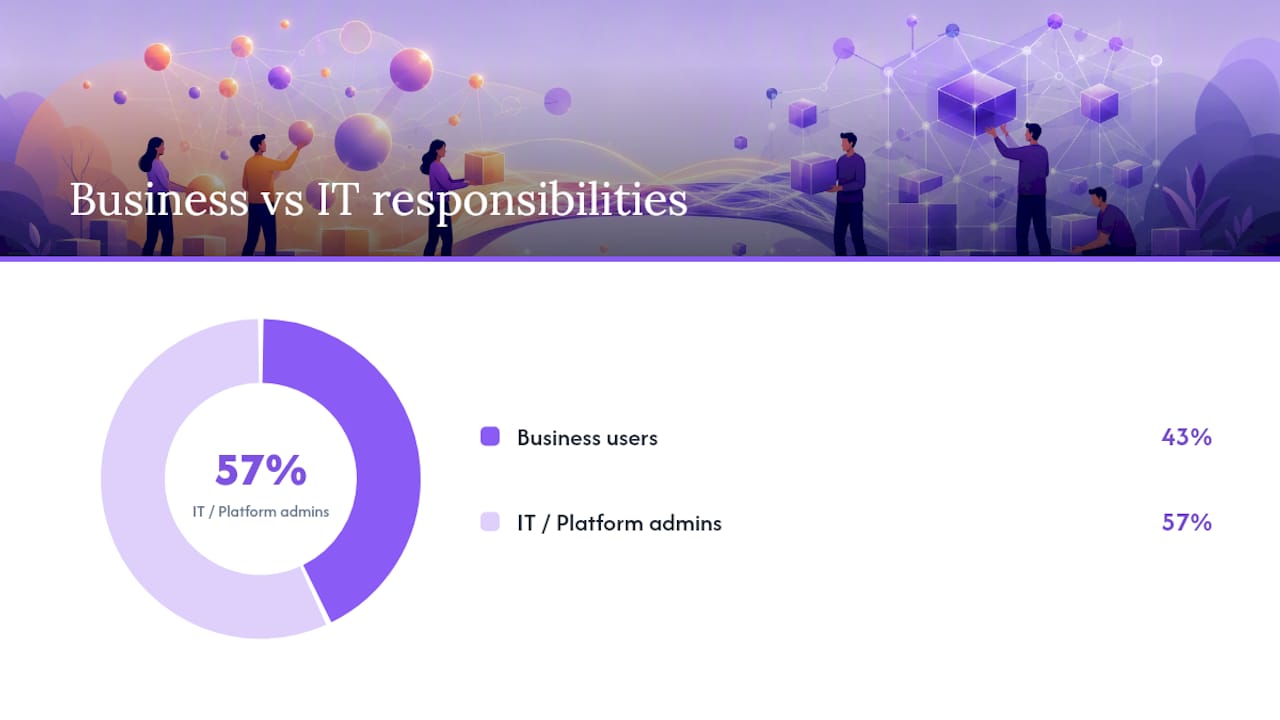
Early academic work on activity-centric computing framed this split precisely: decentralized architectures let business users define and improve processes at the point of need, while centralized infrastructure keeps the system coherent.
A short end-to-end example makes the roles concrete. In a new-hire onboarding workflow:
- HR manager builds the sequence: offer letter signature, IT equipment request, benefits enrollment, 30-day check-in
- External vendor (background check provider) receives a magic link, completes their step, and never logs into the company’s system
- IT has pre-approved the e-signature connector and set data retention rules
- Platform sends automatic reminders, flags blockers, and logs every action
The HR manager owns the process. IT owns the platform. Neither steps on the other’s work. For a deeper look at how unified workflow communication reduces follow-ups across stakeholders, the EasyFlow blog covers the mechanics in detail.
Why organizations pursue workflow democratization
Speed is the most immediate benefit. When a business team can adjust a workflow without a development sprint, process changes that used to take weeks happen in hours. That alone reduces the IT backlog, which frees developers for work that genuinely requires them.
The secondary benefit is ownership. When the person running a process also controls its logic, they catch inefficiencies faster. They do not need to translate requirements for a developer and then wait for the translation back. TechTarget notes that workflow automation delivers faster execution, fewer errors, and measurably better employee morale — outcomes that compound when business teams own the workflows themselves.
The talent pressure is real. Statista’s data on worldwide technology talent shortages shows persistent skills gaps across organizations globally. When developer capacity is constrained, democratized tooling is not a nice-to-have — it is a practical response to a structural hiring problem.
The core benefits, stated plainly:
- Faster change cycles: process updates happen without a development queue
- Reduced IT backlog: routine workflow changes stay with business teams
- Better process ownership: the person closest to the work controls its logic
- Fewer handoffs and follow-ups: automated notifications replace manual chasing
- Lower onboarding friction: external collaborators participate without account creation
Workflow automation’s role in team alignment is worth reading if you want to see how these benefits translate into cross-team coordination gains.
What technical capabilities make safe decentralization possible?
The platform architecture is what separates genuine democratization from chaos. Without the right components, you get shadow automation: business users building fragile, undocumented processes that break when someone leaves or a system changes.
The capabilities that matter:
- Visual editors: drag-and-drop or form-based workflow builders that require no code to operate
- Pre-approved component libraries: connectors, approval blocks, and notification modules that IT has vetted for security and compliance
- Reusable templates: workflow templates that encode best practices and reduce build time for common processes
- Audit logs: immutable records of who changed what and when — non-negotiable for regulated industries
- Role-based access controls: permissions that determine who can build, who can run, and who can modify each workflow
- API and open standards support: connectors to existing systems (CRM, HRIS, ERP) that IT controls and business users invoke without writing code
Modularity is the design principle underneath all of this. A workflow is composed of discrete, reusable components — a template, a connector, an approval block — rather than a monolithic custom build. When a component needs updating, IT updates it once and every workflow using it inherits the change.
A small example: a vendor onboarding workflow might combine a pre-approved DocuSign connector, a standard approval block, and a notification module. The operations team assembles them. IT maintains each component. No custom code is written.
Pro Tip: When evaluating platforms, check whether the component library is open-standard or proprietary. Proprietary-only connectors create vendor lock-in that becomes expensive when your integration needs grow. Prefer platforms that support open APIs alongside their native connectors.
For implementation architecture considerations, the EasyFlow guide on workflow execution systems covers the technical decisions in depth.
How does AI change what business users can do?
AI shortens the distance between “I have a process idea” and “the workflow is running.” That is the practical upside. The governance implications are more complicated.
AWS describes agentic workflows as a shift where AI agents execute bounded workflows autonomously — the workflow becomes both the unit of specification and the unit of delivery. For business users, this means:
- AI-generated workflow drafts: describe a process in plain language, get a draft workflow with steps, assignments, and timing suggestions
- Intelligent routing: AI reads incoming data (a form submission, an email, a document) and routes it to the right workflow step automatically
- Auto-extraction: AI pulls structured data from unstructured inputs — an invoice, a contract, a research report — and populates workflow fields without manual entry
- Suggested templates: based on the process description, the platform recommends the closest existing template and flags gaps
The AI adoption signal: Statista’s global skills shortage data underscores why AI-assisted workflow generation matters — when technical talent is scarce, tools that let business users specify and launch workflows in natural language compress the time-to-value significantly.
The governance note is not optional. AI-capable workflows need tighter validation, not looser. When an AI agent executes a step autonomously, the audit trail must capture what decision was made and on what basis. Canary releases — running a new AI-assisted workflow in parallel with the existing process before full cutover — are the safest way to validate behavior before it touches production data.
Culture, skills, and the Citizen Process Expert model
Forrester’s analysis is direct: organizations frequently automate before they understand the process. The failure mode is predictable — you speed up a broken process and get broken results faster. Forrester’s recommended fix is training business users as Citizen Process Experts (CPEs) and establishing vision, operational integration, and optimized tooling before scaling.
The training topics that matter most:
- Process mapping: how to document a workflow from trigger to outcome, including decision points and exception paths
- Bottleneck identification: how to spot where work stalls, where handoffs fail, and where manual steps add no value
- Basic KPI literacy: how to define a measurable outcome for a workflow (cycle time, error rate, completion rate)
- Workflow testing: how to run a workflow in a sandbox, validate outputs, and document edge cases
- Governance basics: what the approved component library contains, what data handling rules apply, and when to escalate to IT
Who does what in a democratized organization
| Role | Responsibilities | When They Engage |
|---|---|---|
| Citizen Process Expert (CPE) | Builds, tests, and owns workflow logic; maps processes; monitors KPIs | Daily — owns the process |
| Process Coach | Guides CPEs on methodology; reviews process maps; escalates governance issues | Weekly or per-project |
| Platform Admin | Manages the component library, templates, and user permissions | On change requests and audits |
| IT Integrator | Builds and maintains connectors; sets data rules; validates security | On new integration needs |

Pro Tip: Start your CPE program with volunteers, not mandates. The people who are already frustrated by slow IT queues are your best early adopters — they have the motivation to learn and the credibility to evangelize the model to peers.
Brookings argues that democratizing automation requires cultural and policy investment to prevent the tools from simply concentrating power in a new technological elite. The CPE model is the organizational answer to that risk: spread the competency broadly, with coaching and governance, rather than creating a small team of “workflow developers” who become the new bottleneck.
Governance and security: the guardrails that let decentralization scale
Governance is not the opposite of democratization. It is what makes democratization safe enough to scale. Without it, you get shadow automation: undocumented workflows, unvetted connectors, and data handling that nobody can audit.
The core guardrails:
- Pre-approved component library: IT vets every connector, approval block, and notification module before it enters the library; business users can only build with approved components
- Role-based access control: permissions are scoped to the workflow, not the platform — a CPE can build and run workflows in their domain but cannot access another team’s process data
- Immutable audit trails: every workflow action, change, and decision is logged with a timestamp and user ID; this is the compliance record
- Testing gates: no workflow moves to production without a sandbox test and a sign-off from the process owner and a platform admin
- Canary releases: new or significantly modified workflows run in parallel with the existing process for a defined period before full cutover
- Retention and data handling policies: defined at the platform level, applied automatically to every workflow — business users cannot override them
A governance checklist teams can adopt quickly:
- [ ] Approval workflow defined for new workflow publication
- [ ] Data classification applied to all workflow inputs and outputs
- [ ] Retention policy assigned to each workflow’s data
- [ ] Access scope documented for each CPE
- [ ] Audit log review scheduled (monthly minimum)
- [ ] Exception escalation path documented
Pro Tip: Set access boundaries at the data level, not just the workflow level. A CPE who can build workflows in HR should not be able to invoke a connector that touches financial records — even accidentally. Platform admins should audit connector usage quarterly, not just at onboarding.
How to pilot and scale workflow democratization
The lowest-risk path is a single, well-scoped pilot before any platform-wide rollout. Forrester’s prerequisite framework applies here: establish vision, operational integration, and tooling before you ask business users to build anything.
Step-by-step pilot checklist
- Identify an executive sponsor who can remove blockers and communicate the program’s purpose to the organization
- Select a pilot use case — high-frequency, moderate complexity, clear owner, measurable outcome (new-hire onboarding and vendor onboarding are reliable starting points)
- Define success metrics upfront — cycle time reduction, error rate, IT ticket volume change, CPE satisfaction
- Select 2–4 CPE candidates from the business team closest to the process; prioritize people already frustrated by slow change cycles
- Run CPE training covering process mapping, bottleneck identification, KPI basics, and platform basics (two to four hours, not two days).
- Map the process before building — document the current state, identify the three biggest friction points, and agree on the target state
- Build in a sandbox — the CPE builds the workflow using approved components; the platform admin reviews before publication
- Run a canary release — parallel-run the new workflow alongside the existing process for two to four weeks
- Measure against success metrics — compare cycle time, error rate, and IT ticket volume before and after
- Review and iterate — hold a structured retrospective; document what worked and what the governance model needs to adjust
A 30–90 day timeline is realistic for a first pilot. Thirty days for mapping and build; thirty days for canary; thirty days for measurement and retrospective. This timeline is always tiered: shorter pilots (30 days) work for compact workflows and minimal measurement, while longer pilots (up to 90 days) are appropriate for more complex processes or extended measurement periods. Presenting a range recognizes that pilot duration depends on workflow complexity and scope.
Scaling follows a template library model: the pilot workflow becomes a reusable template, the CPE becomes a coach for the next cohort, and the governance checklist gets refined based on what the pilot exposed. A center-of-excellence team — typically two to four people across IT and operations — maintains the library and supports new CPEs.
What to measure: KPIs for democratized workflows
Automation value is workflow-specific, which means generic ROI claims are not useful. Measure at the workflow level, not the platform level.
Core KPIs to track:
- Cycle time: how long the workflow takes from trigger to completion, before and after democratization
- Handoff count: number of manual handoffs per workflow instance — fewer is better
- Error rate: percentage of workflow instances that require correction or rework
- Rework rate: percentage of completed steps that are redone due to errors or miscommunication
- Business-owned workflows: number of workflows where a business team (not IT) is the primary owner — a leading indicator of program health
- IT backlog change: volume of workflow-related IT tickets before and after the pilot
- CPE satisfaction: a simple quarterly survey of CPEs on tool usability and support quality
For short-term targets (30–90 days), focus on cycle time and error rate for the pilot workflow. For long-term targets (six to twelve months), track business-owned workflow count and IT backlog trends.
Attributing ROI to a pilot is straightforward when you have baseline data. For example, if a vendor onboarding workflow is significantly faster and you run multiple onboardings annually, the time savings multiplied by the loaded cost of the people involved provides a defensible ROI estimate. The Marvin Labs approach — prioritize workflows that consume the most time for a role — makes this calculation concrete from day one.
Workflow democratization examples across functions and org sizes
These use cases are not hypothetical in structure — they represent the workflow types where democratization consistently delivers measurable outcomes.
New-hire onboarding (HR, any org size)
Workflow owner: HR manager. The sequence covers offer letter signature, IT equipment request, benefits enrollment, policy acknowledgment, and 30-day check-in. External collaborators (background check vendors, benefits providers) participate via shared links without creating accounts. Typical outcome: fewer missed steps, faster time-to-productivity, and no manual follow-up emails. Governance note: data handling rules for personal information must be set at the platform level before the CPE builds.
Vendor onboarding (Procurement, mid-to-large orgs)
Workflow owner: Procurement operations lead. Steps include vendor application, document collection, compliance review, contract signature, and system provisioning. The compliance review step routes automatically based on vendor category. Typical outcome: faster vendor activation and a documented audit trail for every approval. This is a strong pilot candidate because the process is repetitive, the outcome is measurable, and the external-collaborator component tests the platform’s magic-link capability.
Invoice triage (Finance, any org size)
Workflow owner: Finance operations analyst. Incoming invoices are routed by AI based on amount, vendor, and category. Exceptions flag automatically for human review. Approved invoices move to payment processing without manual data entry. Outcome: fewer errors from manual keying and a shorter approval cycle. Complexity note: this workflow touches financial data, so data classification and access controls need careful setup before the CPE builds.
Client implementation (Professional services, SMB to enterprise)
Workflow owner: Customer success manager. The sequence covers kickoff scheduling, document collection, configuration steps, training delivery, and go-live sign-off. External collaborators (the client’s own team) receive task assignments via shared links. The workflow automation benefits for project managers are most visible here: fewer status meetings, automatic reminders, and a single source of truth for where the implementation stands.
Analyst research workflow (Knowledge work, mid-to-large orgs)
Workflow owner: Research team lead. AI extracts structured data from unstructured sources (earnings reports, filings, news), populates a standard template, and routes the output for analyst review. The analyst validates and publishes. This is an agentic workflow in practice: AI executes bounded steps, humans validate outputs. Governance note: AI-executed steps need audit logging that captures the model’s decision basis, not just the output.
Cross-functional signal: the vendor onboarding and client implementation examples both involve external collaborators completing workflow steps without platform accounts. That capability — often called magic-link collaboration — is one of the clearest indicators that a platform genuinely supports democratization rather than just low-code building for internal users.
A practical checklist before you launch a pilot or approve CPEs
Use this before any pilot kickoff or CPE authorization. It combines Forrester’s prerequisite framework with practitioner steps.
Vision and alignment (weeks 1–2):
- Executive sponsor identified and briefed on the program’s purpose and governance model
- Pilot use case selected with a clear owner, measurable outcome, and defined scope
- Success metrics agreed upon by the business team and IT
Tool and platform readiness (weeks 2–4):
- Platform component library reviewed and approved by IT
- Role-based access controls configured for the pilot scope
- Audit logging enabled and retention policies set
- Sandbox environment available for CPE testing
Training and CPE readiness (weeks 3–5):
- CPE candidates selected (2–4 people, motivated, close to the process)
- Training completed: process mapping, bottleneck identification, KPI basics, platform basics
- Process map of the current state documented and reviewed by the process coach
Governance and safety gates (weeks 4–6):
- Governance checklist adopted (approval workflow, data handling, retention, access scope)
- Canary release plan documented (parallel run period, success criteria, rollback trigger)
- Exception escalation path defined and communicated to CPEs
Pilot launch and measurement (weeks 6–12):
- Workflow built in sandbox, reviewed by platform admin, and approved for canary release
- Baseline metrics captured (cycle time, error rate, IT ticket volume)
- Canary period completed; metrics compared to baseline
- Retrospective held; findings documented for the next cohort
Forrester’s CPE framework is the strongest external validation for this sequence. The prerequisite logic — vision before tooling, tooling before training, training before building — is what separates programs that scale from programs that stall after the first pilot.
Why operations leaders should prioritize this now
The operations leaders who move on workflow democratization in the next twelve months will have a structural advantage that is hard to close later. Here is the practical upside: when your business teams can own and modify their own processes, you stop losing weeks to IT queues on changes that should take an afternoon. You stop losing institutional knowledge when a process owner leaves, because the workflow is documented and transferable. And you stop treating every new process as a custom development project.
The governance piece is not a reason to wait. It is the reason to start small. A single well-scoped pilot with two CPEs, a clear success metric, and a canary release teaches you more about your organization’s readiness than any platform evaluation. Run the pilot, measure the cycle time, and let the numbers make the case to your stakeholders.
What a workflow automation platform should give your team
Cutting cycle times and reducing IT backlog requires more than a visual editor. The platform underneath your democratization program needs to actually execute processes, not just track them.

EasyFlow is built for operations teams that need workflows to run, not just be documented. Business users build sequences using pre-approved templates and visual editors. External collaborators complete tasks via magic links without creating accounts, which removes the onboarding friction that kills vendor and client workflows. AI-assisted workflow generation lets a team lead describe a process in plain language and get a draft workflow in minutes. Automatic notifications, blocker detection, and audit logs handle the governance layer without requiring IT involvement in every change.
When evaluating a platform for your pilot, look for:
- Pre-built templates for common operations workflows (onboarding, vendor management, client implementation)
- External-collaborator access via shared links (no account creation required)
- AI-assisted workflow generation and step extraction
- Immutable audit logs and role-based access controls
- Visual workflow diagrams (Gantt, timeline) for process visibility
- Email-based reply processing so collaborators can act without logging in
Start a pilot with EasyFlow’s free trial — no commitment, and the free plan lets your first CPE build and test a real workflow before you decide on a subscription.
Sources
- Is Your Organization Ready To Democratize Its Automation Strategy With Citizen Process Expertise?
- How to democratize automation | Brookings
- Statista
- ibms-45-04-04 663…682
- The New Unit of Software Delivery: The Workflow | AWS Executive in Residence Blog
- Understanding Workflow: Steps, Automation, and Tools in the Digital Era
- Workflow - TechTarget
- Automated equity research workflows use cases | Marvin Labs
FAQ
What does workflow democratization mean in simple terms?
Workflow democratization means business users — not just IT — can build, run, and modify workflows using visual tools within guardrails that IT sets. The goal is faster process changes and less dependence on developer queues.
What is democratization in a business context?
In business, democratization refers to spreading access to tools, data, or capabilities that were previously controlled by a specialized group. Workflow democratization specifically moves process ownership from IT to the business teams running those processes.
What does it mean to democratize something?
To democratize something means to make it accessible to a broader group of people, not just specialists. In technology, it usually means building tools that non-technical users can operate safely and effectively.
Which is an example of workflow democratization?
A hiring manager building a new-hire onboarding sequence — assigning tasks, triggering reminders, and inviting external vendors via shared links — without filing an IT ticket is a direct example. The manager owns the process logic; IT owns the platform guardrails.
How does EasyFlow support workflow democratization?
EasyFlow lets business users build and run workflows using pre-built templates and visual editors, with external collaborators completing tasks via magic links and no account creation required. AI-assisted workflow generation and built-in audit logs cover the speed and governance requirements a pilot team needs from day one.