
How Workflow Templates Standardize Operations for Teams

Workflow templates are predefined blueprints that codify repeatable task sequences, role assignments, dependencies, and embedded decision logic to standardize how work gets done across teams. Understanding how workflow templates standardize operations is the difference between teams that scale reliably and teams that rebuild processes from scratch every time. Templates eliminate reliance on tribal knowledge, enforce consistent controls, and create a reusable foundation that compounds in value over time. The result is fewer errors, faster execution, and operations that hold up under pressure.
How workflow templates standardize operations
Workflow templates are the operational equivalent of a master blueprint. They capture a proven process once, then replicate it exactly across every future instance. Templates include structured steps, explicit role assignments, dependency mapping, and automatic path execution through decision logic. That combination removes the guesswork that causes inconsistency.
The standardization benefit goes deeper than just having a checklist. When roles are assigned by function rather than by person, the process survives turnover. When dependencies are mapped explicitly, no one can accidentally skip a step. When decision logic is embedded, the workflow routes itself without requiring a manager to intervene at every junction. The process runs the same way whether it is the first time or the five hundredth time.

This is why teams that use reusable workflow templates stop losing institutional knowledge every time someone leaves. The knowledge lives in the template, not in someone’s head. That shift is the core mechanism behind operational standardization.
What are the core components of an effective workflow template?
An effective workflow template is built from six distinct components. Each one serves a specific function in maintaining consistency and control.
- Structured, ordered steps. Every task appears in a defined sequence. There is no ambiguity about what comes first or what triggers the next action.
- Role and owner assignments by function. Tasks are assigned to roles like “Finance Approver” or “HR Coordinator,” not to specific individuals. This keeps the template valid when team members change.
- Mapped dependencies. Each task specifies what must be completed before it can begin. This prevents teams from working out of sequence and creating downstream errors.
- Embedded decision logic. Conditional branches route the workflow automatically based on inputs. An approval that fails routes to a revision step without anyone manually redirecting it.
- Time estimates and SLA guardrails. Each task carries an expected completion window. If a task exceeds that window, the system escalates automatically.
- Escalation protocols. When SLA thresholds are breached, the template defines exactly who gets notified and what happens next.
The two-layer design principle governs how these components interact. Non-negotiable elements like approval gates and escalation rules stay fixed. Surface elements like task descriptions and resource assignments remain adjustable. This separation is what makes a template both consistent and practical.
Pro Tip: When building your first template, map the process as it actually runs today, not as it should run in theory. Real processes contain informal workarounds that will break your template if you do not account for them upfront.
How do workflow templates enforce operational consistency and reduce errors?
Templates enforce consistency through controls that are built into the sequence itself, not bolted on afterward. Embedding approval gates directly into the workflow means approvals cannot be skipped, even under deadline pressure. The process pauses at the gate and waits. That single mechanism eliminates an entire category of compliance failures.
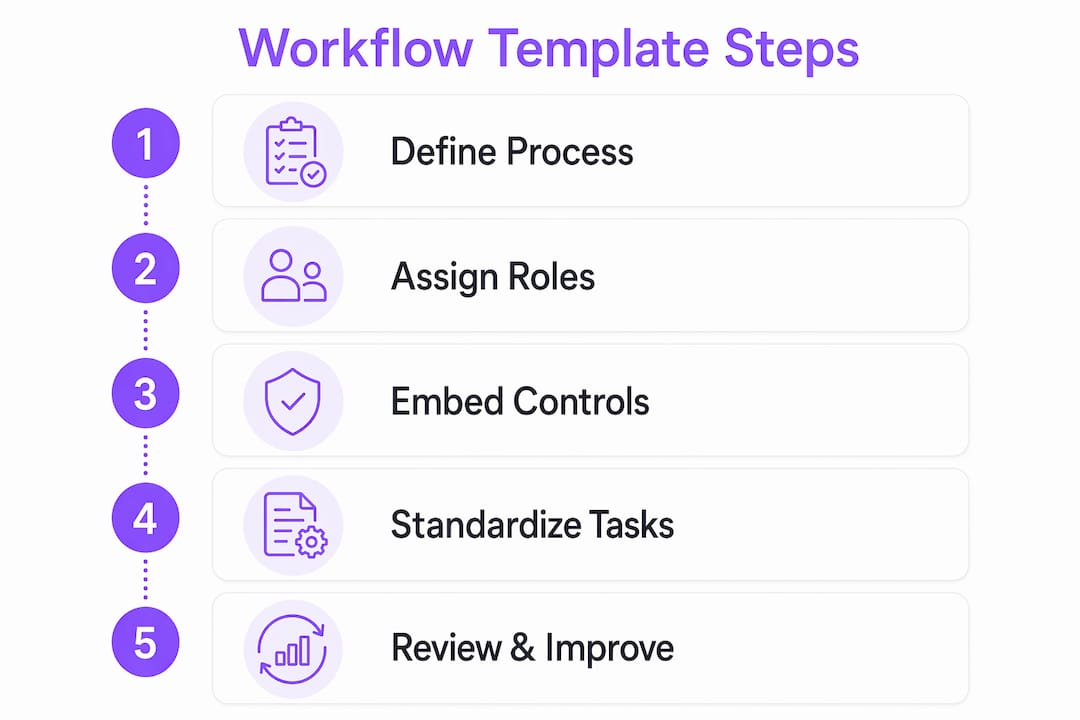
Workflow automation reduces repetitive manual work by 60–95% and cuts time spent on routine activities by up to 77%. That reduction matters because manual handoffs are where errors concentrate. When a task routes automatically to the next owner, there is no email to forget, no Slack message to miss, and no ambiguity about who is responsible.
The most reliable templates enforce consistency through four specific checkpoints:
- Entry validation. The workflow confirms required inputs are present before a task can begin.
- Approval gates. A designated reviewer must sign off before the process advances.
- Quality checkpoints. Defined criteria must be met at key stages, not just at the end.
- Escalation triggers. Overdue tasks automatically notify the responsible manager.
Embedding approval and quality gates in the sequence preserves standardization under load, avoiding breakdowns that occur when approvals rely on human memory.
This architecture means the template enforces the standard even when the team is under pressure. The controls are structural, not behavioral. Teams do not need to remember to follow the process. The process follows itself.
How to design templates that balance standardization with flexibility
The biggest design mistake teams make is treating standardization and flexibility as opposites. They are not. The right template design gives you both by separating what must stay fixed from what can safely vary.
| Template layer | What it contains | Who controls it |
|---|---|---|
| Fixed core | Approval gates, escalation rules, dependency sequences | Template owner or ops team |
| Flexible surface | Task descriptions, assignees, due date offsets | Individual team or project lead |
The fixed core is non-negotiable. It contains the controls that make the template worth having. The flexible surface is where teams adapt the template to their specific context without breaking the underlying process.
Treating templates as governed standards with parameter slots restricts customization to safe fields. This prevents the proliferation of variants that erodes standardization over time. When every team creates its own version of a template, you no longer have a standard. You have dozens of slightly different processes that are impossible to audit or improve.
The practical rule is simple: if changing a field could allow someone to bypass an approval or skip a dependency, that field belongs in the fixed core. If changing a field only affects how a task is described or who performs it, that field belongs in the flexible surface.
Pro Tip: Limit the number of customizable fields to the minimum necessary. Every additional parameter slot is a potential source of drift. Start with fewer options and add flexibility only when teams demonstrate a genuine need.
For teams managing client implementation workflows, this two-layer approach is especially valuable. Client requirements vary, but the underlying delivery process should not.
What role does governance play in sustaining standardized workflows?
A template without governance degrades over time. Teams find workarounds, dependencies shift, and the original design drifts away from actual practice. Governance of workflow templates includes review cycles, version control, change history, and approval metadata to prevent that drift and maintain auditability.
Effective governance practices include:
- Scheduled review cycles. Templates should be reviewed on a defined cadence, quarterly at minimum, to confirm they still reflect current operational reality.
- Version control. Every change to a template is logged with a timestamp and the identity of who made it. Teams can see exactly what changed and when.
- Change logs embedded in the template. The history travels with the process, not in a separate document that gets lost.
- Approval metadata. Records of who approved what and when are captured automatically, creating an audit trail without extra effort.
- Ownership assignment. Each template has a named owner responsible for its accuracy and relevance.
Operational excellence depends on cumulative capabilities rather than fragmented short-term fixes. Governance is what converts a one-time template into a compounding operational asset. Each review cycle improves the template. Each improvement reduces errors in every future instance. Over time, the template becomes a repository of hard-won operational knowledge that the organization owns permanently.
Workflow mapping supports this governance work by making dependencies and decision points visible. When the map is accurate, reviews are faster and changes are easier to evaluate.
Key takeaways
Workflow templates standardize operations by encoding proven processes into reusable structures that enforce controls, eliminate manual handoffs, and build cumulative operational capability over time.
| Point | Details |
|---|---|
| Templates codify process knowledge | Structured steps, role assignments, and dependency maps replace informal knowledge that leaves with people. |
| Two-layer design enables control and flexibility | Fix approval gates and escalation rules; allow task descriptions and assignees to vary by project. |
| Automation cuts error-prone manual work | Automatic routing and escalation remove the handoff gaps where most errors occur. |
| Governance prevents template drift | Scheduled reviews, version control, and change logs keep templates accurate and auditable over time. |
| Cumulative improvement compounds value | Each governance cycle improves the template, reducing errors in every future process instance. |
Where most teams get workflow templates wrong
Teams usually underestimate how much hidden dependency drift damages their templates after the first few months. A template looks clean on day one. By month three, someone has added an informal step, another team has started skipping an approval because it “slows things down,” and the original design no longer matches what actually happens. The template still exists, but it no longer standardizes anything.
The fix is not more documentation. It is making dependencies explicit and visible inside the template itself, not in a separate process guide. Hidden dependency drift is solved by encoding prerequisite tasks and approval sequences directly in the workflow so the system enforces them automatically. When the dependency is structural, teams cannot bypass it without the system flagging the deviation.
The second mistake I see consistently is excessive customization. Teams want flexibility, which is reasonable. But when every project lead adjusts the template to their preferences, you end up with dozens of variants that share a name but not a process. The governance discipline of limiting parameter slots feels restrictive at first. In practice, it is what keeps the standard alive six months after launch.
The teams that get this right treat their templates as living standards, not static documents. They assign owners, run quarterly reviews, and track changes with the same rigor they apply to code or financial records. That discipline is not bureaucracy. It is what separates organizations that improve continuously from those that keep solving the same problems repeatedly.
— Harsh
Put your workflow templates to work with EasyFlow
Building a template is only half the job. The other half is making sure it actually runs the way you designed it.

EasyFlow builds, automates, and governs workflow templates for teams without requiring every participant to create an account. External collaborators complete tasks through magic links, which removes onboarding friction from the process entirely. Approval gates, escalation rules, and dependency sequences run automatically according to the template design. Teams using EasyFlow for use cases like HR onboarding automation and client implementations report fewer follow-ups and faster execution from day one. If your team is ready to move from manual coordination to structured, automated operations, EasyFlow is built for exactly that.
FAQ
What are workflow templates?
Workflow templates are predefined structures that codify task sequences, role assignments, dependencies, and decision logic into a reusable process blueprint. They allow teams to replicate a proven process consistently without rebuilding it each time.
How do workflow templates reduce errors?
Templates reduce errors by automating task routing, embedding approval gates, and enforcing dependency sequences so no step can be skipped. Workflow automation cuts time spent on routine manual activities by up to 77%, which directly reduces the handoff gaps where errors concentrate.
What is the two-layer approach to template design?
The two-layer approach separates fixed operational controls like approval gates and escalation rules from flexible surface elements like task descriptions and assignees. Fixed controls stay constant across all uses; flexible fields allow teams to adapt the template to specific projects without compromising the core process.
How often should workflow templates be reviewed?
Templates should be reviewed at least quarterly to confirm they still reflect current operational practice. Governance practices including version control and change logs make those reviews faster and keep the template auditable over time.
Why do workflow templates fail after initial rollout?
Templates most often fail due to hidden dependency drift and excessive customization. When teams bypass dependencies informally or create too many variants, the standard erodes. Assigning a named template owner and limiting customizable fields are the two most effective controls against this failure pattern.