
Process Management Tools for Ops Leaders: 2026 Guide

For most operations leaders, EasyFlow is the strongest starting point: it executes processes rather than just tracking tasks, and it lets external collaborators participate via magic links without creating accounts. If your team runs cross-functional handoffs, client onboarding, or vendor coordination, that distinction matters more than any feature checklist. Here is the shortlist:
- EasyFlow — Best for ops-heavy teams that need executed handoffs and low-friction external collaborator workflows; unique magic-link participation removes account-creation friction entirely.
- Appian — Best for enterprise teams that need a low-code BPM platform with case management and strong governance controls.
- Nintex — Best for document-centric process automation where forms, approvals, and DocGen are the primary use cases.
- IBM Business Automation Workflow (IBM Cloud Pak for Business Automation) — Best for large enterprises already running IBM infrastructure who need deep orchestration and compliance tooling.
- Oracle BPM (Oracle Fusion Middleware / Oracle BPM) — Best for Oracle-stack organizations that need tightly integrated process automation across ERP and CX systems.
- ProcessMaker — Best for mid-market teams that want a flexible, open-source-rooted BPM platform with a relatively fast deployment path.
Table of Contents
- What are the best process management tools for ops leaders?
- How should ops leaders evaluate process management tools?
- What core features actually matter for operations use cases?
- What do process management tools cost, and how long do they take to deploy?
- Why EasyFlow stands out for operations-heavy teams
- How we chose and compared this shortlist
- Key Takeaways
- The gap between BPM promises and what ops teams actually need
- EasyFlow cuts the manual work out of your ops processes
- Useful sources and further reading
- FAQ
What are the best process management tools for ops leaders?
| Tool | Best for / typical buyer | Core automation capability | Ease of implementation | External collaborator support | Integrations & API depth | AI / smart automation | Pricing model | Security & compliance |
|---|---|---|---|---|---|---|---|---|
| EasyFlow | Ops-heavy teams running cross-functional handoffs | Executes processes; automated task handoffs and notifications | Fast (free tier + 14-day paid trial; templates ready on day one) | Magic links; no account required for external participants | Native integrations + email-based reply processing | AI-powered workflow generation and step completion | Free, Pro, Scale tiers; 14-day trial on paid plans | SOC 2-aligned; role-based access |
| Appian | Enterprise teams needing low-code BPM and case management | Full BPM execution with case management and rules engine | Moderate (low-code, but enterprise onboarding takes weeks) | Portal-based external access | Connectors; strong REST/SOAP API | Appian AI with document processing and decisioning | Per-user and capacity-based enterprise pricing | SOC 2 Type II, ISO 27001, FedRAMP |
| Nintex | Document-centric process automation; approvals and forms | Process automation with DocGen and forms-driven workflows | Moderate; strong SharePoint integration path | Limited; primarily internal users | Connectors; deep Salesforce integration | AI-assisted process mapping and recommendations | Per-workflow and per-user licensing | SOC 2 Type II, ISO 27001 |
| IBM Business Automation Workflow | Large enterprises on IBM infrastructure | End-to-end BPM with orchestration, rules, and case management | Complex; typically requires IBM services engagement | Limited out-of-box; custom portal development needed | Deep IBM ecosystem; REST APIs; MQ integration | IBM watsonx AI integration for decisioning | Enterprise licensing; IBM Cloud Pak bundled | SOC 2, ISO 27001, FedRAMP, HIPAA |
| Oracle BPM | Oracle-stack enterprises (ERP, CX, HCM) | BPMN execution engine with Oracle Fusion integration | Complex; Oracle implementation partner typically required | Limited; Oracle portal-based | Deep Oracle Fusion Middleware ecosystem | Oracle AI Services integration | Enterprise licensing; Fusion Middleware bundle | ISO 27001, SOC 2, FedRAMP |
| ProcessMaker | Mid-market teams wanting flexible, open-source-rooted BPM | BPM execution with forms, approvals, and API-driven workflows | Moderate; cloud version faster than self-hosted | Guest user access via public forms | REST API; native connectors | AI Screen and intelligent document processing | Per-user SaaS; open-source community edition | SOC 2 Type II, ISO 27001 |
A note on IBM: IBM Business Automation Workflow and IBM Cloud Pak for Business Automation are the same product family. IBM Cloud Pak is the containerized, Red Hat OpenShift-based packaging of the same workflow and automation capabilities. Both rows in vendor conversations refer to the same platform.
Similarly, Oracle BPM and Oracle Fusion Middleware / Oracle BPM are the same product. Oracle Fusion Middleware is the infrastructure layer; Oracle BPM runs on top of it.
How should ops leaders evaluate process management tools?
The single most common mistake in a BPM evaluation is treating it like a software demo contest. You watch the vendor click through a polished flow, nod at the integrations slide, and sign a contract before you have ever run your own process through the tool. Here is a structured evaluation sequence that avoids that trap.
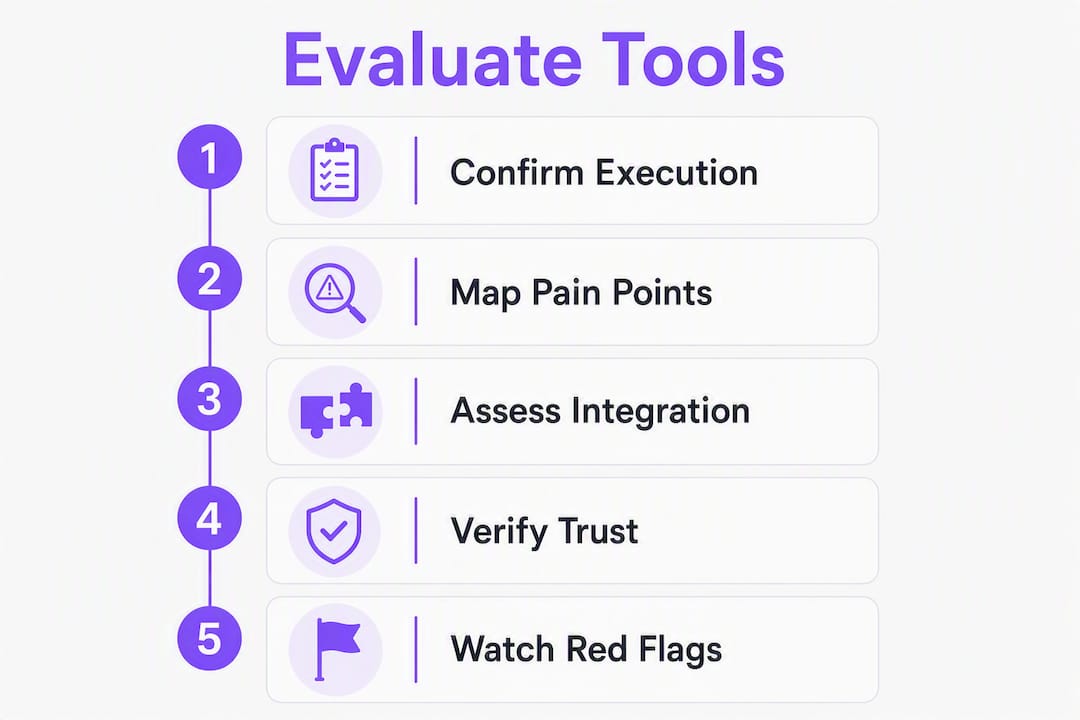
1. Confirm execution vs. task-tracking
Ask the vendor directly: “When a task is assigned, does the system send the notification, track the deadline, and escalate automatically, or does a human need to trigger each step?” A true process execution engine handles all three. A task-tracker hands you a board and expects your team to manage it. The difference shows up immediately in cross-functional handoffs and external collaborator flows.

2. Map your three most painful processes first
Before any demo, write down the three processes that cause the most follow-up emails, missed SLAs, or dropped handoffs. Bring those to the vendor call and ask them to show you those flows, not their demo template. Mapping your processes before automation also surfaces gaps you did not know existed.
3. Ask these specific vendor questions
- “Show me how an external collaborator completes a task without creating an account.”
- “What is your documented SLA for support tickets, and what happens when you miss it?”
- “Where does our process data reside, and can we choose the region?”
- “What does a typical POC look like, and what is the timeline from contract to first live process?”
- “Can you share a case study with a measurable ROI from a company our size?”
- “What compliance attestations do you hold, and when were they last audited?”
4. Check integration fidelity, not just connector count
A vendor claiming 1,000+ connectors is table stakes. What matters is whether the connectors your team actually uses (Slack, Salesforce, your HRIS, your ERP) are maintained, documented, and tested. Ask for the API documentation URL and check it yourself before the demo ends.
5. Verify trust signals independently
Gartner Peer Insights for BPM platforms is the fastest way to cross-check vendor claims against real user reviews. Look for patterns in the negative reviews, not just the star rating. SOC 2 Type II and ISO 27001 attestations should come with a report date; anything older than 18 months warrants a follow-up question.
6. Red flags to walk away from
- No process execution engine (the tool tracks tasks but does not run them).
- API documentation that requires a sales call to access.
- Implementation timelines described as “it depends” with no reference ranges.
- Compliance attestations listed on a marketing page with no audit date.
- No POC option or a POC that requires a six-figure commitment upfront.
Pro Tip: Ask every vendor for a reference from a company that went live within 90 days. If they cannot name one, that tells you something real about their typical implementation path.
What core features actually matter for operations use cases?
Feature lists on vendor websites are long by design. The features that move the needle for ops teams are a much shorter set.
Process execution engine
This is the difference between a workflow that runs and a workflow that sits on a board waiting for someone to click “move to next stage.” An execution engine fires task assignments, sends reminders, detects blockers, and escalates automatically. For a new hire onboarding flow, that means the IT provisioning request goes out the moment HR marks the offer accepted, not when someone remembers to trigger it.
Workflow orchestration takes this further: the engine coordinates tasks across systems and teams, not just within a single department. That is what separates a BPM platform from a project management tool.
Task handoffs and approvals
Clean handoffs are where most ops processes break. A well-designed handoff sends the next assignee a notification with context, a deadline, and a clear action. Approvals need a decision record: who approved, when, and under what conditions. Both should be auditable without digging through email threads.
External collaborator support
Most ops processes touch people outside your organization: vendors, clients, contractors, auditors. Requiring every external participant to create an account adds friction that kills adoption. Magic-link participation, where a collaborator receives a link and completes their task in a browser without signing up, removes that barrier entirely. This is one of EasyFlow’s clearest differentiators.
For a deeper look at how external collaboration patterns work in practice, the collaborative workflow guide covers the mechanics in detail.
Integrations and API depth
Before automating a process, map it using classic analysis tools: flow charts, value stream mapping, and process charts are the standard starting point for process analysis. Once the map is clear, the integration question becomes concrete: which systems does each step touch? A platform with deep API access and maintained connectors for your specific stack will always outperform one with a longer connector list that does not include your tools.

Analytics and observability
You cannot improve what you cannot measure. Process-level analytics should show you cycle time per step, bottleneck frequency, SLA compliance rates, and where handoffs stall. This is what ops teams mean by observability: not just “did the process complete?” but “where did it slow down, and why?”
AI-assisted workflow generation
Several platforms now offer AI that can draft a workflow from a plain-language description or extract a process from a document. This accelerates the build phase significantly, especially for teams without dedicated BPM developers. EasyFlow’s AI-powered workflow generation lets ops managers describe a process in plain language and get a working draft in minutes.
Pro Tip: Watch for “surface automation” — tools that automate the notification but not the execution. The tell is a workflow that sends an email when a task is due but does not actually assign it, track it, or escalate it. Ask the vendor to show you what happens when a task is missed.
What do process management tools cost, and how long do they take to deploy?
Pricing models and what they mean for your budget
| Pricing model | How it works | Best for |
|---|---|---|
| Per-user (named or concurrent) | Monthly fee per person with access | Teams with a defined, stable user count |
| Per-flow / per-automation | Fee per active workflow or automation run | Teams with a small number of high-volume processes |
| Capacity tiers | Bundles of processes, users, and storage at fixed price points | Growing teams that want predictable costs |
| Enterprise licensing | Annual contract, negotiated by seat count or usage | Large orgs with complex governance requirements |
| Free + paid tiers | Free for basic use; paid plans unlock automation depth | Teams starting small and scaling up |
EasyFlow uses a free-plus-tiered model (Free, Pro, Scale) with a 14-day trial on paid plans. That structure favors teams that want to validate value before committing budget. Enterprise platforms like IBM Business Automation Workflow and Oracle BPM are almost always annual contracts negotiated with a sales team; expect a multi-month procurement cycle.
Primary cost drivers
Beyond the license fee, the real cost of a BPM deployment usually lives in four places:
- Integration development: Connecting the platform to your ERP, HRIS, or CRM often requires custom API work, especially on enterprise platforms.
- Process design and configuration: Complex processes with branching logic, exception handling, and multi-system touchpoints take time to build correctly.
- External participant volume: Some platforms charge per external user or per form submission; this adds up fast in vendor coordination or client onboarding flows.
- Enablement and support: Implementation consulting, training, and ongoing support SLAs are often sold separately from the license.
Realistic implementation timelines
| Phase | Typical duration | What happens |
|---|---|---|
| POC (proof of concept) | 1–4 weeks | One or two processes live in a sandbox; integration points tested |
| Pilot | 4 weeks | Three to five processes live with a real team; metrics collected |
| Departmental rollout | 2–3 months | Full ops team on the platform; templates standardized |
| Org-wide rollout | 6 months | Multiple departments; governance and change management required |
For a practical guide to planning pilots and rollouts, EasyFlow’s workflow execution implementation guide covers the sequencing in detail.
Pro Tip: Negotiate a free or low-cost POC into every enterprise contract. Vendors who refuse a POC are telling you their product needs a long sales cycle to survive scrutiny. A 30-day POC with two of your actual processes is worth more than any demo.
Hidden costs to budget for: data migration from your current tool, consulting time for process redesign (not just configuration), and the internal project management hours your team will spend on the rollout. These routinely add 20–40% to the license cost in year one for enterprise deployments.
Why EasyFlow stands out for operations-heavy teams
Most BPM platforms were built for IT and business analysts. EasyFlow was built for the ops manager who needs a process to run correctly today, not after a six-month implementation.
The core difference is execution. EasyFlow does not give you a board to manage; it runs the process. When a step is complete, the next assignee gets notified automatically. When a deadline is missed, the system flags the blocker. When an external vendor needs to sign off, they get a magic link and complete their task in a browser without creating an account. That last point alone eliminates one of the most common friction points in cross-company workflow coordination.
What EasyFlow does that most tools do not:
- Executes processes end-to-end, not just tracks them on a board.
- Magic-link external collaboration: vendors, clients, and contractors participate without accounts.
- AI-powered workflow generation: describe a process in plain language, get a working draft.
- Pre-built templates for operations-heavy processes: new hire onboarding, client implementations, purchase-to-pay, vendor coordination.
- Visual workflow diagrams (Gantt and timeline views) with automatic blocker detection.
- Automated deadline reminders and escalation notifications; the automated deadline reminder workflow template is a practical starting point.
- Email-based reply processing and AI-executed step completion.
Concrete ops use cases where EasyFlow delivers:
- New hire onboarding: IT provisioning, equipment requests, and manager check-ins run automatically from day one. No coordinator chasing each step.
- Client implementations: External client contacts complete their tasks via magic link. No account setup, no support tickets about login issues.
- Purchase-to-pay: Approval chains run automatically with deadline tracking; finance and procurement stay in sync without email threads.
- SLA-driven vendor coordination: Escalation triggers fire automatically when a vendor misses a deadline, with a full audit trail.
What to test in a 14-day trial:
Run three processes: a cross-team internal handoff, an external collaborator flow using magic links, and a deadline-triggered escalation. Measure time-to-complete per step before and after, the number of follow-up messages sent, and SLA compliance rate. Those three metrics give you a defensible ROI case for your leadership team.
Pro Tip: Start your trial with a process you already run manually today. Do not design a new process for the trial. The goal is to see how much faster and cleaner your existing process runs when the tool executes it.
How we chose and compared this shortlist
The shortlist was built around a single question: which platforms are genuinely fit for operations leaders, not just for IT or BPM specialists?
Selection criteria, in priority order:
- Ops fit: Does the platform execute processes, or does it track tasks? Execution capability was the primary filter.
- Execution capability: Does the platform handle automated handoffs, deadline escalation, and external collaborator flows out of the box?
- Integration depth: Are the connectors for common ops systems (HRIS, ERP, CRM, communication tools) maintained and documented?
- Security and compliance: Does the vendor hold current SOC 2 Type II or ISO 27001 attestations?
- Time to value: Can a team run a live process within two weeks of starting, or does deployment require months of professional services?
Sources used: vendor product pages and documentation, Gartner Peer Insights for BPM platforms, publicly available analyst summaries, and direct product trials where available.
Limitations: Pricing for enterprise platforms (IBM, Oracle, Appian) is not publicly listed and varies significantly by contract. Implementation timelines are ranges based on typical deployments; your actual timeline will depend on process complexity, integration requirements, and internal resources. Every organization should run an internal pilot with their own processes before committing to a platform, and should request references from companies of similar size and complexity.
Key Takeaways
For operations leaders, the most defensible buying decision comes from running three real processes through a short, measurable trial before committing to any platform.
| Point | Details |
|---|---|
| Execution beats task-tracking | Choose a platform that runs processes automatically, not one that gives you a board to manage manually. |
| External collaborator friction is a real cost | Magic-link participation removes account-creation barriers for vendors, clients, and contractors. |
| Run a structured 14-day trial | Test a cross-team handoff, an external collaborator flow, and a deadline escalation before signing a contract. |
| Enterprise platforms carry hidden costs | Budget 20–40% above the license fee for integrations, consulting, and internal project management in year one. |
| EasyFlow leads for ops-first teams | EasyFlow executes processes end-to-end with magic-link external collaboration and AI-powered workflow generation. |
The gap between BPM promises and what ops teams actually need
Most BPM evaluations go sideways for the same reason: the buyer optimizes for features and the vendor optimizes for the demo. You end up with a platform that can theoretically do everything and practically requires a dedicated admin to keep it running.
The platforms that actually stick in operations teams share one trait: they reduce the number of decisions a human has to make to keep a process moving. That is not a feature you can see in a demo. It shows up three months after go-live, when your team is not spending Friday afternoons chasing approvals.
The other thing most articles on this topic understate is the cost of external collaborator friction. If your processes regularly touch people outside your organization, and most ops processes do, the account-creation requirement on most enterprise platforms is a genuine adoption killer. Vendors and clients do not want to create yet another login. They want to click a link, do the thing, and move on. That is not a nice-to-have; it is the difference between a process that runs and one that stalls every time it crosses a company boundary.
The honest advice: start with the smallest process that causes the most pain. Run it through a trial. Measure the before and after. That data is worth more than any analyst report when you are making the case to your CFO.
EasyFlow cuts the manual work out of your ops processes
If the comparison above confirmed what you already suspected, that most BPM platforms were built for IT teams and require months to deploy, EasyFlow is the direct alternative. It executes your processes from day one, sends automated handoffs and deadline reminders, and lets external collaborators participate via magic link without any account setup. That means your vendor onboarding, client implementation, and cross-team approval flows run without a coordinator chasing each step.

The free tier is available immediately. The Pro and Scale plans come with a 14-day trial. To get the most out of the trial, configure one cross-team handoff, one external collaborator flow, and one deadline-triggered escalation in the first week. Measure time-to-complete and follow-up volume before and after. That gives you a concrete ROI number to bring to your leadership team.
Start your 14-day trial at EasyFlow and run your first live process today.
Useful sources and further reading
- EasyFlow — Workflow Automation That Runs Team Handoffs: Primary product page covering EasyFlow’s execution engine, magic-link collaboration, AI workflow generation, and pricing tiers.
- Gartner Peer Insights: Business Process Management Platforms: Independent user reviews and ratings for BPM platforms; the fastest way to cross-check vendor claims against real deployments.
- Microsoft Power Automate: Official product page covering Power Automate’s RPA, cloud flows, process mining, and connector library; useful for evaluating Microsoft-stack automation options.
- Basics Tools for Process Analysis — SlideShare: Reference guide covering flow charts, value stream mapping, time-function mapping, and service blueprints for pre-automation process analysis.
- Workflow orchestration explained for operations teams — EasyFlow Blog: Explains the difference between execution and task-tracking, and how orchestration applies to ops team workflows.
- How to implement workflow execution systems in 2026 — EasyFlow Blog: Practical guide to planning pilots, rollouts, and measuring time-to-value for workflow automation deployments.
- Automated deadline reminder workflow for ops teams — EasyFlow Blog: Template and walkthrough for setting up automated deadline reminders and escalation triggers in operations workflows.
FAQ
What tools do operations managers use most often?
Operations managers typically use a combination of BPM platforms (Appian, ProcessMaker, IBM Business Automation Workflow), workflow automation tools (EasyFlow, Microsoft Power Automate), and project management software. The right mix depends on whether the team needs process execution or task tracking.
What is the difference between a BPM tool and a project management tool?
A BPM tool executes processes automatically, handling task assignments, deadline escalation, and handoffs without manual intervention. A project management tool like Asana or Trello tracks tasks on a board but relies on humans to move work forward.
What are the standard tools for process analysis in operations management?
Classic process analysis tools include flow charts, value stream mapping, time-function mapping, process charts, and service blueprints. These are used to map and analyze a process before automating it, which reduces rework and configuration errors during deployment.
How do I choose the best process management app for my team?
Start by confirming whether the platform executes processes or just tracks tasks. Then test it against your three most painful processes in a short trial. Evaluate integration fidelity with your existing stack, external collaborator support, and compliance attestations before signing a contract.
Does EasyFlow work for external collaborators?
Yes. EasyFlow lets external collaborators, such as vendors, clients, and contractors, complete tasks via magic links in a browser without creating an account. This removes the account-creation friction that stalls most cross-company workflows.