
Why Clients Abandon Complex Onboarding Processes

Most clients don’t leave because your product is wrong for them. They leave because you asked for their passport before they saw a single reason to trust you. The core reason why clients abandon complex onboarding processes is poor sequencing: sensitive data requests arrive before users experience any value. Fix that one thing first, and you’ll recover a meaningful share of drop-offs before you touch anything else.
Three root contributors drive the rest:
- Unclear value proposition — users can’t see what they’re signing up for until after they’ve already committed effort
- Invisible wait states — manual review with no status update reads as rejection or system failure
- Opaque error messages — “verification failed” tells users nothing and gives them nowhere to go
This week’s single action: add a first-value micro-experience (a preview dashboard, a sample result, or a magic-link task) before any sensitive data request. Users who see the product working are far more likely to complete verification.
Pro Tip: Run a five-minute audit of your current flow. Write down every step where you ask for data before the user has seen output. Those are your highest-priority cuts.
Table of Contents
- Why clients actually leave: behavioral and operational causes
- Five design principles that stop abandonment cold
- Checklist and metrics: what to fix and how to measure it
- Automation patterns ops teams can copy right now
- Handling KYC and compliance steps without losing users
- Key Takeaways
- The part most ops teams get wrong
- EasyFlow cuts the steps clients refuse to take
- Useful sources and further reading
- FAQ
Why clients actually leave: behavioral and operational causes
Teams almost always diagnose abandonment at the wrong layer. They see the KYC step as the problem because that’s where exits register in the funnel. The real upstream cause is insufficient value delivery and trust-building before that gate ever appears.
Users abandon digital account-opening flows at high rates when onboarding is friction-heavy. Up to 60% of users abandon friction-heavy digital flows, with identity document uploads reducing conversion by about 29%, and every additional 10 seconds in onboarding raising drop-off by roughly 5%. These impacts stem from sequencing, not compliance itself.
“Move onboarding away from backend-first checklists and treat it like a marketing and communication phase where each step signals product value.” — onboarding design experts, via Mark Swebb research
Behavioral drivers:
- Perceived judgment — when a flow feels impersonal or punitive, users disengage. Therapy-sector research shows relationship factors predict dropout just as strongly as task difficulty; the same dynamic applies to digital onboarding.
- Cognitive overload — front-loaded information dumps and long forms exhaust decision-making capacity before users reach the value moment.
- Anxiety during wait states — invisible manual review with no ETA or status update reads as a black hole. Users assume something went wrong.
Operational drivers:
- Backend-first form architecture that resets on error
- Redundant data entry across steps
- Brittle document-upload steps with generic rejection messages
- Forced account creation before users can preview anything
- Poor mobile handling (misaligned fields, no camera guidance)
Pro Tip: Tag step-level exit events separately from session-level exits in your analytics. A user who abandons at step 4 of 7 has a different problem than one who never completes step 1. Treat them as separate cohorts.

Five design principles that stop abandonment cold
Good onboarding design isn’t about removing all friction. It’s about sequencing friction so users encounter it after they believe the payoff is worth it.
- Value-first sequencing. Show a preview dashboard, sample output, or completed task before requesting any sensitive data. Sequencing fixes are high-impact and low-cost — no compliance change required.
- Progressive disclosure. Collect only what each step genuinely needs. Defer company size, team structure, and “how did you hear about us” fields until after activation.
- Explicit wait-state signals. Every manual review step needs a visible ETA, a notification when status changes, and a clear explanation of what’s being checked. Proactive, context-rich updates during waits reduce anxiety and retain users.
- Error recovery as a support interaction. Each validation failure should name what failed, why, and exactly how to fix it. “Image quality too low — try photographing in natural light with the document flat” beats “verification failed” every time. Specific error recovery reduces exit rate measurably.
- Mobile-first simplicity. Fix field alignment, enable camera-assisted document capture, and test every step on a mid-range Android device. Common UI design mistakes on mobile — oversized tap targets, unresponsive inputs — account for a disproportionate share of drop-offs.
On the compliance side: just-in-time KYC means you request higher-assurance documents only when a user’s risk profile or product tier actually requires them. Most users never need the full stack. Automate routing so high-risk cases go to human review immediately, with an instant status notification.
Pro Tip: Place a single NPS question (“How easy was that step?”) immediately after your highest-friction step. A score below 7 on that micro-survey is a reliable signal that the step needs redesign before you scale.
Checklist and metrics: what to fix and how to measure it
| Fix | Primary KPI | Target |
|---|---|---|
| Add first-value screen before data requests | Drop-off rate at step 1–2 | Reduce by 20%+ |
| Defer nonessential profile fields | Time-to-complete | Cut by 30%+ |
| Add specific error messages per failure type | Rework volume / support tickets | Reduce rework |
| Show manual-review ETA and notifications | Abandonment during review | Reduce |
| Enable magic links for external tasks | Forced-account-creation exits | Near-zero |
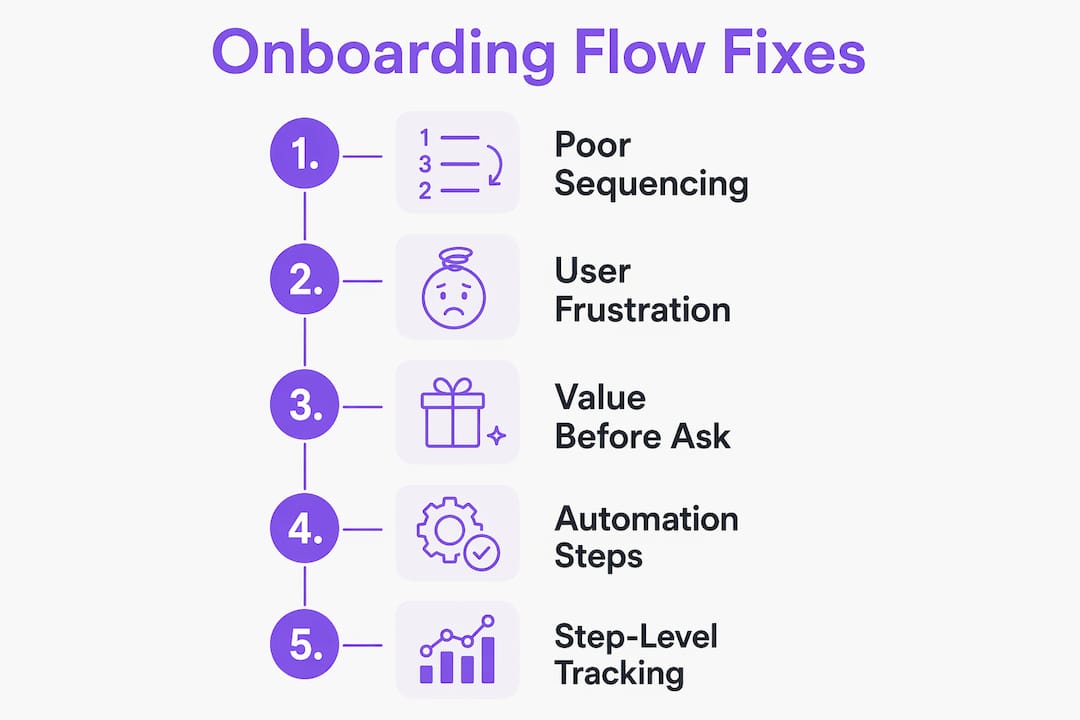
Instrument your funnel at the step level, not just session level. Tag each form field interaction, each document upload attempt, and each error state as a discrete event. That granularity lets you attribute drop-off causally rather than guessing. Nine out of ten companies report some form of registration abandonment — the ones who fix it fastest are the ones who can see exactly where it happens.
For document upload specifically: track upload attempts, rejection rate by reason, and retry success rate. If about 29% of users fail to complete onboarding when document uploads are required, your guidance and sequencing need urgent improvement.
Automation patterns ops teams can copy right now
Pattern 1: Magic links instead of forced account creation. Send an external collaborator a task-specific link. They complete the step in a browser, no login required. EasyFlow’s frictionless workflow design uses exactly this pattern to eliminate the account-creation barrier for external participants.
Pattern 2: Staged KYC with automated routing.
- Show a low-commitment product preview with minimal data collected.
- Request basic verification (email, phone) to unlock a sample outcome.
- Trigger higher-assurance document checks only if the user’s tier or risk profile requires them.
- Auto-route flagged cases to human review with an immediate “under review — expect a response within X hours” notification.
Pattern 3: Intelligent document intake. Before the upload step, show a camera-guidance overlay with explicit quality requirements (lighting, angle, document flat). On rejection, return a specific reason code mapped to a plain-language fix. Build a retry path that pre-fills everything the user already submitted.
“Invisible wait states are major drivers of dropout; provide proactive, context-rich updates during waits to maintain the user relationship.” — Fintech onboarding UX research
For rollout: pilot one cohort through the new flow, measure step-level lift against your baseline, then scale with automation templates. Early shipped work builds role clarity faster than front-loaded training — the same principle applies to client onboarding pilots.
Pro Tip: A/B test magic-link delivery vs. forced account creation on a single step before rolling it out across the flow. Even a 10% lift at one step compounds across the full funnel.
Handling KYC and compliance steps without losing users
Just-in-time KYC is the single biggest lever for compliance-heavy flows. Request documents at the moment they’re needed for a specific action, not as a prerequisite to seeing the product.
Tactics that work:
- Staged verification: low-friction first (email/phone), then government ID only when the user’s action requires it
- Risk-based gating: automate the decision about which users need enhanced due diligence; don’t apply it universally
- Contextualized consent language: explain why you need each document at the moment you ask (“We need your ID to comply with federal KYC requirements before processing payments — this takes about 2 minutes”)
- Transparent review SLAs: tell users “Manual review typically completes within 4 business hours. You’ll get an email the moment it’s done.” Then send that email.
Replace punitive copy with curiosity-based prompts. Instead of “Document rejected,” use “We need a small correction — here’s what to check.” Instead of “Verification failed,” use “One more thing before we can activate your account.” The perceived judgment that generic rejection language creates is a primary driver of permanent abandonment.
Pro Tip: Use onboarding error reduction automation to auto-validate document quality before submission reaches your compliance team. Catching a blurry photo before it enters the review queue saves hours and prevents the user from experiencing a rejection at all.
Key Takeaways
Poor value sequencing, not compliance itself, is the primary cause of onboarding abandonment — fix the order of steps before you redesign individual steps.
| Point | Details |
|---|---|
| Sequence value before data | Show a preview or sample output before requesting sensitive documents to cut early drop-off. |
| Fix error messages first | Specific, cause-and-remedy error messages reduce rework volume and prevent permanent exits. |
| Communicate wait states | Manual review with a visible ETA and notification cuts abandonment during compliance checks. |
| Measure at step level | Tag each step as a discrete funnel event; session-level data hides where users actually leave. |
| EasyFlow removes account barriers | Magic-link task delivery lets external collaborators act without creating accounts, eliminating a common exit point. |
The part most ops teams get wrong
The conventional wisdom says onboarding abandonment is a UX problem. Fix the colors, shorten the form, add a progress bar. That framing is too narrow, and it leads teams to optimize individual steps while leaving the sequence broken.
What actually matters is the order of trust-building relative to the order of asks. Users will tolerate significant friction once they believe the product is worth it. The mistake is demanding that belief before delivering any evidence for it. Most teams I’ve seen implement these fixes start with error messages because it’s the fastest win — a one-day copy change that immediately reduces support tickets. That’s the right instinct. But the bigger gain comes from moving your first-value screen earlier, which requires cross-functional coordination between product, legal, and ops. Legal will push back on showing anything before identity is confirmed. The answer is staged access: show a sandboxed preview that carries no compliance risk, then gate the real product behind verification. That distinction — sandboxed preview vs. live product — is usually enough to satisfy legal while giving users the motivation to complete the flow. Don’t skip that conversation. It’s the one that unlocks the largest lift.
EasyFlow cuts the steps clients refuse to take
Clients drop out of onboarding when the process demands effort before it delivers value. EasyFlow addresses that directly: external collaborators receive a magic link and complete their task in a browser, no account creation required. That single change removes one of the most common exit points in client and new-hire onboarding flows.

For client implementations, EasyFlow automates the handoff sequence — document requests, status notifications, and review routing — so your team stops chasing follow-ups and clients stop waiting in the dark. For new-hire setup, the same workflow engine stages tasks across the first 30 days, assigns clear owners, and sends automated check-ins at the right intervals. Both use cases map directly to the fixes this article covers: deferred account creation, proactive status updates, and automated document routing.
Start a pilot with a single onboarding cohort and measure step-level completion against your current baseline. The lift is usually visible within two weeks.
Useful sources and further reading
Research cited in this article:
- Bank onboarding problems: Why 60% drop off at KYC — Mark Swebb UX research on sequencing and friction
- Why Fintech Users Drop Off During Onboarding — error messaging, wait states, and staged KYC patterns
- Why Customers Abandon Onboarding Processes — ABBYY study on abandonment rates and automation impact
- Reducing client dropout — behavioral research on perceived judgment and relationship factors
- Onboarding design: What the evidence says — structured buddy programs, early shipped work, and staged check-ins
EasyFlow resources for implementation:
- Customer Onboarding Best Practices 2026 — leader-focused playbook on value-first sequencing
- Client Onboarding Checklist Essentials for Teams — step-by-step checklist mapped to the fixes above
- How Client-Facing Teams Reduce Onboarding Friction — team-level ownership and handoff patterns
“The shortest path to first value wins. Every field, every step, every required action is a tax on the path — users pay it only if they believe the value is worth it.” — Mantlr onboarding research
For rapid prototyping of a new onboarding flow before committing engineering resources, Spark Concept’s idea checker is a practical tool for validating the sequence logic before you build.
FAQ
Why do clients abandon onboarding before finishing?
The most common cause is poor sequencing: sensitive data requests appear before users see any product value. Up to 60% of users abandon friction-heavy digital flows, with identity document upload steps reducing conversion by about 29%, and invisible wait states as leading triggers.
What is the fastest fix for high onboarding drop-off?
Add a first-value screen (preview dashboard or sample result) before any identity verification step, and replace generic error messages with specific cause-and-remedy copy. Both changes can ship within days and show measurable lift in step-level completion rates.
How does automation reduce onboarding abandonment?
Automation removes manual gates by routing documents, sending status notifications, and delivering tasks via magic links so external users never need to create an account. EasyFlow uses this pattern to cut follow-up volume and keep clients moving through the flow.
How long should manual review take during onboarding?
Communicate a specific SLA to users — “typically 4 business hours” is a reasonable target for standard KYC review. Send an automated notification the moment the review completes; users who receive a status update are far less likely to abandon during the wait.
What metrics should ops teams track to measure onboarding improvement?
Track drop-off rate by step, time-to-complete, document upload rejection rate, rework volume, and support tickets generated per onboarding cohort. Step-level event tagging in your analytics tool is required to attribute drop-off causally rather than at the session level.