
How to Create a Frictionless Client Onboarding Workflow

A frictionless client onboarding workflow is a structured, automated process that moves a new client from contract signature to active engagement with no manual handoffs, no redundant steps, and no communication gaps. The industry term for this is structured onboarding automation, and it combines workflow standardization with trigger-based task execution. Fully automated onboarding processes can complete the entire sequence from contract to kickoff in under 6 hours. That benchmark matters because it shows what becomes possible when you remove humans from the repetitive parts. EasyFlow is built specifically to execute these workflows, not just track them.
What do you need before creating a frictionless onboarding workflow?
Standardizing your process before automating it is the single most important step operations leaders skip. Mapping your onboarding steps and defining exit criteria for each phase before you touch any automation tool prevents you from encoding broken processes into software. Do this during a slower period when your team can think clearly about what actually happens versus what should happen.
Start by listing every touchpoint from the moment a prospect signs to the moment they are fully active. You will likely find redundant approval steps, unclear task ownership, and communication gaps that no tool can fix on its own. Fixing those first makes automation genuinely useful.

Essential tool categories for a smooth client onboarding process
Every well-built onboarding stack covers five functional areas. Each one handles a distinct part of the client journey.
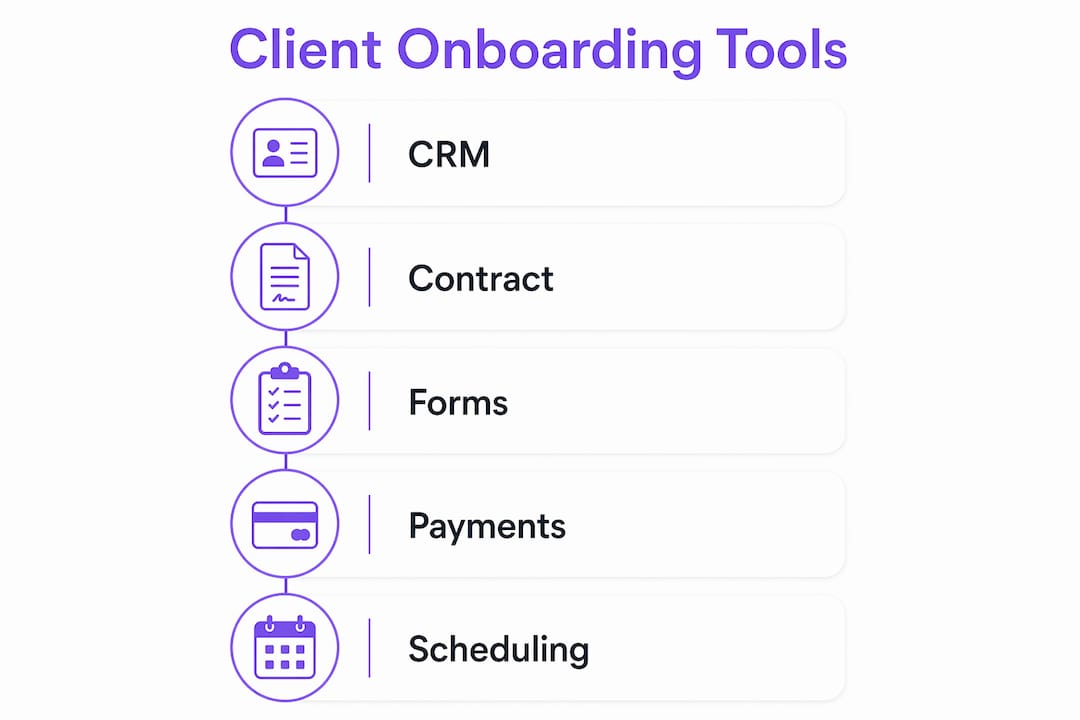
| Tool category | Function | Value delivered |
|---|---|---|
| CRM | Stores client data and tracks relationship history | Single source of truth for all client records |
| Intake forms | Collects structured information from new clients | Eliminates back-and-forth email requests |
| E-signature platform | Captures contract execution and triggers workflows | Starts automation without manual intervention |
| Scheduling software | Books kickoff calls without calendar negotiation | Removes scheduling delays from the critical path |
| Workflow automation | Executes tasks, sends notifications, routes data | Replaces manual handoffs with automatic actions |
Once you have mapped your process and identified the right tool categories, you are ready to build. Teams that skip the mapping step often automate the wrong sequence and then wonder why clients are still confused.
Pro Tip: Audit your current onboarding by timing each step. Any step that takes more than 24 hours due to waiting on a human is a candidate for automation.
How to implement a frictionless client onboarding workflow step by step
The most effective onboarding sequences follow a contract-triggered model. Every step fires automatically based on a prior event, not a human decision.
Here is the core sequence that operations teams use to build efficient onboarding workflows:
-
Contract signature triggers the workflow. The moment a client signs, the automation platform detects the e-signature event and starts the sequence. No lag occurs between signature and first action.
-
A branded welcome email goes out immediately. The email contains a link to a structured intake form. It also includes an automated reminder sequence so the form gets completed without a manual follow-up from your team.
-
Intake data routes into your CRM and project management system. The client’s answers populate the relevant fields automatically. A new project record is created with the client’s name, scope, and key dates already filled in.
-
Internal team members receive a notification with full context. The notification includes the client name, project type, assigned roles, and first task deadlines. No one has to ask what they are responsible for.
-
A kickoff call scheduling link is sent to the client. Calendar links embedded in welcome sequences eliminate back-and-forth scheduling entirely. The client picks a time, and the meeting is created automatically for all parties.
-
Post-kickoff tasks are created automatically. After the call, the workflow triggers the next phase: setup tasks, access provisioning, and follow-up check-ins all appear in the project without anyone building them manually.
Pro Tip: Sequence your client communications in the order clients need the information, not the order that is convenient for your team. Clients who receive the right information at the right moment complete onboarding steps faster.
How to organize client communication to reduce friction during onboarding
Information scatter is the leading cause of client confusion during onboarding. Clients receive a welcome email, a contract PDF, a Slack invite, a project link, and a separate scheduling email, all within 48 hours. None of it connects.
The fix is a single organized client hub that contains every resource, contact, timeline, and FAQ in one place. Experts at Zoomforth recommend a live onboarding microsite that clients can return to throughout the engagement. This eliminates the “where do I find X?” question entirely.
“The most effective way to eliminate information scatter is to provide each client a single, organized hub that contains every resource, contact, and milestone in the specific order they need them.” — Zoomforth, Client Onboarding Best Practices 2026
Structure the hub by client role and milestone phase, not by your internal team structure. A client’s marketing lead does not need to see the technical setup checklist. Organizing by role reduces cognitive load and speeds up completion rates.
Structured milestone plans with 30, 60, and 90-day goals give clients a clear picture of progress. These milestones increase client confidence and reduce churn during the early engagement period. Review them during scheduled check-ins so clients see movement, not just activity.
Avoid delivering large onboarding guides at kickoff. Clients rarely read lengthy documents sent all at once. Deliver information in stages, timed to when each piece becomes relevant. A client does not need the advanced configuration guide on day one. They need it on day 14, when they are ready to use it.
Here is what a well-organized client communication plan covers:
- A welcome message with one clear next step
- An intake form link with a deadline and automated reminder
- A kickoff call confirmation with agenda attached
- A milestone plan shared after the kickoff call
- Role-specific resources delivered as each phase begins
What common challenges occur in client onboarding workflows?
The most frequent failure points in onboarding are multi-link overload, unclear task ownership, and manual handoffs that stall progress. Each one is fixable with the right structure.
Multi-link overload happens when clients receive separate links for their contract, intake form, payment, and scheduling. Every additional link is a drop-off risk. Combining all onboarding steps into a single session flow, where forms, signatures, payments, and scheduling happen in sequence, makes same-day onboarding achievable. Clients complete the process in one sitting instead of returning across multiple days.
Unclear task ownership causes deadline slippage. When no one person owns a task, it waits. Fix this by assigning every task to a named individual at the moment the workflow creates it. Automated notifications that include the assignee’s name and deadline remove ambiguity.
Manual handoffs between sales, operations, and delivery teams create gaps. The sales team closes the deal and then emails the operations team. The operations team sets up the project and then emails the delivery team. Each email is a potential delay. Replacing those emails with automated triggers cuts the gap to zero.
Common friction points to audit in your current process:
- Steps that require a human to initiate the next step
- Client-facing tasks with no deadline or reminder
- Information sent before the client needs it
- Onboarding steps that require account creation from the client
EasyFlow addresses the account creation problem directly. External clients complete tasks via magic links without creating accounts. That single change removes one of the most common drop-off points in client-facing workflows. Teams using EasyFlow to reduce onboarding friction report fewer follow-ups and faster time to activation.
Pro Tip: Run a milestone review at the 30-day mark and ask clients one question: “What was the most confusing part of getting started?” Their answer will tell you exactly where to fix your workflow.
Key takeaways
A frictionless client onboarding workflow requires standardization before automation, a single client hub for all resources, and trigger-based task execution that removes manual handoffs from every phase.
| Point | Details |
|---|---|
| Standardize before automating | Map every onboarding step and define exit criteria before building any automation. |
| Use contract triggers | Start the workflow automatically at e-signature to eliminate lag between close and kickoff. |
| Centralize client resources | Give every client one hub with role-specific content organized by milestone phase. |
| Consolidate client steps | Combine forms, signatures, payments, and scheduling into one flow to cut drop-off. |
| Review at 30 days | Collect client feedback at the first milestone to identify and fix friction points early. |
What I have learned about onboarding after watching hundreds of workflows break
The teams that build the best onboarding workflows share one habit: they treat onboarding as an ongoing activation process, not a one-time event that ends at kickoff. That shift in thinking changes everything about how you design the workflow.
The biggest mistake I see operations leaders make is automating a broken process. They spend weeks building triggers and notifications, and then wonder why clients are still confused. The automation just made the broken process faster. Standardization has to come first. You need to walk the process yourself, step by step, before you hand it to a tool.
I have also noticed that the teams with the highest client satisfaction scores are not the ones with the most sophisticated technology. They are the ones who sequence information delivery correctly. Clients do not need everything at once. They need the right thing at the right moment. That principle is simple, and most teams ignore it.
The personalization question comes up often. Operations leaders worry that automation will make onboarding feel cold. The opposite is true when you build it correctly. A client who receives a welcome email within minutes of signing, a perfectly timed intake form, and a kickoff call booked without any back-and-forth feels well-served. The experience feels attentive, not automated.
Finally, team culture matters more than most leaders admit. The best workflow in the world fails if your team treats it as optional. Adoption requires clear ownership, visible accountability, and a shared understanding of why the process exists. Build that culture first, then build the automation around it.
— Harsh
How EasyFlow fits into your client onboarding workflow
EasyFlow executes the workflows that most teams still manage manually. It connects contract signatures, intake forms, CRM updates, and task assignments into a single automated sequence that runs without anyone pushing it forward.

External clients complete their onboarding tasks through magic links, with no account creation required. That removes the most common drop-off point in client-facing processes. Internal teams receive automatic notifications with full context, so no one has to ask what comes next. If you are ready to automate your onboarding workflow and cut the time from contract to kickoff, EasyFlow gives your team the infrastructure to do it. You can also explore how to scale client onboarding without adding headcount as your client base grows.
FAQ
What is a frictionless client onboarding workflow?
A frictionless client onboarding workflow is an automated, standardized process that moves a new client from contract signature to active engagement with no manual handoffs. Every step triggers automatically based on a prior event, removing delays caused by human intervention.
How long does automated client onboarding take?
Fully automated onboarding processes can complete from contract signature to kickoff in under 6 hours with no manual steps. That timeline depends on the client completing their intake form promptly.
What should a client onboarding checklist include?
A complete client onboarding checklist covers contract execution, intake form completion, CRM record creation, internal team notification, kickoff call scheduling, and post-kickoff task assignment. Each step should have a named owner and an automated trigger.
How do you reduce client drop-off during onboarding?
Combining all onboarding steps, including forms, signatures, payments, and scheduling, into one session flow eliminates the drop-off that occurs when clients must return across multiple days to complete separate tasks.
Should you standardize onboarding before automating it?
Yes. Operations leaders recommend mapping your full onboarding process and defining exit criteria for each phase before building any automation. Automating a poorly defined process only makes the problems happen faster.