
How Client-Facing Teams Reduce Onboarding Friction

Onboarding friction is defined as any delay, confusion, or miscommunication that slows a new client’s path to first value. How client-facing teams reduce onboarding friction determines whether a client becomes a long-term partner or an early churn statistic. The industry term for this discipline is client onboarding process improvement, and it covers everything from access provisioning to milestone tracking. Clients who skip structured onboarding churn at significantly higher rates than those who complete it. That single fact reframes onboarding from an administrative task into a revenue protection system.
How client-facing teams reduce onboarding friction at the source
The first step is knowing exactly where friction lives. Most teams assume the problem is speed. The real problem is clarity.
The most common friction points to watch
Friction concentrates in predictable places once you know where to look:
- Access and credential delays. Clients waiting 48+ hours for logins lose momentum before the relationship even starts.
- Information overload. Sending a 40-page onboarding packet on day one creates paralysis, not progress.
- No single point of contact. When clients email three different people and get three different answers, trust erodes fast.
- Conflicting stakeholder priorities. Your champion wants speed. Their IT team wants security reviews. Neither side tells you about the conflict.
- Technical readiness gaps. A client’s existing systems may not integrate with yours, and nobody surfaces this until week three.
Friction often hides in small moments like delayed approvals, unclear next steps, and overwhelmed users. Early identification of these moments improves adoption and retention. The fix is not a longer checklist. The fix is a feedback loop built into the process itself.
Pulse surveys sent at day 3 and day 14 catch friction before it becomes a complaint. Client interviews after the first 30 days reveal patterns across accounts that no single team member would notice alone. Proactive milestone tracking integrated into workflow tools surfaces hidden friction early, giving your team time to intervene before a client disengages.

Pro Tip: Build a shared friction log in a tool like Notion or Google Sheets. Every time a client asks the same question twice, log it. Three identical entries means your onboarding materials have a gap.
Does a structured onboarding process actually reduce churn?
Yes, and the mechanism is more psychological than operational. Clients do not just need information. They need to feel that progress is happening.
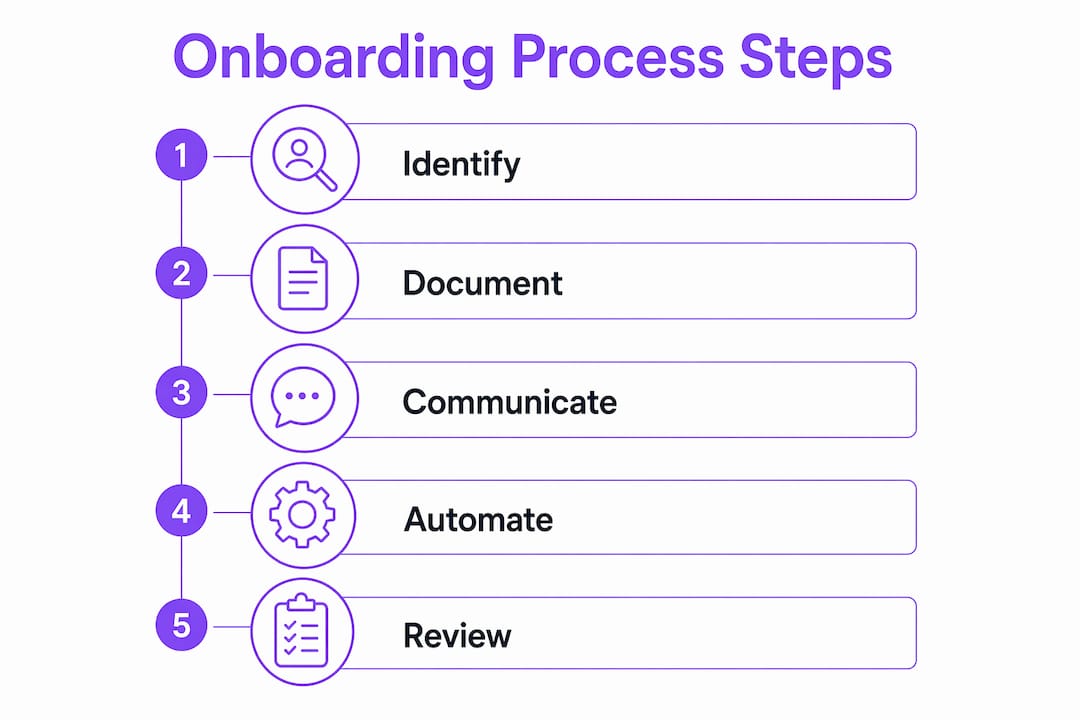
Building a 30-60-90 day roadmap that clients actually use
A 30-60-90 day roadmap works because it converts abstract goals into visible checkpoints. Here is how to build one that reduces friction rather than adding to it:
- Start with the client’s goal, not your process. Ask what success looks like at 90 days before you design a single step.
- Assign ownership to every milestone. Each item on the roadmap needs a named owner on both sides, yours and the client’s.
- Schedule the first visible win within 14–30 days. Early client success correlates directly with emotional certainty and long-term loyalty. A win does not have to be large. It has to be quantifiable.
- Limit touchpoints to five in the first 30 days. The ideal onboarding cadence hits days 1, 3, 7, 14, and 30. Eight-touchpoint flows create excessive client demands. Five maintains momentum without overwhelm.
- Review and adjust at day 30. What the client needed on day one may not match what they need on day 31. Build in a formal scope check.
Treating onboarding as a mandatory retention system from the first client contact changes how your team prioritizes it. It stops being a favor you do for new clients and becomes a non-negotiable part of your delivery model.
Pro Tip: Send clients a one-page “what to expect this week” summary every Monday during the first 30 days. It takes five minutes to write and eliminates most “just checking in” emails from their side.
What technology actually helps with minimizing onboarding challenges?
Technology helps when it reduces decisions. It hurts when it multiplies them. The goal is one dedicated tool per job function, not one platform that does everything poorly.
Single-tool stacks vs. multi-tool chaos
Teams juggling multiple overlapping tools show measurably worse onboarding outcomes. The client experience suffers when they receive a DocuSign link, a Loom video, an Asana invite, a Slack message, and a Zoom calendar link all in the same hour.
| Job Function | Recommended Approach | What to Avoid |
|---|---|---|
| Contracts and signatures | One dedicated e-signature tool | Emailing PDFs back and forth |
| Task tracking | One shared project board | Spreadsheets updated manually |
| Client communication | One primary channel per account | Mixing email, Slack, and SMS |
| Document storage | One live client hub | Emailing file versions |
| Video walkthroughs | One async video tool | Recording and re-recording calls |
Digital client hubs with live, updated onboarding resources reduce information scatter and improve client confidence. Clients access current materials without emailing your team for the latest version. That alone eliminates a category of friction entirely.
Workflow automation handles the operational layer. Automated reminders fire when a milestone is overdue. Progress dashboards show both your team and the client exactly where things stand. Automating routine tasks like setup reminders while scheduling real check-ins at key intervals balances efficiency with human connection. The hybrid approach reduces operational load without making clients feel like they are talking to a bot.
For teams building out their onboarding progress tracking, automation is the difference between knowing a milestone is late on day two versus finding out on day ten.
How do you tailor onboarding to different client segments?
Generic onboarding is the most common cause of preventable churn. A Fortune 500 enterprise and a 10-person startup need fundamentally different experiences, even if they are buying the same product.
Segmenting clients by engagement level, industry, or value allows tailored onboarding paths that address friction uniquely. Personalized flows outperform generic checklists in retention metrics. Here is how to apply segmentation in practice:
- High-value or complex clients get a dedicated onboarding specialist, weekly calls, and a custom roadmap built before day one.
- Mid-tier clients get a structured group onboarding program with shared resources and scheduled office hours.
- Self-serve clients get a well-documented knowledge base, automated email sequences, and clear escalation paths.
Returning clients deserve special attention. Keeping a running client file with preferences and past wins allows your team to re-onboard them without starting from scratch. That continuity signals professionalism and saves both sides significant time.
One underused tactic is the friction tax. When a client’s onboarding consistently requires more effort than scoped, adjust pricing or scope to reflect that reality. This creates an incentive for clients to come prepared and protects your team’s capacity for accounts where onboarding runs smoothly.
Scalable onboarding depends on consistent, personalized processes more than expensive tools. Small teams using shared docs, structured checklists, and scheduled calls can match the onboarding quality of teams with far larger budgets. The process is the product.
For a detailed breakdown of the specific steps that make this work, the 8 onboarding steps framework from EasyFlow covers the full sequence from kickoff to handoff.
Key takeaways
Client-facing teams reduce onboarding friction by combining structured processes, segmented client paths, and targeted automation to deliver early wins and prevent churn.
| Point | Details |
|---|---|
| Friction lives in clarity gaps | Identify delayed approvals, unclear next steps, and missing ownership before redesigning any process. |
| Five touchpoints beat eight | The optimal first-30-day cadence hits days 1, 3, 7, 14, and 30 to maintain momentum without overload. |
| One tool per job function | Assign a single dedicated tool for contracts, tasks, docs, and communication to eliminate client confusion. |
| Segment before you standardize | Tailor onboarding paths by client size, industry, or complexity rather than applying one checklist to all. |
| Early wins drive retention | Deliver at least one quantifiable client win within the first 14–30 days to build trust and long-term loyalty. |
Where most onboarding advice gets it wrong
I have worked with enough client-facing teams to know that the biggest onboarding failures rarely come from bad tools or bad intentions. They come from capacity problems that nobody admits out loud.
A team carrying 40 active accounts cannot deliver a high-touch onboarding experience to every new client. The honest answer is not to try harder. The answer is to design a process that works at your actual capacity, not your ideal capacity. That means automation handles the routine, and humans show up for the moments that actually matter: the kickoff call, the first win review, and the moment a client goes quiet.
The other mistake I see constantly is treating documentation as a one-time project. Onboarding docs go stale within 90 days. A client hub that has not been updated since last quarter creates more confusion than no hub at all. Assign someone to own the materials, not just create them.
The teams I have seen retain clients at the highest rates share one habit. They celebrate client wins internally with the same energy they use to close new deals. When your team treats a client’s first successful milestone as a genuine achievement, that energy transfers. Clients feel it. It builds the kind of trust that survives a rough patch six months later.
— Harsh
How EasyFlow removes the manual work from client onboarding
Client-facing teams that have mapped their friction points and designed their process still face one persistent problem: execution depends on people remembering to do things. EasyFlow solves that by automating the workflows that typically fall through the cracks.

Unlike task trackers that just list what needs to happen, EasyFlow actually executes processes. External collaborators complete tasks via magic links without creating accounts. Automated reminders fire on schedule. Progress dashboards give your team and your clients full visibility at every stage. The result is fewer follow-ups, faster implementations, and a client experience that feels consistent regardless of which team member is running the account. Start with EasyFlow and see how workflow automation changes what your onboarding process can deliver.
FAQ
What is onboarding friction in client relationships?
Onboarding friction is any delay, confusion, or miscommunication that slows a new client’s path to first value. Common sources include access delays, unclear next steps, and lack of a single point of contact.
How many touchpoints should a client onboarding have in 30 days?
The optimal cadence is five touchpoints on days 1, 3, 7, 14, and 30. Eight-touchpoint flows create excessive client demands and reduce satisfaction compared to this tighter schedule.
When should a client see their first win during onboarding?
Clients should receive at least one quantifiable win within the first 14–30 days. Early visible wins build emotional certainty and are directly linked to long-term retention.
Does automation replace human contact in client onboarding?
No. Automation handles routine tasks like reminders and progress tracking, while human check-ins cover key intervals. This hybrid approach reduces operational load without removing the personal connection clients need.
How do you onboard returning clients more efficiently?
Keep a running client file with preferences, past wins, and previous scope details. Teams with this practice retain clients longer by avoiding the cost and friction of restarting onboarding from scratch.