
The Role of Automation in Partner Onboarding

Automation in partner onboarding is defined as the use of technology to replace manual tasks across the full partner lifecycle, from initial application through training, credentialing, and activation. The role of automation in partner onboarding goes far beyond saving time. Organizations that automate onboarding manage 2–3x more active partnerships without adding headcount, because they eliminate the manual overhead that caps growth. For business leaders and project managers, that capacity gain is the most compelling argument for investing in onboarding automation now.
How does automation streamline the partner onboarding process?
Structured channel partner onboarding spans 30–90 days across four distinct phases: pre-onboarding (1–5 days), kickoff and activation (1–5 days), training and certification (2–6 weeks), and ongoing enablement. Each phase contains repetitive, rules-based tasks that are ideal candidates for automation. Without it, teams spend most of their time chasing documents, sending reminder emails, and manually provisioning system access.

Automation replaces those tasks with triggered workflows. When a partner submits an application, the system automatically validates documents, routes contracts for e-signature, and provisions credentials. API-based validation reduces partner data verification from several days to minutes by cross-referencing company registration, tax ID, and banking details automatically. That compression in verification time alone can move a partner from application to active status in a fraction of the traditional timeline.
The training phase benefits just as much. Automated learning management system enrollment, progress tracking, and certification reminders replace the manual coordination that typically falls on channel managers. Partners receive the right content at the right time without anyone on your team manually scheduling it.
- Pre-onboarding: Automated intake forms, document collection, and compliance checks replace email threads.
- Kickoff: System-triggered welcome sequences and access provisioning activate partners without manual intervention.
- Training: Automated enrollment, progress nudges, and certification tracking keep partners moving forward.
- Enablement: Ongoing automated content delivery and performance alerts keep partners engaged after activation.
Pro Tip: Map every manual handoff in your current onboarding process before you build a single automated workflow. Automation accelerates the process you already have. If that process is broken, automation will accelerate the problems too.
What are the top benefits of automation in partner onboarding?
The most direct benefit of automating partner integration is capacity. Teams that previously managed 50 active partners can handle 100–150 with the same staff, because automated onboarding creates self-guided partner journeys that free channel managers from administrative work. Those managers shift from data entry and follow-up to relationship development and strategic planning.
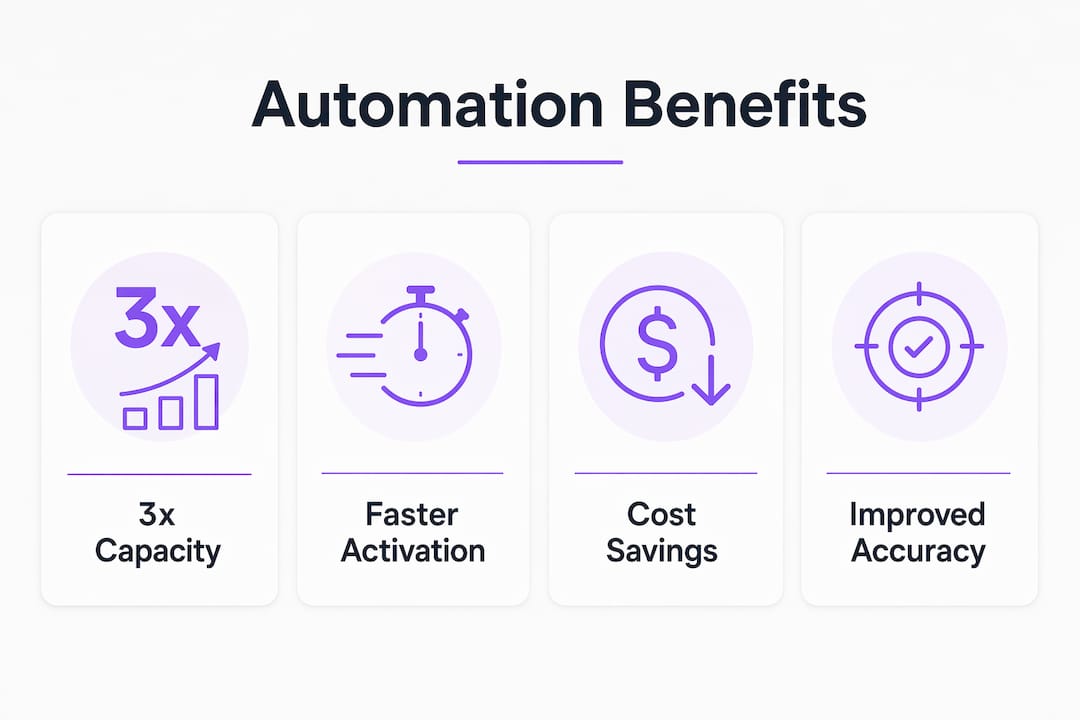
Time-to-Value (TTV) drops significantly when automation handles the administrative load. A partner who reaches revenue-generating activity faster generates returns sooner and is far less likely to disengage before activation. Automation reduces partner friction and accelerates TTV by delivering a consistent, guided experience regardless of partner size or geography.
The benefits extend beyond speed:
- Consistency: Every partner receives the same quality of onboarding experience, which protects brand standards and reduces the variation that causes confusion and churn.
- Compliance: Automated document validation and audit trails reduce the risk of regulatory gaps that manual processes routinely miss.
- Error reduction: Removing manual data entry from the process cuts the transcription errors that delay activation and create downstream billing or access problems. Teams focused on reducing onboarding errors through automation report fewer correction cycles and faster partner readiness.
- Scalability: Manual onboarding reliant on spreadsheets creates a growth ceiling. Centralized automation platforms remove that ceiling by enabling real-time analytics and consistent process execution at any volume.
- Partner satisfaction: Partners who experience a clear, fast, and self-directed onboarding process report higher satisfaction and are more likely to invest in the relationship.
The cumulative effect is a partner program that grows without proportional cost increases. That is the financial case business leaders need to justify the investment.
Which technologies drive effective partner onboarding automation?
Partner Relationship Management (PRM) platforms serve as the central hub for onboarding automation. They consolidate partner data, workflow triggers, content delivery, and performance tracking into a single system. Without a PRM or equivalent platform, automation efforts tend to exist as disconnected point solutions that create new coordination problems.
AI adds a layer of intelligence that rule-based automation cannot match. AI-powered screening evaluates partner applications against predefined criteria and flags exceptions for human review. Progress monitoring algorithms identify partners who are stalling in training and trigger proactive outreach before disengagement becomes dropout. These capabilities shift the channel manager’s role from reactive problem-solving to proactive relationship management.
API integrations handle the data accuracy work that manual processes get wrong. Cross-referencing tax IDs, business registration numbers, and banking details against authoritative external databases happens in minutes rather than days. Automated contract management with e-signature capabilities removes the back-and-forth that delays formal activation.
Self-service portals give partners control over their own onboarding progress. Real-time onboarding dashboards reduce disengagement by showing partners exactly where they stand and what they need to do next. Partners who can see their own status are less likely to go quiet and more likely to complete the process. You can see how this applies in practice by reviewing automated progress tracking approaches that work across partner and client programs alike.
Role-based access controls ensure that partners see only the content and systems relevant to their tier and type. This reduces confusion and prevents the security gaps that come from over-provisioning access during onboarding.
Pro Tip: Do not build your automation stack around a single vendor’s ecosystem unless you have confirmed API compatibility with your existing CRM, ERP, and billing systems. Integration gaps are the most common reason onboarding automation projects stall after launch.
How can organizations implement partner onboarding automation successfully?
The first step is process documentation, not technology selection. Automation cannot fix broken processes. Organizations that skip process redesign and jump straight to automation simply execute their existing inefficiencies faster. Map every step of your current onboarding workflow, identify bottlenecks, and standardize the process before writing a single automation rule.
Segment your partner types before designing workflows. A reseller partner and a technology integration partner have different onboarding requirements, different training paths, and different compliance needs. A single generic workflow serves neither well. Build workflow templates by partner tier and type, then automate within those templates.
Avoid over-automating high-touch activities. Best practices call for automating administrative tasks while preserving human engagement for strategic relationship building. The kickoff call, the executive sponsor introduction, and the first quarterly business review are not candidates for automation. They are the moments that determine whether a partner becomes a long-term revenue contributor or a churned contact in your CRM.
Key implementation principles for project managers:
- Audit first: Document every manual step, owner, and average completion time before selecting tools.
- Standardize before automating: Remove process variations and exceptions that will break automated workflows.
- Pilot with one partner tier: Test your automated workflow with a controlled group before full rollout.
- Train internal teams: Channel managers need to understand what the automation handles and what requires their direct involvement.
- Communicate with partners: Tell partners what to expect from the automated process. Silence during an automated sequence reads as neglect.
- Monitor and adjust: Track completion rates, time-to-activation, and partner satisfaction scores after launch. Automation requires ongoing calibration, not a set-and-forget approach.
Pro Tip: Build a “human escalation trigger” into every automated workflow. When a partner fails to complete a step within a defined time window, the system should automatically alert a channel manager rather than sending a fifth automated reminder.
Key Takeaways
Automation transforms partner onboarding from a manual bottleneck into a repeatable, scalable process that accelerates partner activation and frees channel teams for strategic work.
| Point | Details |
|---|---|
| Capacity multiplier | Automation lets teams manage 2–3x more partnerships without adding headcount. |
| Speed gains | API-based validation compresses partner verification from days to minutes. |
| Process first | Map and standardize workflows before automating or you will accelerate broken processes. |
| Balance is required | Automate administrative tasks; preserve human engagement for relationship-critical moments. |
| Visibility drives retention | Real-time partner dashboards reduce disengagement during the critical early onboarding stages. |
What I’ve learned about automation and partner onboarding after watching teams get it wrong
Most organizations approach onboarding automation as a technology problem. They buy a PRM platform, configure a few workflow triggers, and expect the results to follow. The teams I’ve seen succeed treat it as a process problem first and a technology problem second.
The counterintuitive insight is this: the more you automate, the more important your human touchpoints become. When a partner’s administrative experience is frictionless, they notice every moment where a human should have shown up and didn’t. Automation raises the bar for relationship quality, not just process speed.
The other pattern I’ve observed is that organizations underestimate the change management required internally. Channel managers who have built their value around being the person who “handles onboarding” resist automation because it redefines their role. The teams that navigate this well reframe the conversation early. They tell their managers that automation handles the paperwork so they can focus on the partnerships that actually drive revenue.
The future of partner onboarding automation points toward predictive engagement. Systems that identify at-risk partners before they disengage, based on behavioral signals during onboarding, will become standard. The organizations building that capability now will have a measurable advantage in partner retention within the next two to three years.
— Harsh
How EasyFlow supports your partner onboarding workflows
EasyFlow is built for operations teams that need to execute processes, not just track them. When you design a partner onboarding workflow in EasyFlow, the platform handles task routing, follow-up triggers, and external collaborator access automatically. Partners complete their steps via magic links without needing to create an account, which removes one of the most common friction points in early onboarding.

Teams using EasyFlow report fewer manual follow-ups and faster partner activation because the workflow runs itself once it’s configured. For project managers who need to scale onboarding without extra staff, EasyFlow provides the execution layer that most task management tools don’t offer. You can start building your first automated partner onboarding workflow at EasyFlow’s workflow automation platform today.
FAQ
What is the role of automation in partner onboarding?
Automation in partner onboarding replaces manual tasks like document validation, credential provisioning, and training enrollment with triggered workflows. This reduces errors, accelerates partner activation, and frees channel managers for strategic relationship work.
How long does automated partner onboarding take?
Structured partner onboarding spans 30–90 days across four phases, but automation compresses the administrative steps within each phase significantly. API-based validation alone reduces data verification from days to minutes.
What is Time-to-Value in partner onboarding?
Time-to-Value (TTV) is the time between a partner signing an agreement and generating their first revenue. Automation shortens TTV by removing the delays caused by manual document handling, training scheduling, and access provisioning.
Can automation replace the human element in partner onboarding?
Automation handles administrative and compliance tasks effectively, but best practices require human engagement for relationship-critical moments like kickoff calls and strategic planning sessions. Over-automating high-touch activities risks partner disengagement.
What should organizations do before automating partner onboarding?
Organizations must map and standardize their existing workflows before automating. Automation accelerates whatever process it runs on, so broken or inconsistent processes must be redesigned first to avoid compounding existing problems.