
Why Client Onboarding Fails Without Automation

Manual client onboarding is defined as any intake process where staff manually collect data, send follow-ups, and track progress without automated workflows. This approach is the leading cause of client disengagement during the critical first weeks of a new relationship. Research shows 23% of new clients disengage during manual onboarding due to slow communication and inconsistent follow-up. That number drops to under 5% with automated onboarding. Understanding why client onboarding fails without automation is the first step toward fixing a problem that directly damages revenue and retention.
What are the main operational failures in manual client onboarding?
Manual onboarding fails because it depends on people to remember, repeat, and track every step. That dependency creates three predictable failure points: slow follow-up, data errors, and no single owner for the process.
Manual onboarding consumes 3–8 staff hours per new client before any real work begins. That time goes toward sending intake forms, chasing signatures, re-entering data, and checking whether the client completed each step. It is time that compounds across every new client added to the roster.

Human error in data entry creates costly downstream problems. A misspelled email address means a client never receives their welcome sequence. A wrong account number delays billing. These errors look small in isolation, but they accumulate into a pattern of friction that clients notice before your team does.
Lack of visibility is the third failure point. Without a shared dashboard or automated status updates, team members rely on memory and email threads to know where each client stands. That gap causes delayed responses and missed steps.
- Slow follow-up: Clients waiting more than 24 hours for a response after signing a contract interpret silence as disorganization.
- Data entry errors: Manual re-entry of client information across forms, CRMs, and spreadsheets multiplies the chance of mistakes.
- No process ownership: When onboarding lives in someone’s inbox, it stalls the moment that person is sick, on vacation, or overloaded.
- Inconsistent experience: Two clients onboarded by different team members receive different information, timelines, and levels of attention.
Pro Tip: Map your current onboarding steps on paper before automating anything. You will almost always find three to five steps that have no clear owner and no defined deadline.
How does automation fix the failures of manual client onboarding?
Automation in client onboarding replaces memory-dependent tasks with triggered, rule-based actions. The result is a process that runs at the same speed and quality for every client, regardless of team workload.
Automated systems trigger timely actions and follow-ups the moment a client completes or misses a step. A client who submits an intake form at 11 p.m. receives a confirmation and next-step instructions immediately, not the following morning. That speed signals competence before the relationship has fully started.
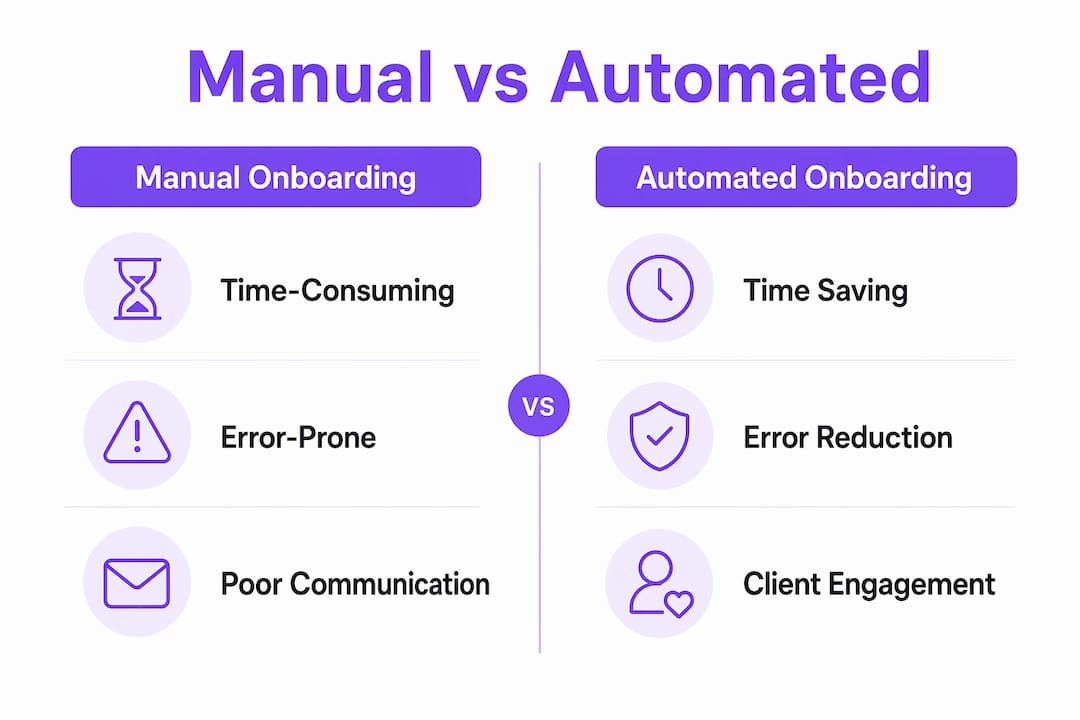
The effect of automation on client onboarding data quality is equally significant. Pre-processing validation checks catch bad submissions before they reach your CRM. Validation nodes confirm critical fields like email format and client name before any record is created. This prevents the duplicate and corrupt records that plague manual processes.
Real-time tracking gives both your team and your clients visibility into where the process stands. Without automation, teams check step completions manually, which introduces lag and inconsistency. A live dashboard removes that lag entirely.
- Trigger intake confirmation the moment a client submits their information, so they know the process has started.
- Run validation checks on all submitted data before it enters your CRM or project management system.
- Send automated reminders at defined intervals when a client has not completed a required step.
- Escalate overdue tasks to a team lead after a set number of days without client action.
- Generate a completion summary when all onboarding steps are finished, so both sides have a clear record.
The data is clear: Automated onboarding reduces client drop-off to under 5% compared to 23% with manual processes. That gap represents real revenue that manual teams are leaving on the table every quarter.
What nuanced challenges does automation help overcome?
Beyond the obvious inefficiencies, manual onboarding creates two structural problems that are harder to see but equally damaging: process-by-silence and process pollution.
Process-by-silence is what happens when clients feel uncertain because they receive no clear, timely communication between onboarding steps. The client has signed the contract and submitted their forms. Then nothing happens for three days. No update, no timeline, no acknowledgment. That silence reads as a warning sign, not a normal delay. Trust erodes before the first deliverable is produced.
Clients who feel informed during onboarding become more loyal and easier to retain at renewal. The inverse is also true. Confusion early in the relationship harms long-term retention in ways that are difficult to reverse. Automation solves this by sending status updates at every defined milestone, so clients always know what has happened and what comes next.
Process pollution is the second structural problem. It occurs when manual data entry creates duplicate, incomplete, or conflicting records across your systems. One client might exist three times in your CRM under slightly different name spellings. Another might have an outdated email address because a team member updated one system but not another. Pre-processing validation prevents this pollution by enforcing data standards before any record is written.
| Challenge | Manual process result | Automated process result |
|---|---|---|
| Client communication gaps | Silence between steps, eroded trust | Milestone updates sent automatically |
| Data entry errors | Duplicate and corrupt CRM records | Validation checks block bad data at entry |
| Process ownership | Steps stall when one person is unavailable | Workflow continues regardless of individual availability |
| Visibility | Teams check status manually and inconsistently | Real-time dashboards show progress for all parties |
The table above shows a pattern. Every manual failure has a direct automated remedy. The challenge is not identifying what to fix. It is committing to the structural change required to fix it.
What practical steps help businesses automate client onboarding?
Successful automation in client onboarding starts with identifying which tasks are repetitive, error-prone, and low in judgment. Those are the tasks that cost the most in staff time and produce the most errors. They are also the easiest to automate.
- Audit your current process first. List every step from contract signing to project kickoff. Mark which steps require human judgment and which are purely mechanical, such as sending a form or logging a response.
- Start with data collection and validation. Automate your intake form submission, validation, and CRM entry before touching anything else. This single change eliminates the majority of data errors.
- Add automated reminders for pending steps. Set a rule that sends a reminder to the client after 48 hours of inactivity on any required task. This alone reduces the need for manual follow-up calls.
- Build in human touchpoints deliberately. Automation handles the mechanical steps. A personal call or video message from the account lead at the kickoff stage reinforces trust in a way no automated email can replicate.
- Use error alerts for fast correction. Slack notifications can flag incomplete or malformed onboarding data the moment it is submitted, allowing a team member to correct and re-trigger the workflow within minutes rather than days.
Pro Tip: Review your automated onboarding workflow every 90 days. Client expectations shift, and a workflow that worked well at launch will develop gaps over time. Treat it as a living process, not a one-time build.
Tracking progress is the final piece. Teams that track client onboarding progress automatically catch bottlenecks before they become client complaints. A dashboard that shows every client’s current step, days in stage, and pending actions gives team leads the information they need to intervene early. Without that visibility, problems surface only after the client has already lost confidence.
The goal is not to remove people from onboarding. It is to remove the mechanical, error-prone tasks that prevent people from doing the high-value work that actually builds the relationship. Automation handles the infrastructure. Your team handles the relationship.
Key takeaways
Manual onboarding fails because it depends on human memory and manual data entry, both of which introduce delays, errors, and communication gaps that automation eliminates at scale.
| Point | Details |
|---|---|
| Manual onboarding drives disengagement | 23% of clients disengage during manual onboarding versus under 5% with automated workflows. |
| Staff time cost is significant | Manual onboarding consumes 3–8 hours of staff time per client before productive work begins. |
| Process-by-silence erodes trust | Clients who receive no updates between steps lose confidence before the first deliverable is produced. |
| Validation prevents data corruption | Pre-processing validation blocks bad data from entering your CRM, preventing duplicate and corrupt records. |
| Automation requires ongoing review | Automated workflows need quarterly review to stay aligned with changing client expectations and process needs. |
Why I think most teams underestimate the cost of manual onboarding
Teams that struggle with client onboarding friction almost always frame it as a communication problem. The account manager needs to follow up faster. The client needs to be more responsive. The intake form needs to be clearer. These are real issues, but they are symptoms of a structural problem, not the root cause.
The root cause is that manual onboarding puts the entire burden of process continuity on individual people. When those people are busy, sick, or simply human, the process degrades. Every degradation is a small withdrawal from the trust account you are trying to build with a new client.
What I have seen repeatedly is that the hidden cost of manual onboarding is not the staff hours or the data errors. It is the client who quietly decides not to renew because their first 30 days felt disorganized. That client rarely tells you why they left. They just do not come back.
Automation does not fix a bad onboarding strategy. But it does make a good strategy repeatable. The teams that get the most out of automation are the ones who first define what a great onboarding experience looks like, then build workflows that deliver that experience consistently, every time, for every client.
The practical lesson is this: start small, validate your data inputs, and add human touchpoints at the moments that matter most. The technology is not the hard part. The discipline to keep refining the process is.
— Harsh
How EasyFlow removes the friction from client onboarding
Teams that are ready to move past manual onboarding need a tool that actually executes processes, not just tracks them.

EasyFlow automates the handoffs, reminders, and data collection steps that currently live in your team’s inboxes and spreadsheets. External clients complete their onboarding tasks via magic links, with no account creation required. That single change removes one of the most common points of drop-off in manual onboarding. Real-time dashboards and automated alerts keep your team aligned without manual status checks. Start with EasyFlow for free and build your first automated onboarding workflow today. A free version is available at teameasyflow.com to get your team started immediately.
FAQ
Why does client onboarding fail without automation?
Manual onboarding fails because it relies on individual staff members to remember, track, and execute every step. This creates delays, data errors, and communication gaps that cause up to 23% of new clients to disengage before onboarding is complete.
What is process-by-silence in client onboarding?
Process-by-silence occurs when clients receive no communication between onboarding steps, creating uncertainty and eroding trust. Automation eliminates this by sending status updates at every defined milestone automatically.
How does automation in client onboarding reduce errors?
Automated pre-processing validation checks critical fields like email and client name before any data enters your CRM. This prevents duplicate records, corrupt entries, and the costly manual corrections that follow bad data.
How long does manual onboarding take compared to automated onboarding?
Manual onboarding typically consumes 3–8 hours of staff time per new client. Automated workflows reduce that time significantly by handling intake, reminders, validation, and status updates without manual intervention.
What is the first step to automating client onboarding?
Audit your current onboarding process and identify every step that is mechanical and repetitive. Start by automating data collection and validation, then layer in automated reminders and escalation rules for pending client actions.