
Multi-Party Workflow Coordination Checklist for Teams

A compact, platform-mirrored checklist of eight fields lets teams coordinate multi-party workflows with fewer manual follow-ups — provided every field maps directly to a platform action, not just a note in a spreadsheet. The checklist below is the operational core. Copy it into your workflow system, CSV, or template library before reading further.
Core checklist fields (paste into your platform or CSV):
- Status — current state of the step (pending, active, complete, blocked)
- Required proof — the specific artifact that confirms completion (file upload, API event, receipt)
- Owner — named individual or role responsible for this transition
- Due date — hard deadline or relative trigger offset (e.g., +3 business days after trigger)
- Fallback path — what happens if the step fails, times out, or is declined
- Trigger type — document, human, system/API, or time
- Evidence link — URL or file reference to the stored proof artifact
- Audit note — who acted, when, and what released the next step
Table of Contents
- What does a multi-party workflow coordination checklist actually cover?
- How do you model conditional steps using the four-element rule?
- When should you use sequential vs. parallel routing?
- What is the right implementation order for multi-party workflows?
- Key Takeaways
- Why standardization beats ad hoc fixes every time
- EasyFlow runs the checklist so your team doesn’t have to
- Useful resources and templates
- FAQ
What does a multi-party workflow coordination checklist actually cover?
The eight fields above are not arbitrary. Each one corresponds to a configuration point inside any serious workflow coordination tool. Status tells the platform what state to display. Required proof defines the acceptance criterion. Owner routes the notification. Due date fires the reminder. Fallback path handles the exception. Together, they form a collaboration checklist that a platform can actually execute, not just track.
Keep the language in each field short and testable. “Funds confirmed by escrow agent” is testable. “Payment processed” is ambiguous. “Approval received” is worse. The multi-layer contract approach used in structured handoffs splits objective, scope, authority, completion, verification, and failure into separate fields for exactly this reason: ambiguity at handoff is where coordination breaks down.
Store proof artifacts in a location the platform can reference by URL or file ID. A receipt attached to an email thread is not auditable. A file uploaded to a named folder with a timestamped link is.
Pro Tip: Write each “required proof” field as a yes/no test. If you cannot answer “did this artifact arrive?” with a binary answer, the field is too vague.
How do you model conditional steps using the four-element rule?
Legal-ops practitioners recommend documenting four elements per conditional step: signer role, trigger event, evidence required, and platform action. Every ambiguous instruction in a multi-party workflow can be converted into a testable rule using this structure.
Examples:
- Funds-confirmed trigger: Signer role = Escrow Agent | Trigger = wire receipt uploaded | Evidence = bank confirmation PDF | Platform action = release document to Buyer
- Board-approval upload: Signer role = Corporate Secretary | Trigger = board resolution file uploaded | Evidence = signed resolution PDF | Platform action = advance to execution stage
- Notarization capture: Signer role = Notary | Trigger = notarized certificate received | Evidence = notarization certificate with timestamp | Platform action = lock executed state and log release event
- Time-based release: Signer role = System | Trigger = 72-hour window expires | Evidence = none (time event) | Platform action = escalate to manual review
The routing matrix ties these four elements together across all participants. Think of it as a grid: participants on one axis, conditions on the other, with the platform action in each cell.
| Participant | Role | Trigger | Evidence Required | Platform Action |
|---|---|---|---|---|
| Party A | Initiating signer | Document sent | Signed document | Advance to Party B |
| Party B | Conditional signer | Party A complete + condition met | Countersignature | Release to escrow |
| Escrow Agent | Releasing authority | Funds confirmed | Wire receipt | Unlock final document |
| Observer | Read-only | Any status change | None | Notification only |
Pro Tip: Prefer objective system events (API callback, file upload confirmation) over subjective human confirmations (“I approved this”). A system event is auditable; a verbal confirmation is not.
When should you use sequential vs. parallel routing?
Sequential steps are the default for conditional signing: Party B cannot act until Party A completes. Parallel steps work when two parties can act independently and both outputs are required before the workflow advances. Waterfalls change the release logic entirely: funds or documents are held in an escrow-held state and released in tranches as each condition clears.

The observer pattern is worth using deliberately. Adding a stakeholder as a signatory increases coordination overhead with every additional party. Adding them as an observer gives read-only visibility with no signing burden. Keep the signatory set minimal; use observers for anyone who needs to see status without acting on it.
The Well-Architected collaboration checklist reinforces this: project visibility and notification integration reduce context switching and manual status checks. Observers get notifications; they do not block the workflow.
| Trigger Category | Example | Typical Evidence |
|---|---|---|
| Document | Signed agreement uploaded | Executed PDF with timestamp |
| Human | Board approval granted | Resolution document, email confirmation |
| System/API | Payment API callback | Transaction ID, webhook payload |
| Time | 72-hour review window expires | System log entry |
Waterfall design note: represent each tranche release as a rule-based routing step, not a manual reminder. If the platform cannot fire the release automatically on evidence receipt, the waterfall is still a manual process.
What is the right implementation order for multi-party workflows?
Design the workflow before selecting or configuring a platform. Teams that choose software first end up shaping the deal to fit the tool.
Design-first sequence:
- Inventory all documents, participants, conditions, and evidence artifacts
- Classify each step: sequential, parallel, conditional, or escrow-held
- Assign a named owner to every transition
- Build the routing matrix (participants × roles × conditions × fallbacks)
- Select or configure the platform to match the matrix
- Load templates and run a dry-run test with real participants
- Verify the audit trail captures all required fields
- Sign off on QA before any live deal uses the template
The multi-agent coordination framework recommends staged context loading and artifact primacy: participants should receive only the context relevant to their step, in a defined sequence. Apply the same principle to onboarding participants to your workflow platform.
Common mistakes: buying the platform before mapping the workflow; assigning steps to roles instead of named individuals; skipping the dry run; and treating the audit trail as optional.
The Cisco small-business collaboration checklist and the team collaboration guide both emphasize matching tool capabilities to team needs and establishing communication norms before rollout. Those norms belong in the template, not in a separate onboarding document.
Key Takeaways
A design-first approach, with named owners and objective triggers documented before platform configuration, is the single most reliable way to prevent manual follow-up in multi-party workflows.
| Point | Details |
|---|---|
| Design before configuring | Map documents, participants, and conditions before touching any platform settings. |
| Apply the four-element rule | Document signer role, trigger event, evidence required, and platform action for every conditional step. |
| Assign named owners | Every workflow transition needs a named individual, not just a role title. |
| Use objective triggers | System events (API callbacks, file uploads) are auditable; verbal confirmations are not. |
| EasyFlow executes the checklist | EasyFlow maps these fields to routing logic, magic links for externals, and a built-in audit trail. |
Why standardization beats ad hoc fixes every time
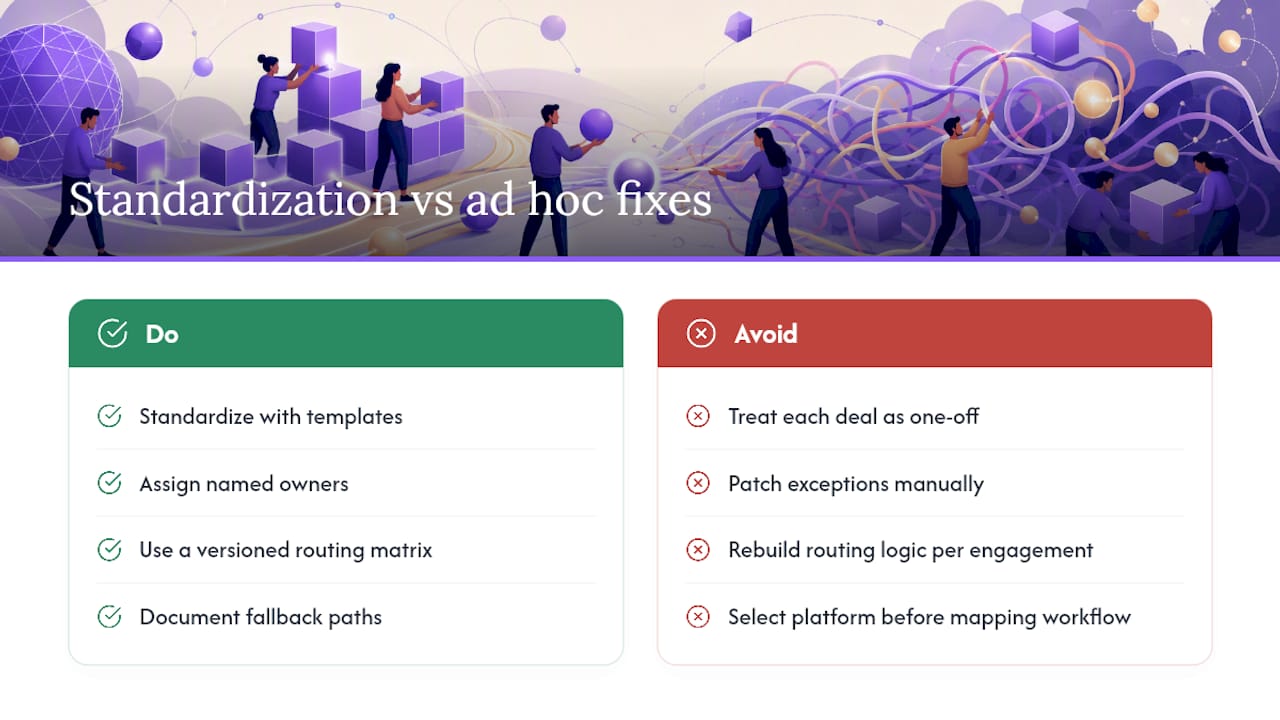
The most expensive mistake in multi-party workflow coordination is treating each deal or project as a one-off. Teams patch exceptions manually, send reminder emails, and rebuild the routing logic from scratch for every new engagement. The result is a process that works once and breaks the second time a participant changes.
Standardization through templates and named owners does two things at once: it reduces the cognitive load on the team running the deal, and it creates an auditable record that survives personnel changes. A template with a versioned routing matrix and documented fallback paths is not bureaucracy. It is the difference between a workflow that closes and one that stalls waiting for someone to remember what comes next.
The implementation mistake worth avoiding above all others: selecting a platform before the workflow is mapped. Software cannot fix an unmapped process. It can only automate the confusion faster.
EasyFlow runs the checklist so your team doesn’t have to
Most teams build a coordination checklist and then manually enforce it. EasyFlow does the enforcing for you. The eight checklist fields above map directly to EasyFlow’s platform: status tracking, evidence attachments, named owner assignment, due-date reminders, fallback routing, and a full audit trail are all built into the workflow engine.

External participants, including escrow agents, notaries, and third-party signers, join via magic links with no account creation required. That alone removes the most common onboarding bottleneck in multi-party deals. EasyFlow also supports automated task handoffs so the next step fires the moment evidence arrives, not when someone remembers to check.
Three features that align directly with this checklist: conditional routing based on trigger events, template libraries for deal-family reuse, and locked executed states with timestamped certificates. Start a free template dry run at EasyFlow and test your routing matrix before any live deal depends on it.
Useful resources and templates
- Multi-Party E-Sign for M&A and Finance Deals
- Implementing a Multi-Layer Contract Checklist for AI Agent Handoffs
- Multi-Agent Coordination Framework (patterns & templates)
- Synchestra — Spec-driven coordination for AI agents & humans
- Composing Multi-Party Workflows in Daml
- Collaboration checklist — Well-Architected library
- Small business collaboration checklist
- Team Collaboration Checklist: Your Guide to Working Together Effectively
FAQ
What fields belong in a multi-party workflow coordination checklist?
The eight core fields are status, required proof, owner, due date, fallback path, trigger type, evidence link, and audit note. Each field must map to a platform configuration point, not just a column in a spreadsheet.
What is the four-element rule for conditional steps?
Document signer role, trigger event, evidence required, and platform action for every conditional step. This converts ambiguous instructions into testable, platform-executable rules.
When should you use observers instead of signatories?
Add a participant as an observer when they need status visibility but do not need to act. Every additional signatory increases coordination overhead; observers get notifications without blocking the workflow.
How does EasyFlow support multi-party workflow coordination?
EasyFlow maps checklist fields to routing logic, sends automatic reminders, allows external participants to act via magic links without creating accounts, and logs a full audit trail with timestamped evidence attachments.
What is the most common implementation mistake in multi-party workflows?
Selecting a platform before mapping the workflow. Design the routing matrix, assign owners, and document fallback paths first; then configure or select the platform to match.