
Why Client Implementation Needs Workflow Automation

Workflow automation in client implementation is defined as the use of software to execute repeatable process steps automatically, replacing manual coordination with triggered actions and governed handoffs. Teams that rely on manual methods spend roughly 5 hours per client on onboarding tasks alone, while automation cuts that to under 4 minutes. That is not a marginal improvement. It is a structural shift in how implementation teams operate, and it explains why automating client workflows has moved from a nice-to-have to a core operational requirement. This article covers the specific failure points of manual implementation, the mechanics of automation that fix them, and the practical steps to get started without overcomplicating your rollout.
Why client implementation needs workflow automation: the core case
Manual client implementation workflows break down at a predictable point. Cross-team handoffs are where visibility and accountability collapse, not within individual tasks. One team completes their step, sends an email, and assumes the next person picks it up. When that assumption fails, the client waits, the team scrambles, and no one has a clear record of what happened.
The coordination overhead compounds quickly. Manual workflows do not scale linearly. Each new client or team member multiplies the number of handoffs, follow-ups, and status checks required. A team managing five clients manually can absorb that load. At twenty clients, the same process creates a coordination crisis.

The business impact shows up in utilization rates. Most agencies run at 55–65% billable utilization. That gap between capacity and billed output is largely filled with administrative coordination work that automation can eliminate. Recovering even a portion of that time directly improves margins without adding headcount.
What are the primary inefficiencies in manual client implementation?
The clearest sign of a broken implementation workflow is the volume of follow-up messages your team sends every week. When a step has no automatic trigger, someone has to remember to chase it. That memory-based coordination is fragile, inconsistent, and invisible to anyone outside the immediate conversation.
Common failure patterns in manual implementation include:
- Fragmented communication: Status updates live in email threads, chat messages, and spreadsheets that no one else can see in real time.
- Missed handoffs: When a deliverable moves from one team to another, there is no automatic notification. Steps get dropped.
- No single record: Client data sits in multiple tools with no unified view of where the engagement stands.
- Inconsistent execution: Each team member runs onboarding slightly differently, producing uneven client experiences.
- Billable time lost to admin: Project managers spend hours each week on coordination tasks that generate no client value.
The fragmented tool problem is particularly costly. The gap between client data and final deliverables is where most manual effort wastes time. When a contract is signed in one system, a project is set up in another, and a kickoff email is drafted manually in a third, every transition is a potential failure point. Automation closes those gaps by connecting the trigger to the action without human intervention.
Pro Tip: Map your last five client implementations and mark every step that required a human to remember to act. Those are your highest-priority automation targets.
How does workflow automation improve client implementation processes?
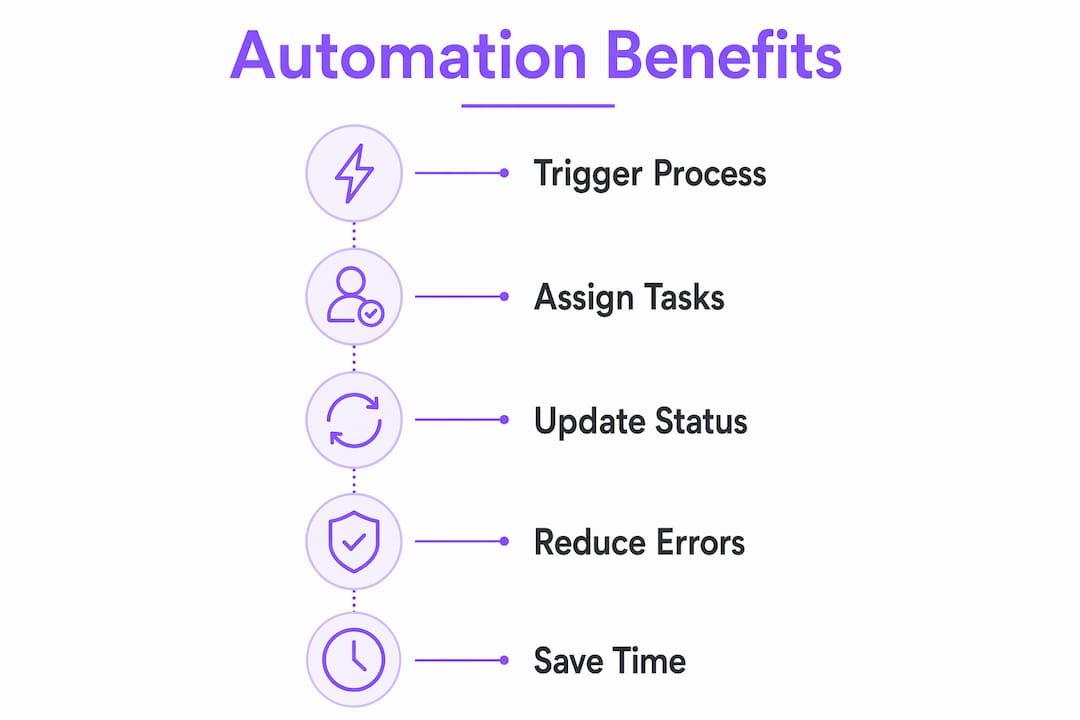
Automation replaces memory-based coordination with logic-based execution. When a contract is signed, the system creates the project, assigns tasks, sends the kickoff email, and notifies the relevant team members. No one has to remember. No step gets skipped.
The operational benefits of automating client processes stack up across four areas:
- Consistency: Every client goes through the same sequence of steps in the same order. Nothing is missed because a team member was busy or forgot.
- Speed: Automated triggers fire immediately. A client who signs at 9 PM receives their onboarding materials before 9:01 PM, not the next morning.
- Visibility: A governed, real-time source of truth replaces scattered status updates. Any stakeholder can see exactly where a client stands in the implementation process.
- Margin recovery: Workflow automation delivers 100% ROI in the first year by cutting admin costs that would otherwise grow with each new client.
The client experience benefit is less obvious but equally important. Properly implemented onboarding automation feels more professional because communications are consistent and nothing falls through the cracks. Clients do not know they are interacting with an automated system. They just notice that your team is organized and responsive.
EasyFlow executes this model directly. Rather than tracking tasks in a list, EasyFlow runs the process itself, triggering each step automatically and allowing external collaborators to complete their tasks via magic links without creating accounts. That removes the onboarding friction that slows most client implementations before they even start.
Pro Tip: Automate your status update emails first. They are low-risk, high-frequency, and immediately visible to clients. A quick win here builds internal confidence for larger automation projects.
What are the best practices for implementing workflow automation?
The most common mistake teams make when starting automation is trying to automate everything at once. That approach produces brittle systems, confused teams, and failed rollouts. The correct approach is narrower and more deliberate.
Start with one high-frequency linear workflow and refine it over approximately four weeks before moving to the next. Client onboarding is the standard first choice because it is repetitive, well-defined, and directly visible to clients. Getting it right builds both internal capability and client-facing credibility.
Before you automate anything, map and standardize the process on paper. Automation encodes your current workflow. If that workflow has gaps or inconsistencies, the automation will reproduce them at scale. Every step needs a clear owner, a defined input, and a defined output before it becomes a trigger in your system.
Key principles for a successful rollout:
- Standardize before you automate. Document every step, owner, and expected outcome first.
- Pilot with one client type. Run the automated workflow alongside your manual process for the first few implementations to catch gaps.
- Measure the right things. Track time-to-complete, missed steps, and client response times before and after automation.
- Automate logistics, not relationships. Let automation handle scheduling, notifications, and document routing. Keep human judgment in the conversations that require it.
- Scale gradually. Add a second workflow only after the first runs without intervention for at least four weeks.
Automating predictable, high-frequency workflows produces the fastest measurable gains. Trying to automate judgment-heavy or highly variable processes too early creates more problems than it solves. The goal is to free your team for the work that actually requires them, not to replace human judgment with a fragile rule set.
For teams building their first automated process, the client onboarding checklist essentials from EasyFlow provides a practical starting framework that maps directly to automation-ready steps.
What types of workflows are ideal candidates for automation?
Not every client implementation task belongs in an automated workflow. The best candidates share three characteristics: they are triggered by a clear event, they follow a predictable sequence, and they require no judgment to execute.
| Workflow type | Automation fit | Examples |
|---|---|---|
| Linear onboarding sequences | High | Contract signed triggers project setup, task assignment, kickoff email |
| Status notifications | High | Milestone completion triggers client update email |
| Document routing and approvals | High | Submitted document triggers review assignment and deadline |
| Invoice processing | High | Project close triggers invoice generation and delivery |
| AI-assisted data validation | Medium | Flagged data triggers human review with context provided |
| Relationship-driven conversations | Low | Strategy calls, escalations, and scope discussions |
Common first automation targets are project setup, status notifications, and approval routing. These workflows have low judgment requirements, high execution frequency, and direct impact on how fast clients move through the implementation process.
The medium-fit category is worth noting. AI-assisted workflows handle semi-structured tasks where a system can process data and flag exceptions, but a human makes the final call. This is the right model for tasks like data validation or contract review, where full automation would introduce unacceptable risk but partial automation still saves significant time.
Avoid automating anything that depends on reading a client’s emotional state, negotiating scope, or making judgment calls about priorities. Automation handles administrative logistics while teams focus on strategic client interactions. That division of labor is what makes automation sustainable rather than alienating.
Teams looking to scale this model without growing headcount will find the scaling client onboarding framework from EasyFlow directly applicable to the workflow categories above.
Key Takeaways
Client implementation teams that automate workflow execution, not just task tracking, recover margin, reduce errors, and scale without proportional headcount growth.
| Point | Details |
|---|---|
| Automation cuts onboarding time | Manual onboarding takes about 5 hours per client; automation reduces it to under 4 minutes. |
| Handoffs are the highest failure point | Cross-team transitions cause the most visibility and accountability breakdowns in manual workflows. |
| Utilization improves measurably | Automation can raise billable utilization from 55–65% to 70–80% by eliminating admin overhead. |
| Start with one linear workflow | Pilot a single high-frequency process for four weeks before expanding to additional workflows. |
| Automate logistics, not judgment | Reserve automation for triggered, repeatable tasks and keep human oversight on relationship-driven decisions. |
The part most teams get wrong about workflow automation
The teams I see struggle most with automation are not the ones who move too slowly. They are the ones who treat automation as a digitization project rather than a process design project. They take their existing manual workflow, with all its workarounds and undocumented exceptions, and encode it into a system. Then they wonder why the automation keeps breaking.
The real work happens before you touch any software. You have to decide what your implementation process actually should be, not just what it currently is. That means eliminating steps that exist only because someone once did them that way, and adding steps that currently get skipped because no one has time to remember them.
The second mistake is treating automation as a cost-cutting exercise. The teams that get the most out of it treat it as a capacity-building exercise. When your team is not chasing status updates and sending reminder emails, they are available for the conversations that actually move client relationships forward. That is where the real return shows up, not in the admin hours saved, but in the client outcomes improved.
I have also seen teams hesitate because they worry automation will make their service feel impersonal. The opposite is true. Consistent, timely communication is what clients associate with professionalism. An automated follow-up that arrives on time every time is more reassuring than a manual one that sometimes arrives late and sometimes does not arrive at all.
Start with the workflow that causes your team the most friction right now. Map it, clean it up, and automate it. Build from there.
— Harsh
How EasyFlow supports client implementation teams
Client implementation teams that want to move from manual coordination to automated execution need a system that runs processes, not just tracks them.

EasyFlow automates the full implementation workflow, from contract signed to project closed, triggering task assignments, client communications, and status updates without requiring external collaborators to create accounts. Teams that automate client onboarding with EasyFlow report faster time-to-value, fewer missed steps, and less time spent on follow-up. The platform connects directly to existing tools, so your current stack stays in place while EasyFlow handles the execution layer on top of it. If your team is ready to stop managing processes manually, EasyFlow is built for exactly that transition.
FAQ
What is workflow automation in client implementation?
Workflow automation in client implementation is the use of software to trigger and execute process steps automatically based on defined events, replacing manual coordination with governed, logic-driven handoffs.
How much time does automation save during client onboarding?
Manual client onboarding takes approximately 5 hours per client. Automation reduces that to under 4 minutes by triggering setup, communication, and task assignment automatically at contract signing.
What is the ROI of automating client workflows?
Workflow automation can deliver 100% ROI in the first year by recovering admin costs that would otherwise grow with each new client added to the portfolio.
Which workflows should teams automate first?
Start with one linear, high-frequency workflow such as client onboarding. Refine it over four weeks before adding additional workflows to avoid operational complexity.
Does automation reduce the personal quality of client relationships?
Automation handles logistics and routine communications, freeing teams to focus on higher-value client interactions. Consistent, timely automated communication typically improves how professional a team appears to clients.