
Reduce Client Onboarding Time: A Project Manager’s Guide

Client onboarding time is the total duration from contract signature to the moment a client receives their first deliverable. For project managers, cutting that window is the fastest way to prove value, reduce churn risk, and free up team capacity. This reduce client onboarding time guide covers the exact tools, timing targets, and workflow changes that move clients from signed to productive in days, not months. Tools like onboarding portals, Calendly, and Zapier are central to that shift.
What are the main causes of onboarding delays?
Most onboarding delays share a common root: manual handoffs between steps that could run in parallel or automatically. When your team waits for a client to reply to an email before sending the next document, you lose days. When approvals run sequentially instead of simultaneously, you lose weeks.
The most common friction points project managers face include:
- Waiting for client input. Intake forms sent after kickoff create a bottleneck. Clients fill them out slowly because there is no urgency signal.
- Manual scheduling. Back-and-forth emails to book a kickoff call add two to four days on average. Tools like Calendly eliminate this entirely.
- Sequential approvals. Routing approvals one at a time means each step waits for the previous one to close. Parallel routing for approvals cuts end-to-end delays far more than speeding up any single task.
- Scattered communication. When documents live in email, Slack, and Google Drive simultaneously, clients lose track and teams spend time re-sending files.
- No structured intake process. Teams that collect information during the kickoff call waste meeting time on logistics instead of strategy.
The gap between structured and unstructured onboarding is significant. Email-based onboarding typically takes 30–60 days to complete. Replacing it with a portal cuts that to 5–15 business days. That is not a marginal improvement. It is a fundamental change in how fast clients reach value.
Pro Tip: Send your intake questionnaire immediately after contract signature, not after the kickoff call. Collecting that data early means your kickoff focuses on strategy and relationship, not form-filling.

How can automation and onboarding portals cut onboarding time?
Automation does not just save time. It removes the human error and inconsistency that slow onboarding down in the first place. The numbers are striking: manual onboarding takes roughly 2.5 hours of active team time per client. Automation reduces that to about 5 minutes. The rest runs on triggers.
Here is how a well-built automation sequence works:
- Contract signed. A trigger fires instantly. The client receives a welcome email within minutes, not hours.
- Intake questionnaire sent automatically. The system delivers a pre-built form with a deadline. No team member needs to remember to send it.
- Portal created and populated. Documents, task lists, and communication channels are ready before the client logs in for the first time.
- Kickoff call scheduled. A Calendly link in the welcome email lets the client book directly. No back-and-forth required.
- Conditional follow-ups triggered. If the client has not completed the intake form in 48 hours, an automated reminder fires. The team never has to chase manually.
The comparison between manual and automated onboarding is not subtle:
| Factor | Manual onboarding | Automated onboarding |
|---|---|---|
| Time per client (team effort) | 10–15 hours | ~10 minutes |
| Completion timeline | 30–60 days | 5–15 business days |
| Follow-up method | Manual email | Triggered reminders |
| Document delivery | Ad hoc | Instant, on trigger |
| Client waiting time | High | Minimal |
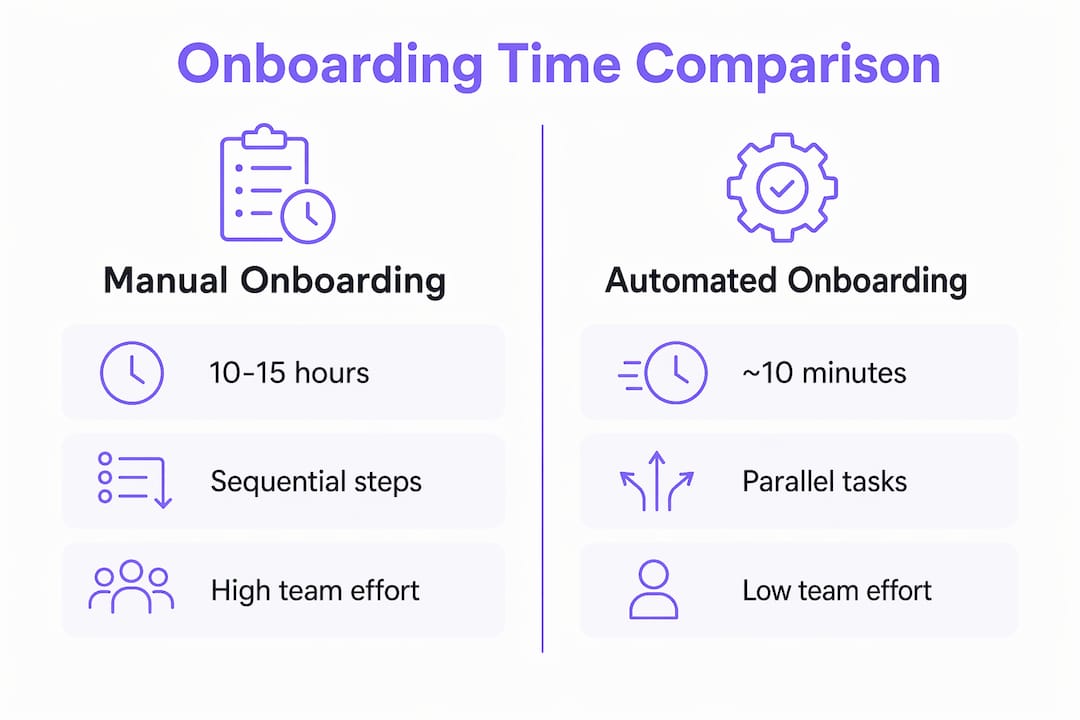
Manual onboarding sequences taking 10–15 hours per client can be automated to roughly 10 minutes of human time for review and exception handling. That freed capacity goes directly back to delivery work.
Tools like Zapier connect your CRM, document signing software, and project management platform so data flows automatically between systems. Notion works well for centralizing client-facing portals. The key is separating pure logistics steps from decisions that require human judgment, then automating everything in the first category.
Pro Tip: Do not automate a broken process. Starting onboarding automation only after the process is stable improves ROI and keeps the client experience consistent.
What are the essential steps to build a fast onboarding workflow?
A fast, efficient client onboarding workflow follows a specific sequence. Skipping steps or reordering them creates the same delays you were trying to eliminate.
Map the current process first
Mapping your onboarding flow before automating it fills gaps and clarifies which steps can run in parallel. Document every step, assign an owner, and set a deadline for each. This single exercise typically reveals three to five redundant steps that add no client value.
Execute in this order
- Send a welcome email within 1 hour of contract signature. Silence after signing creates anxiety. An immediate, warm email with clear next steps sets the tone and reduces inbound “what happens now?” messages.
- Deliver the intake questionnaire in the same email. Attach it to the welcome message so the client has everything in one place. Collecting intake information before kickoff ensures the meeting focuses on strategy and rapport, not data collection.
- Schedule the kickoff call within 5 business days. Include a Calendly link in the welcome email. Waiting longer than five days lets momentum drop.
- Run approvals in parallel, not in sequence. If legal review and technical setup can happen simultaneously, run them simultaneously. Sequential approvals are one of the biggest hidden time wasters in onboarding.
- Deliver a first tangible output within 7–14 days. A structured onboarding checklist that targets a first deliverable within two weeks dramatically improves retention. Clients who see results quickly stay engaged and refer others.
What to avoid
- Collecting documents during the kickoff call instead of before it
- Sending one document at a time instead of a complete portal link
- Assigning onboarding tasks to the same person handling delivery
- Using email threads as the primary communication channel
The goal is to make every step predictable for the client. Predictability reduces anxiety, reduces inbound questions, and speeds up the entire process.
How do you measure and maintain faster onboarding over time?
Speed without measurement drifts back to slowness. Project managers who track onboarding metrics catch regressions before they become habits.
The metrics that matter most are:
- Time-to-first-value. How many days from contract signature to the client’s first deliverable? Tracking this metric keeps teams focused on client momentum rather than internal convenience. The target is 14 days or fewer.
- Onboarding completion time. Total days from contract to fully active client. The benchmark for portal-based onboarding is 5–15 business days.
- Client satisfaction score at onboarding close. A short survey at the end of onboarding captures the client’s experience while it is fresh.
- Error rate and rework frequency. How often does your team need to redo a step because information was missing or incorrect? High error rates signal a broken intake process.
- Follow-up volume. Count how many inbound client messages your team receives per onboarding. High volume means the client lacks clarity. A single organized onboarding portal reduces confusion and decreases churn risk by giving clients one place to find everything.
Review these metrics monthly, not quarterly. Onboarding problems compound quickly. A team that catches a two-day delay in week one prevents a ten-day delay by week four. Weekly check-in emails to clients during onboarding also maintain engagement and surface blockers before they stall progress.
Key Takeaways
Cutting client onboarding time requires automating logistics, running approvals in parallel, and delivering a first tangible result within 14 days of contract signature.
| Point | Details |
|---|---|
| Automate logistics immediately | Automation cuts active team time per client from 2.5 hours to about 5 minutes. |
| Use portals over email | Portal-based onboarding completes in 5–15 days vs. 30–60 days for email-based processes. |
| Send intake forms before kickoff | Collecting data early keeps kickoff meetings focused on strategy, not form-filling. |
| Run approvals in parallel | Sequential approvals add days; parallel routing cuts end-to-end time significantly. |
| Track time-to-first-value | Targeting a first deliverable within 14 days improves retention and client engagement. |
What I have learned from fixing broken onboarding workflows
Managing onboarding for operations-heavy teams taught me one thing faster than anything else: the problem is almost never the people. It is the process design. Teams that struggle with slow onboarding are usually running a sequence that was built for a team of two and never updated as the business grew.
The biggest shift I made was separating logistics from judgment. Sending a welcome email does not require a human decision. Scheduling a kickoff call does not require a human decision. Once I stopped treating those steps as tasks and started treating them as triggers, the entire workflow accelerated. The role of workflow automation in team alignment became obvious: when the system handles the handoffs, the team focuses on the work that actually requires expertise.
The second lesson was harder to accept. Automating a messy process makes it messier, faster. I had to map and clean the process first, then automate it. Teams that skip the mapping step end up with automated chaos instead of manual chaos. The outcome looks different but feels the same to the client.
Start with one automation: the welcome email trigger. Get that right, measure the response rate, then add the intake questionnaire trigger. Build incrementally. Onboarding improvement is not a one-time project. It is a system you tune continuously as your client base and service offering evolve.
— Harsh
How EasyFlow handles onboarding workflows for project teams
Project managers who have mapped their onboarding process and are ready to automate it need a tool that executes the workflow, not just tracks it.

EasyFlow automates the full onboarding sequence from contract signature to first deliverable, including welcome emails, intake form delivery, task routing, and client-facing portals. Unlike Asana or Trello, which require every participant to create an account, EasyFlow lets external clients complete tasks via magic links. That single feature removes one of the most common friction points in client onboarding workflows. Teams using EasyFlow report fewer follow-ups, faster task completion, and cleaner handoffs between internal and external stakeholders. If you are ready to cut onboarding time without adding complexity, EasyFlow is built for exactly that.
FAQ
What is a realistic target for client onboarding time?
Portal-based onboarding with automation completes in 5–15 business days. The target for delivering a first tangible result is within 14 days of contract signature.
How does automation reduce client onboarding time?
Automation handles repetitive logistics like welcome emails, reminders, and document delivery, cutting active team time per client from roughly 2.5 hours to about 5 minutes.
What is the most important step in a client onboarding checklist?
Sending a welcome email within 1 hour of contract signature is the highest-impact single step. It sets expectations, reduces client anxiety, and triggers the rest of the onboarding sequence.
Why do parallel approvals matter for onboarding speed?
Sequential approvals add days to the process because each step waits for the previous one to close. Running approvals simultaneously removes that wait time entirely.
How do you measure onboarding efficiency over time?
Track time-to-first-value, total onboarding completion time, client satisfaction scores, and inbound follow-up volume. Review these metrics monthly to catch regressions early.