
Get External Approvals Without Software Logins

The fastest way to get external approvals without software logins is a tokenized magic link or single-click email approval that fires a callback into your workflow system. No account creation, no password reset emails, no forgotten usernames. The approver clicks “Approve” in their inbox, a signed token validates the request, and your system logs the decision automatically.
Three things make this work reliably:
- Secure single-use links that are tokenized and expire on a schedule you control.
- A callback endpoint or webhook that receives the approver’s decision and updates your workflow state.
- An immutable audit record with a timestamp, so the approval holds up if anyone questions it later.
Tokenized authentication is generally more secure than shared logins because each click is authenticated and logged individually rather than tied to a reusable password. EasyFlow builds this exact pattern into its workflow engine, which is why it’s the practical starting point for teams tired of chasing external sign-offs.
Key Takeaways
Tokenized magic links with callback-driven audit logging let external approvers act from a single email click, with no account, password, or software login required.
| Point | Details |
|---|---|
| Core mechanism | Tokenized, single-use links validate the approver’s click and trigger a callback that updates your workflow. |
| Security baseline | Set link expiry between 24 hours and 7 days, verify callback signatures, and log IP address plus authentication method. |
| Business payoff | Faster decision cycles and zero paid seats for external approvers translate directly into fewer follow-up emails. |
| Where it breaks down | Multi-step chains need routing metadata carried forward, or state gets lost between approval steps. |
| Recommended starting point | EasyFlow packages magic-link approvals, audit logging, and multi-step context into one workflow system ready to pilot. |
Table of Contents
- How No-Login External Approvals Actually Work
- What Business Benefits Come From Skipping Logins?
- How Do You Keep No-Login Approvals Secure?
- Which Technical Approaches Actually Work?
- Design Practices That Keep Multi-Step Approvals From Breaking
- Minimal Implementation Checklist and a One-Week Pilot
- When Should You Avoid No-Login Approvals?
- What Implementers Learn After Building This Once
- How EasyFlow Handles No-Login Approvals For You
- Sources
- FAQ
How No-Login External Approvals Actually Work
The flow is simpler than most people expect: a request goes out, an email arrives with an Approve or Reject action, the click validates a token, and a callback updates your workflow while writing to an audit log. That’s the whole loop.
Picture it as five boxes in sequence: Request → Email → Approver → Validation → Workflow Update. Nothing in that chain requires the approver to remember a password.
Here’s the mechanical breakdown an engineer would need:
- The system generates a request with contextual payload (what’s being approved, who asked, why).
- A unique, single-use token gets attached to a link or embedded button inside the email.
- The approver clicks once, either acting inline (email-native buttons) or landing on a minimal validation page.
- The server checks the token against expiry rules and confirms it hasn’t been used already.
- A callback or webhook fires, updating the workflow record and writing the decision to an audit log.
Some platforms handle this natively. HCL’s deployment approval system, for instance, lets approvers respond by email and triggers the next deployment step automatically once the notification template and callback are configured. Other tools rely on external approval APIs that expose creation links and callback URLs so a separate system can relay the decision back.
Pro Tip: Embed the actual decision context — a document thumbnail, a two-line summary, the specific question being asked — right in the email body. Approvers who have to click through to another page before they even understand what they’re approving respond slower and abandon more often.
What Business Benefits Come From Skipping Logins?
Cutting the login step changes more than convenience. It changes how fast decisions actually get made and how much you spend making that happen.
- Faster decision cycles — approvers act in seconds instead of scheduling time to log in, find the request, and navigate a dashboard.
- No paid seats for external users — clients, contractors, and vendors approve without consuming a licensed account.
- Higher completion rates — a one-click email action gets answered; a “please create your account first” email often doesn’t.
- Fewer administrative follow-ups — no chasing people to check a portal they forgot existed.
Documenting these approvals inside your platform, even when the click happens externally, preserves a searchable history for reporting and disputes. That consolidation matters more than most teams realize until an audit or a client dispute forces them to reconstruct a decision trail after the fact. EasyFlow captures this automatically, pairing the magic-link click with a timestamped record so the “fewer follow-ups, faster launches” outcome isn’t just a talking point. Teams running client implementation workflows tend to feel this benefit hardest, since client-side approvers are the least likely to tolerate a login wall.
How Do You Keep No-Login Approvals Secure?
Removing the login doesn’t mean removing security. It means moving the security into the token itself.
Your must-have controls:
- Single-use tokens that invalidate the moment they’re clicked.
- Time-limited links, with 24 hours to 7 days being the common range depending on how sensitive the approval is.
- Link revocation, so you can kill a link manually if a request gets canceled or reassigned.
- Optional PIN or OTP layered on top for approvals involving money, contracts, or regulated data.
Your audit trail needs more than a yes or no. A defensible record includes the timestamp, actor identity, IP address, and authentication method, stored somewhere tamper-evident. If a decision ever gets disputed, that metadata is what proves it happened the way you say it did.
Privacy discipline matters here too. Keep personal data out of the email body beyond what’s strictly needed, transmit everything over TLS, set a retention policy for how long you keep approval records, and log every access attempt, not just successful ones.
Pre-launch checklist:
- Token expiry policy defined and enforced
- Replay prevention tested (can a used link be clicked twice?)
- TLS enforced on every link and callback
- Callback signatures verified server-side
Pro Tip: Reserve PIN or OTP layers for genuinely high-stakes approvals. Adding friction to every routine sign-off just to cover an edge case is how completion rates quietly drop.
Which Technical Approaches Actually Work?
Three practical patterns cover most use cases, and picking the wrong one for your complexity level is the most common implementation mistake.
Inline email action buttons call a signed callback directly from the inbox. Fastest for the approver, but limited to simple approve/reject decisions with minimal branching.
Magic-link landing pages open a minimal page with server-side token validation. Slightly more friction, but you can show richer context and collect a comment or reason before the decision posts back.
Relay approaches using Teams or SharePoint cards, or polling-based integrations, work when your approvers already live inside Microsoft’s ecosystem. These carry real prerequisites: OAuth app registration and specific Entra permissions are frequently required before the integration functions at all.
Every approach needs the same backbone: a callback endpoint or webhook receiver, token issuance and verification logic, an email provider that supports actionable buttons or reliable hyperlinks, and infrastructure to store the audit log. Some API-based systems also expose optional encryption keys for the callback payload, worth using if the approval touches sensitive data.
Rough complexity ladder:
- Quick pilot: email plus webhook, nothing else.
- Medium build: email plus landing page plus token validation.
- Higher complexity: Teams or SharePoint cards, deeper platform integrations.
Design Practices That Keep Multi-Step Approvals From Breaking
Multi-step approval chains are where most no-login systems quietly fail. A single approve/reject email is easy. A three-stage sign-off where each approver needs to see what the last person decided is not, and simple automation tools commonly break once state needs to persist across steps.
Do this: include the request summary, document thumbnails, a clear deadline, and the exact next step directly in the email or landing page.
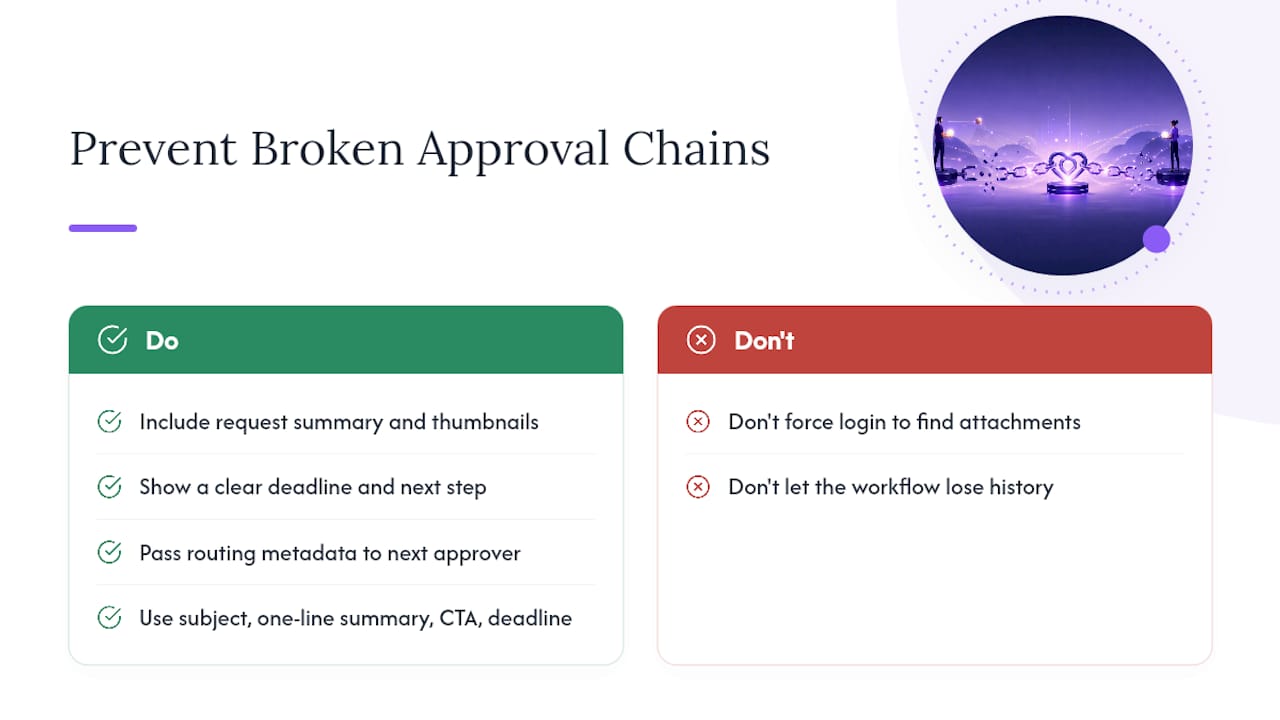
Don’t do this: force the approver to log into a separate system to find the attachment you referenced.
Carrying context forward matters most here. Each callback should pass along routing metadata so the next approver in the chain sees what happened before them, not a blank request with no history.
A workflow that loses its own memory between steps isn’t really a workflow. It’s a chain of disconnected emails that happens to look organized from the outside.
A workable email template hits four notes: a subject line that names the decision needed, a one-line summary of what’s being approved, an unmistakable call to action, and a stated deadline. Add a brief line noting how the link is secured if the approver might question its legitimacy.
Minimal Implementation Checklist and a One-Week Pilot
You can validate this approach with real external approvers in under a week if you scope it tightly.
- Define exactly what content the approval request needs (summary, attachments, deadline).
- Set token generation rules, including expiry and single-use enforcement.
- Build the email template with the approve/reject action embedded.
- Implement the callback handler that updates your workflow.
- Turn on audit logging before the first real request goes out.
- Run a five-person pilot with actual external approvers, not internal testers.
- Collect metrics and decide whether to expand.
Test these edge cases before you trust the system:
- A forwarded link (does it still validate for the intended recipient only?)
- A reused link attempt (does it correctly reject the second click?)
- Token expiry (does the “link expired” message actually appear?)
- Audit retrieval (can you pull a full record for a random request?)
Judge success on time-to-decision, completion rate, and whether zero license seats got consumed in the process. Teams building repeatable approved workflow templates usually find the pilot data alone justifies rolling the pattern out further.
When Should You Avoid No-Login Approvals?
No-login approvals aren’t the right tool everywhere. Skip them when:
- The decision needs a legally binding signature, which calls for a dedicated e-signature tool instead.
- The stakes require strict identity verification beyond what a token can reasonably prove.
- The approver would need access to sensitive internal data that’s unsafe to summarize in an email.
- A platform vendor requires a paid seat before anyone, internal or external, can act on that specific record. Confirm licensing terms before you build around an assumption.
For any of these, a licensed approver seat or a proper e-signature workflow is the safer route.
What Implementers Learn After Building This Once
Every team that builds this underestimates how much the token expiry window matters. Start with short-lived links, days rather than weeks, and only loosen that once you understand your real approver behavior. The bigger lesson is about context: teams that embed the actual decision material into the email consistently see faster responses than teams that make the approver click through to find it. That single design choice tends to matter more than any security feature you add on top.
How EasyFlow Handles No-Login Approvals For You
EasyFlow builds tokenized magic links directly into its workflow engine, so a client, contractor, or finance reviewer clicks Approve or Reject from their inbox and the decision posts straight into your project’s timeline, with a timestamped record kept automatically. No account setup, no seat to purchase, no state lost between steps in a longer approval chain.

It fits particularly well in three situations: client sign-offs on deliverables before a project moves forward, legal or finance approvals on contracts and invoices, and onboarding checkpoints where a new hire’s manager needs to confirm a step without touching the full platform. Each case maps directly to the checklist above: request content defined, token issued, callback logged, audit trail intact.
If you’re ready to stop chasing sign-offs manually, start a free trial and set up your first approval workflow this week. You’ll see the completion-rate difference within your first pilot batch.
Sources
- What is token based authentication? | Heimdal Security
- External approvals for application deployment | HCL Software Help
- Understanding tokenized URLs and expiring links | Verimatrix
FAQ
What Does “No-Login Approval” Actually Mean?
It means an external approver clicks a secure, tokenized link or an inline email button to approve or reject a request without ever creating an account or entering a password.
Are Magic Links Actually Secure Enough for Business Approvals?
Yes, when built with single-use tokens, short expiry windows, and TLS encryption, tokenized links generally offer better traceability than shared logins because each action gets logged individually.
Can No-Login Approvals Handle Multi-Step Workflows?
Only if the system carries context and routing metadata forward between steps. Simple automation tools often break on complex chains, while platforms like EasyFlow are built to retain that state.
How Long Should an Approval Link Stay Valid?
Most implementations set expiry between 24 hours and 7 days, choosing shorter windows for high-sensitivity approvals and longer ones for routine sign-offs.
What Happens if an Approver Loses or Can’t Access Their Link?
A well-built system lets you revoke the old link and reissue a fresh one instantly, without restarting the entire approval request from scratch.