
Workflow Dependency Management: A Practical Guide for Teams

Workflow dependency management is the practice of modeling and enforcing task and data prerequisites as a durable dependency graph, then backing that graph with runtime controls so failures don’t cascade. The core model is a Directed Acyclic Graph, or DAG, which lets independent tasks run in parallel while forcing dependent tasks to wait their turn. Get the graph right and you’ve solved half the problem; the other half is what happens when a step fails at 2 a.m. and nobody’s watching.
Three actions separate teams that manage dependencies well from teams that fight fires all week:
- Map every dependency across systems, not just the ones inside your project tool, so nothing gets discovered mid-incident.
- Assign an owner and an SLA to each dependency, because an unowned dependency is really just a hope.
- Add runtime controls like retries, checkpoints, and idempotent steps so the workflow recovers on its own instead of paging a human.
Quick evidence check: Modeling tasks as a DAG lets you run independent tasks in parallel while still enforcing strict order where it matters, and durable, stateful execution with retry policies reduces how often a human has to step in and manually restart a stuck process. That combination, structure plus resilience, is the whole game.
Key Takeaways
Effective workflow dependency management requires modeling tasks as a durable DAG, assigning clear ownership and SLAs, and layering in retries, checkpoints, and idempotency to prevent cascading failures.
| Point | Details |
|---|---|
| Model dependencies as a DAG | Structure tasks as nodes and prerequisites as edges so independent work can run in parallel. |
| Classify dependency types correctly | Separate task ordering, data readiness, external service, and resource dependencies to enforce them properly. |
| Track blocked and ready ratios | Monitor blocked-task ratio and MTTRescue to catch invisible bottlenecks before they cascade. |
| Build in runtime resilience | Use exponential backoff, circuit breakers, and checkpoints so workflows recover without manual intervention. |
| Automate the maintenance layer | Tools like Dependabot and Renovate cut manual patching, while EasyFlow executes the dependency graph itself with persistent state and magic-link collaboration. |
Table of Contents
- What Are the Types of Workflow Dependencies?
- Why Does Dependency Management Matter for Team Efficiency?
- How Do You Map Dependencies and Build a Dependency Graph?
- What Are the Best Practices for Managing Dependencies?
- How Do You Handle Failures and Build Runtime Resilience?
- What Should You Look for in Dependency-Tracking Tools?
- A 30/60/90-Day Plan for Better Dependency Management
- How Do You Visualize and Monitor Dependencies in Real Time?
- How Do You Manage Dependencies That Change Mid-Workflow?
- How Should Dependency Management Connect to CI/CD and Version Control?
- Can You Automate Dependency Updates and Impact Analysis?
- How Does Dependency Management Work Across Different Industries?
- What Practitioners Get Wrong About Dependency Management
- Put Your Dependency Graph Into an Execution System That Runs It
- Sources
- FAQ
What Are the Types of Workflow Dependencies?
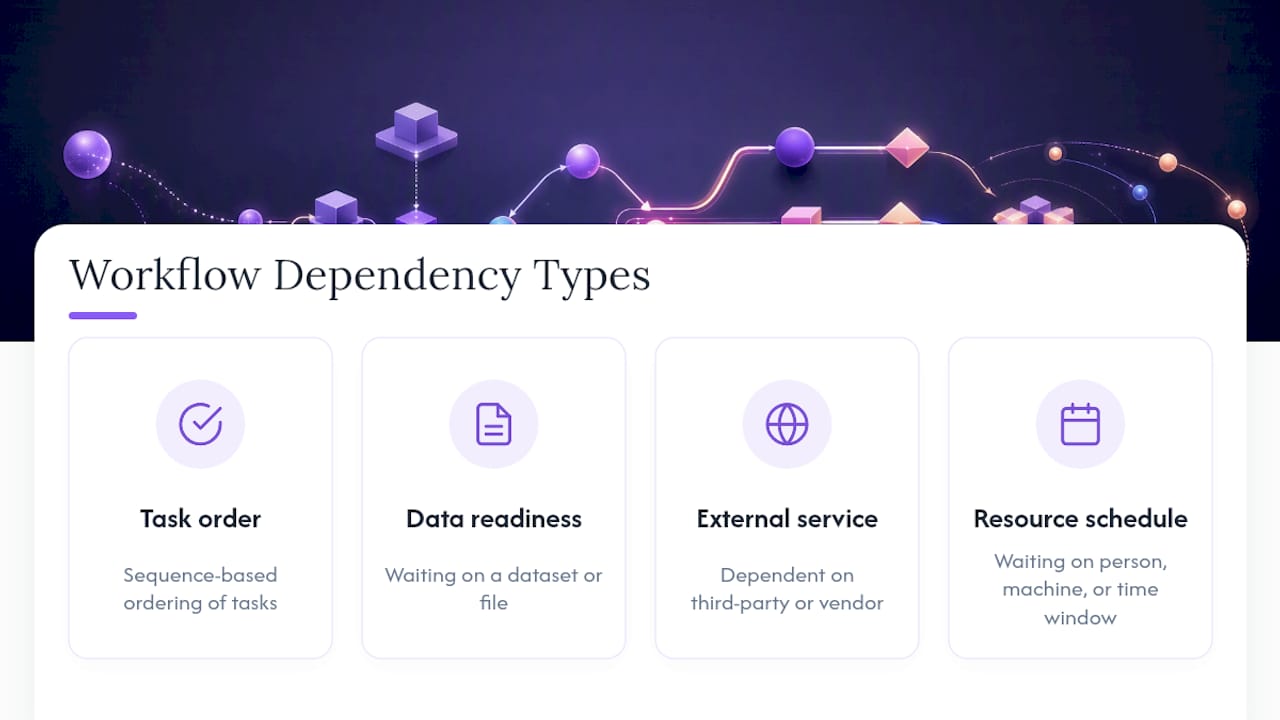
Most teams only think about one kind of dependency: “Task B waits for Task A.” That’s task-ordering dependency, and it’s the easiest to spot. It’s also the least likely to bite you. The dependencies that actually cause outages are the ones nobody wrote down.
- Task ordering dependency: Step 2 can’t start until Step 1 finishes. Example: you can’t send a contract for signature before legal approves the terms.
- Data readiness dependency: a step needs a specific dataset, file, or record to exist and be valid. Example: a billing job that waits on the previous day’s usage export landing in a specific format.
- External service dependency: a step relies on a third-party API, vendor, or partner action outside your control. Example: a new-hire workflow that pauses until a background-check vendor returns a result.
- Resource or schedule dependency: a step needs a person, machine, or time window to be free. Example: a deployment that can only run during a maintenance window, or a task waiting on a specific engineer’s availability.
Enforcement matters as much as classification. A hard dependency blocks execution outright; nothing downstream should run until it clears. A soft dependency is more of a preference or a nice-to-have ordering that shouldn’t stop the whole chain if it’s missing. Treating a soft dependency as hard is how a single slow vendor freezes an entire pipeline that didn’t actually need to wait.
The most common modeling error is stuffing ownership or priority into the dependency structure itself. Marking a task as “dependent on the ops lead” when what you really mean is “the ops lead owns this task” turns your graph into a mess of decorative edges that don’t reflect actual execution order. Keep dependencies about sequence and readiness. Track ownership separately.
Why Does Dependency Management Matter for Team Efficiency?
Teams with clean dependency graphs ship on schedule because fewer tasks sit blocked waiting on something invisible. That’s the entire business case in one sentence, but it’s worth unpacking what “invisible” costs you.
Poor dependency hygiene produces cascades: one late input delays three downstream tasks, each of which delays two more, and by the time someone notices, the whole release is a week behind. Worse, most of that delay is silent. Nobody gets an alert when a task is technically “in progress” but actually just waiting on a file that never arrived. A healthy workflow graph balances ready and blocked tasks; too many tasks stuck in “blocked” signals dependencies that are too rigid, while too many tasks marked “ready” with nothing actually happening usually means your sequencing is too loose to mean anything.
Three metrics tell you whether your dependency model is working, and none of them require exotic tooling to track:
- Blocked-task ratio: what percentage of open tasks are currently waiting on something else, at any given moment.
- Ready-task ratio: what percentage of tasks have all prerequisites met but haven’t started, which flags a resourcing gap rather than a dependency problem.
- Mean time to rescue (MTTRescue): how long a blocked task sits stuck before a human or system intervenes to unblock it.
Watch that last one closely. It’s the single best proxy for whether your dependency management is actually reducing rework or just relocating the chaos to a spreadsheet.
How Do You Map Dependencies and Build a Dependency Graph?
Building a usable dependency graph is less about drawing boxes and arrows and more about forcing every hidden assumption into the open. Most teams already have dependencies; they just live in someone’s head, a Slack thread, or a calendar invite nobody else can see.
- Inventory every task and every signal it needs. Walk each workflow step by step and write down what has to be true before it can start: a document, an approval, a system state, a person’s availability. Include external dependencies, not just internal handoffs.
- Model nodes and edges. Each task becomes a node; each prerequisite becomes a directed edge pointing from the thing that must finish to the thing that’s waiting. This is the DAG structure, and it’s the same model that lets orchestration engines run unrelated tasks in parallel instead of forcing everything through one slow queue.
- Validate the graph for cycles and orphans. A cycle (Task A waits on Task B, which waits on Task A) means your model is wrong somewhere; a workflow engine that catches this before execution saves you from a deadlock nobody would have found until production. An orphan node with no real prerequisites listed is usually a sign someone forgot to document a dependency, not that one doesn’t exist.
- Identify the critical path. Trace the longest chain of dependent tasks from start to finish. This is the sequence that determines your minimum delivery time, no matter how much parallel capacity you throw at everything else.
- Persist the graph as durable state, not a document that goes stale the day after someone exports it. A graph that lives inside your execution system, updated as tasks complete, gives you a live picture instead of a snapshot from last Tuesday.
Durable state matters more than most teams initially credit it. If your dependency graph only exists as a static diagram, every schedule change means someone has to remember to update the picture. If it’s modeled inside your workflow engine, the system tracks state changes as they happen and can tell you, at any moment, exactly which tasks are ready, which are blocked, and why.
Pro Tip: Once you’ve mapped the critical path, look specifically for tasks NOT on it that still block other work. Those are your best candidates for parallelization, since speeding them up won’t shorten your timeline but slowing them down could still hurt you.
What Are the Best Practices for Managing Dependencies?
A dependency graph is only as reliable as the discipline behind it. Engineering teams that get this right tend to converge on the same handful of practices, regardless of industry.
Idempotency first. Any step that might get retried, and in a distributed workflow, almost every step eventually gets retried, needs to produce the same result whether it runs once or five times. A payment step that isn’t idempotent can double-charge a customer on retry. A file-write step that isn’t idempotent can corrupt data on a second pass. Build idempotency in before you build retry logic on top of it, not after.
Immutable artifacts. Once a task produces an output, that output shouldn’t change underneath a downstream consumer. If Step 3 reads a report generated by Step 2, and Step 2 quietly regenerates that report with different numbers, Step 3 now has no way of knowing which version it used.
Ownership and SLAs at the dependency level, not just the task level. It’s not enough to know who owns “send the contract.” You need to know who owns making sure the contract is ready to send by a specific deadline, because that’s the actual dependency downstream work is waiting on.
- Assign a single owner per dependency, not a team, so accountability doesn’t diffuse.
- Attach a concrete SLA (hours or days, not “soon”) to every hard dependency.
- Review SLA breaches on a schedule, not just when someone escalates.
Version pinning and lockfiles. For any dependency involving a package, library, or external API version, pin it explicitly rather than trusting “latest” to stay compatible. Tools like Dependabot and Renovate exist precisely because unmanaged version drift is one of the most common sources of workflow breakage, and both can open pull requests automatically when a pinned version needs updating.
Small, atomic steps over large, monolithic ones. A workflow step that does five things at once fails in five different ways and is nearly impossible to retry safely. Break it apart, even if that means more nodes in your graph.
Pro Tip: If you catch yourself modeling “waiting on approval from the VP” as a dependency edge, stop and ask whether you’re really describing sequence or just describing who has authority. Those are different problems and conflating them is the single most common way teams end up with a brittle graph, since ownership and priority need their own model, separate from execution order.
How Do You Handle Failures and Build Runtime Resilience?
Every workflow fails eventually. The question that actually matters is whether failure means a five-minute automatic recovery or a two-hour scramble through logs and Slack messages.
Start with a decision every failed step forces on you: retry or halt? The answer depends entirely on idempotency and side effects. If the step is idempotent and has no destructive side effects, retrying is usually safe. If it already charged a card, sent an email, or wrote to an external system that doesn’t tolerate duplicates, halting and routing to a human is the safer default.
- Use exponential backoff with jitter for retries. Retrying immediately after a failure often just hits the same overloaded service again. Waiting longer between each attempt, with some randomness added so retries don’t all fire at once, gives the failing dependency room to recover.
- Cap your retries. Unlimited retries turn a transient failure into an infinite loop that quietly burns compute and delays detection of a real outage.
- Deploy circuit breakers. When a dependency fails repeatedly past a threshold, stop calling it entirely for a cooldown period instead of hammering a service that’s already down. This protects both the failing service and your own workflow from wasted cycles.
- Use bulkheads to isolate failures. One misbehaving dependency shouldn’t be able to consume all your retry capacity or thread pool, starving unrelated workflows that had nothing to do with the failure.
- Create checkpoints at safe restart points. A long workflow that fails at step 40 out of 50 shouldn’t have to restart at step 1. Checkpointing state after each major milestone means recovery picks up close to where things broke.
That combination, conditional logic on task results plus durable state, is what separates workflows that self-heal from workflows that page someone every time a downstream API hiccups.
The most reliable incident response pattern for workflow failures follows three steps: contain the failure so it doesn’t spread to unrelated branches, recover the specific broken step using retry or checkpoint restart, then prevent recurrence by fixing the underlying dependency, not just the symptom.
Skip the “prevent” step and you’ll be back here next week, fixing the same failure with a different name.
What Should You Look for in Dependency-Tracking Tools?
Evaluating orchestration or dependency-tracking tooling comes down to a short list of non-negotiables, regardless of which platform category you’re considering.
- DAG enforcement: the tool must model dependencies as an actual graph, not a flat checklist, so it can validate ordering and catch cycles before execution.
- Durable state: workflow state needs to survive a crash, a deploy, or a restart without losing track of what’s already completed.
- Replayability: you should be able to re-run a failed workflow from its last good checkpoint, not just from the very beginning.
- Observability: real-time visibility into which tasks are ready, blocked, or failed, without someone manually querying a database to find out.
- Fine-grained access control: not every collaborator should be able to see or modify every dependency, especially when external parties are involved in a step.
On the operational and security side, ask harder questions before signing a contract. How does the tool handle scale when hundreds of workflows run concurrently? Is it built for multitenancy, or will one team’s workflow volume degrade another’s? How are secrets and credentials handled inside a workflow step, and is there an audit log of who triggered or modified a dependency? Security scanning tools like OWASP Dependency-Check address a related but distinct problem, catching known-vulnerable components, which matters if your workflow tooling itself pulls in third-party packages.
Before you commit, run a few acceptance tests: force a task to fail mid-workflow and confirm it retries correctly; kill the process and confirm it resumes from checkpoint rather than from zero; add an external collaborator step and time how long onboarding actually takes them. If a vendor can’t answer these clearly, treat that as your answer.
A 30/60/90-Day Plan for Better Dependency Management
You don’t need a quarter-long initiative to see improvement. Most teams can materially reduce blocked-task rates within the first month.
Days 1 to 30, immediate fixes:
- Inventory your existing workflows and write down every dependency, hard and soft, that currently lives only in someone’s memory.
- Find your current critical path and manually unblock whatever’s stuck on it right now.
- Assign a named owner and a concrete SLA to every hard dependency you found.
Days 30 to 60, add resilience: 4. Introduce monitoring that flags a task sitting blocked past its SLA, rather than relying on someone noticing. 5. Set retry rules with backoff for the failure-prone steps you identified in step one. 6. Add checkpoints at the two or three riskiest points in your longest workflows.
Days 60 to 90, scale it up: 7. Roll out dependency-tracking tooling broadly instead of running it as a pilot on one team. 8. Automate enforcement so a step literally cannot start until its dependencies are met, rather than trusting people to check. 9. Run a tabletop exercise: simulate a major dependency failure and time how long it takes your team to contain, recover, and prevent recurrence.
How Do You Visualize and Monitor Dependencies in Real Time?
Static diagrams go stale the moment a workflow starts running. Real dependency visualization means the picture updates as tasks complete, fail, or get skipped, not once a week when someone remembers to redraw it.
The most useful visualization formats for operational teams are Gantt-style timelines, which show duration and overlap clearly, and graph diagrams, which show the actual dependency structure. Gantt views answer “when,” graph views answer “why is this blocked.” Teams that only use one or the other tend to miss half the picture: a Gantt chart won’t tell you that a task is late because of a soft dependency three steps upstream, and a raw graph won’t tell you how far behind schedule that delay has pushed everything else.
Real-time monitoring works best when it’s tied to state changes rather than time intervals. Instead of checking every hour whether a task is still blocked, the system should flag the moment a dependency clears or a task exceeds its SLA. That shift, from polling to event-driven alerts, is usually what separates teams that catch a stuck workflow in minutes from teams that catch it the next morning.
Color-coding by state (ready, in progress, blocked, failed) on a shared dashboard gives a team a shared vocabulary for status updates that doesn’t require a stand-up meeting to explain. Add a simple filter for “blocked longer than its SLA” and you’ve turned a visualization into an actual triage tool instead of a pretty picture nobody checks.
How Do You Manage Dependencies That Change Mid-Workflow?
Dependencies don’t always stay fixed once a workflow starts. A new regulatory requirement adds a mandatory approval step midstream. A vendor changes their API contract. A client asks for an extra review round after the workflow’s already running. Rigid graphs break in exactly these moments.
The fix isn’t avoiding change, it’s designing for it. Build workflows that support inserting a new dependency node into a running graph without restarting the entire process from scratch. This requires your execution engine to treat the graph as data it can modify at runtime, not a fixed blueprint compiled once at the start.
Conditional dependencies help enormously here. Rather than hardcoding “Task C always waits on Task B,” you can define logic that says “Task C waits on Task B only if condition X is true,” letting the same workflow template adapt to different real-world situations without a manual edit every time. This is the same conditional logic pattern that lets systems check whether a prior task succeeded, failed, or was skipped and route accordingly, instead of treating every non-success as a hard block.

Version your workflow templates the way you’d version code. When a dependency structure changes, you want to know exactly which version of the workflow a given execution ran under, especially when you’re troubleshooting why two seemingly identical runs behaved differently. Teams that skip this step often end up debugging a workflow using the wrong mental model of what it was actually supposed to do.
How Should Dependency Management Connect to CI/CD and Version Control?
Dependency management and CI/CD pipelines solve overlapping problems, and treating them as separate concerns is a common source of friction. Both are fundamentally about making sure the right thing happens in the right order, with confidence that a change hasn’t broken something upstream or downstream.
Store your workflow definitions in version control alongside the code they orchestrate, not in a separate tool with its own history. A workflow definition is configuration that changes, and it deserves the same review, diff, and rollback capability as application code. When a workflow’s dependency structure changes, that change should go through a pull request, get reviewed, and leave an auditable trail of who approved what and when.
Test gates matter as much here as they do in software delivery. Before a workflow template change ships to production, run it against a staging environment with representative data and confirm the dependency graph resolves the way you expect: no unexpected cycles, no orphaned tasks, no steps that silently skip their prerequisites. This is the same discipline behind implementing execution systems well: small, reviewable, testable changes beat big-bang deployments every time.
Package and dependency updates deserve their own gate, too. A version bump to a library your workflow engine depends on can change behavior in subtle ways. Running your test suite against a staged update before it reaches production catches breakage before it becomes an incident, rather than after.
Can You Automate Dependency Updates and Impact Analysis?
Manually tracking every outdated package, library version, and API contract across a growing set of workflows doesn’t scale past a handful of projects. Automation is the only realistic answer, and it’s matured well beyond simple version-bump notifications.
Tools like Dependabot monitor manifest files and open pull requests automatically when a newer, compatible version becomes available, cutting the manual overhead of tracking version drift across dozens of dependencies. Renovate does something similar but supports a wider range of package ecosystems and gives teams more configuration control over which updates get proposed and how they’re batched. Both integrate directly into CI pipelines, so an update proposal comes with an automatic test run attached, not just a suggestion to update.
Automation has moved beyond the server side, too. Tools built into development environments, Android Studio’s Gemini is one example, can automate the update itself, validate the build afterward, and generate a report on what changed and whether anything broke.
Impact analysis is the piece teams underinvest in. Before accepting an automated update, you want to know what downstream tasks or workflows actually consume that dependency, not just that a newer version exists. A dependency graph that’s actually wired into your execution system can answer that question directly: trace the node, see what’s connected, and know the blast radius of a change before you merge it rather than after production breaks.
How Does Dependency Management Work Across Different Industries?
The specific dependencies change by industry, but the underlying failure patterns repeat almost exactly, which is why the DAG model generalizes so well.
In client onboarding for professional services, the dependency chain typically runs from contract signature, to account setup, to resource assignment, to kickoff. External service dependency shows up constantly here: onboarding often waits on a client’s own IT team to grant access or a compliance vendor to clear a background check. The teams that handle this well build in soft-dependency flexibility, so a slow external party delays only their specific branch of the workflow instead of freezing the entire onboarding sequence for every other client in the pipeline.
In data engineering, the dominant dependency type is data readiness: a nightly aggregation job can’t run until every upstream extract has landed successfully. This is exactly the scenario a DAG-based scheduler is built for, since it lets independent extracts run in parallel while enforcing strict order on the aggregation step that depends on all of them completing.
In new-hire onboarding, resource and schedule dependencies dominate: equipment provisioning, badge access, manager availability for a first-week check-in. The failure mode here is almost never a technical one; it’s an ownership gap, a task with no clear owner sitting untouched until someone notices three weeks in that a new employee never got system access. That’s precisely the ownership and SLA discipline covered earlier, and it’s often the cheapest fix available to any team running these workflows.
What Practitioners Get Wrong About Dependency Management
The failure I see most often isn’t a missing dependency. It’s treating a soft preference as a hard block, then wondering why one slow vendor can freeze an entire release. The fix usually isn’t more process. It’s a durable execution layer that retries and checkpoints automatically, so the graph recovers without a person babysitting it.
The second common mistake is modeling ownership as if it were a dependency edge. Untangle the two and the graph gets simpler almost immediately. Start with one workflow, not ten. Small experiments reveal broken assumptions faster than a full rollout ever will.
Put Your Dependency Graph Into an Execution System That Runs It
Everything in this guide, the DAG model, retry logic, checkpoints, ownership and SLAs, only pays off if something actually executes it. A diagram or a spreadsheet can represent your dependency graph, but it can’t enforce it, retry a failed step at 2 a.m., or notify the right owner when something’s stuck. EasyFlow is built specifically to run that graph, not just chart it.

EasyFlow keeps workflow state persistent, so a task that fails mid-sequence doesn’t force a restart from step one, and it automatically detects blockers and notifies the right owner instead of letting a stuck task sit silent for days. External collaborators, a client, a vendor, a new hire, complete their step through a magic link with no account setup required, which removes the exact kind of external-service friction that stalls onboarding and client implementation workflows covered earlier in this guide. Teams running new-hire onboarding and client implementations through EasyFlow report fewer manual follow-ups because the system chases the dependency instead of a person having to. If you’re ready to move your dependency graph out of a document and into something that actually runs it, start a free trial or explore the pre-built templates to see how a mapped workflow looks once it’s executable.
Sources
- Dependabot quickstart — GitHub Docs
- DAG processing model — Hopsworks dictionary
- Enhanced depends logic — Argo Workflows docs
- What is a DAG — Databricks blog
- Renovate documentation
FAQ
What Are the Four Types of Dependencies in Workflow Management?
The four common types are task ordering (sequence-based), data readiness (waiting on a dataset or file), external service (third-party or vendor dependent), and resource or schedule dependency (waiting on a person, machine, or time window).
What Are the Three Types of Task Dependencies?
Within task ordering specifically, the three classic relationships are finish-to-start (one task must finish before the next starts), start-to-start (tasks must begin together), and finish-to-finish (tasks must complete together), borrowed from traditional project scheduling.
What Is Dependency Management and How Does It Work?
Dependency management is the practice of identifying task and data prerequisites, modeling them as a graph, and enforcing that order at runtime with tools that support retries, checkpoints, and clear ownership. It works by combining a validated DAG structure with durable execution so the system, not a person, catches and resolves most blockers.
What Are the Four Types of Workflows?
Workflows are commonly grouped into sequential (strict step-by-step order), parallel (independent branches running simultaneously), conditional (branching based on a decision or result), and state-machine workflows (moving between defined states based on events). Most real operational workflows, including those run through platforms like EasyFlow, combine several of these patterns in a single dependency graph.
How Do You Choose Between Manual Tracking and Automated Dependency Tools?
Manual tracking works only for small, low-stakes workflows with few external parties. Once a workflow involves multiple owners, external collaborators, or retry-prone steps, automated tooling with durable state and observability becomes necessary to avoid silent blockers.