
What Is a Workflow Engine? Explained for Teams

A workflow engine is defined as software that orchestrates the execution of multi-step business processes by managing the sequence, state, and logic of tasks automatically. The industry term is “workflow engine,” and it sits at the core of any serious process automation effort. Understanding how a workflow engine works is not optional for teams that run complex, repeatable operations. Manual coordination fails at scale, and workflow engines exist precisely to replace that failure point with reliable, auditable execution.
Workflow engines differ from simple task lists or project tracking tools. A task tracker records what needs to happen. A workflow engine actually makes it happen, routing work to the right person or system, waiting for responses, handling errors, and logging every action. Workflow automation built on a proper engine gives teams a foundation that scales without adding headcount.
What is a workflow engine explained: process and lifecycle
A workflow engine operates across five distinct lifecycle stages: Definition, Instantiation, Execution, State Management, and Completion. Each stage has a specific function, and skipping or collapsing any of them creates fragility in the process.
- Definition. The process blueprint is created. Steps, conditions, triggers, and participants are specified. This is where business logic gets encoded into the engine.
- Instantiation. A specific instance of the process is created when a trigger fires. Think of a new employee hire triggering an onboarding workflow. Each hire gets its own instance with its own state.
- Execution. The engine routes tasks, sends notifications, calls APIs, and waits for human input or system responses. It manages the sequence so nothing runs out of order.
- State Management. The engine persists the current state of every active instance. If a server restarts, the workflow resumes exactly where it stopped. Transparent retries and persistence enable long-running workflows that survive infrastructure failures.
- Completion. The process concludes, outcomes are recorded, and the instance is archived with a full audit trail.
What separates a professional workflow engine from a basic task queue is durability. Task queues typically distribute state across multiple tables, making failure handling complex. A proper engine centralizes state and retries, treating each workflow instance as a single durable entity. That design choice eliminates entire categories of failure.
Pro Tip: Map your process on paper before configuring it in any engine. Teams that skip the Definition stage end up encoding confusion rather than clarity.

What are the main types of workflow engines?
The workflow engine market splits cleanly into two categories, each built for a different user and a different problem.
| Type | Primary user | Trigger model | Best use case |
|---|---|---|---|
| Visual / no-code engine | Business operations teams | Event or schedule based | HR onboarding, approvals, client intake |
| Code-first durable engine | Engineering teams | Programmatic | Microservice orchestration, long-running jobs |
| Hybrid platform | Mixed teams | Both | Cross-functional automation at scale |
Visual and no-code platforms serve business users who need to automate approvals, notifications, and handoffs without writing code. These tools use drag-and-drop interfaces and pre-built connectors. They are fast to deploy and accessible to operations managers, HR teams, and client success leads.
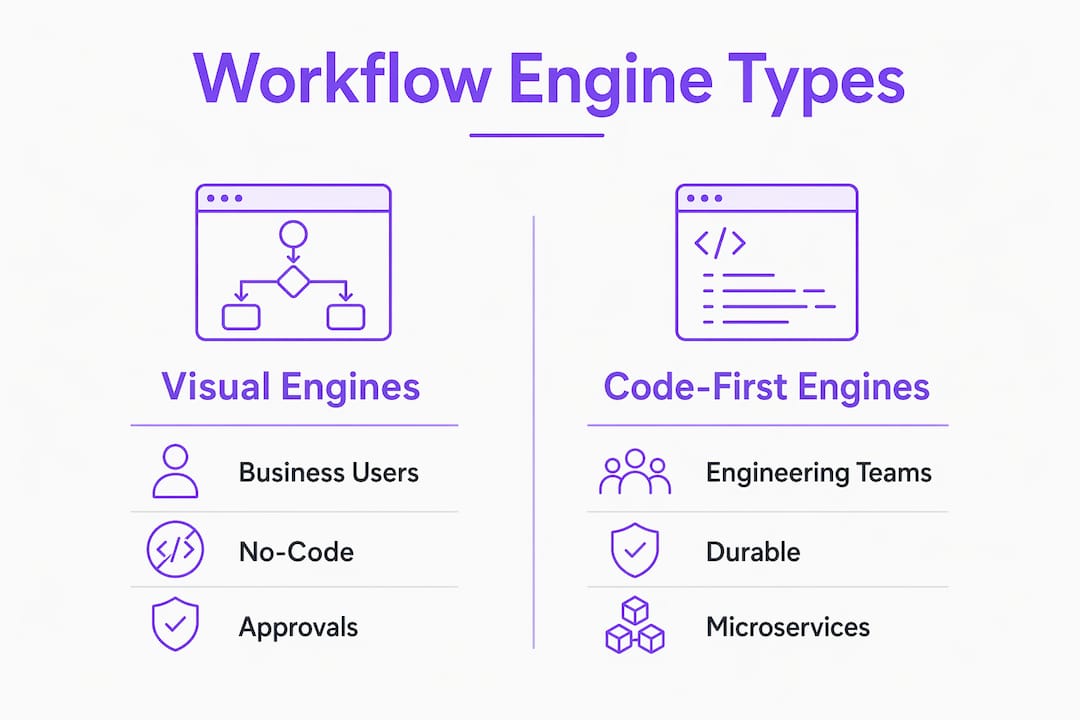
Code-first durable engines target engineering teams building distributed systems. These engines handle microservice orchestration, retry logic, and long-running processes that span days or weeks. Developers benefit from engines that eliminate the need for custom “glue code,” freeing them to focus on core business logic instead of managing retries, state, or timers.
The right choice depends on who owns the process. If a business team runs it, a visual engine fits. If the process lives inside a software system and requires programmatic control, a code-first engine is the correct tool. Many organizations run both in parallel, one layer for business workflows and one for technical orchestration.
What are the benefits of workflow engines for teams?
Workflow engines deliver measurable operational gains across reliability, efficiency, and compliance. The benefits are not theoretical. They show up in how teams spend their time and how well processes hold up under pressure.
- Reduced manual work. Security professionals spend 44% of their time on manual, repetitive tasks. Workflow engines absorb that work by managing logic, state, and retries automatically. That reclaimed time goes toward higher-value work.
- Process reliability. Engines handle retries transparently when a downstream system fails. A human does not need to notice the failure, investigate it, and restart the task manually. The engine does it.
- Immutable audit logs. Workflow engines capture every step, decision, and outcome in an immutable log. That record supports SOC 2, GDPR, and internal governance requirements without extra effort from the team.
- Institutional knowledge preservation. Every rule, approval path, and exception is encoded in the engine. When a key employee leaves, the process does not leave with them. The engine holds the logic.
- Fault tolerance for long-running processes. Workflows that span days or weeks, such as vendor onboarding or contract approvals, need to survive server restarts and network failures. Engines built on event sourcing and replay handle this without custom recovery code.
The compliance benefit deserves emphasis. Teams operating under SOC 2 or GDPR face audit requirements that manual processes cannot satisfy reliably. A workflow engine produces the evidence automatically, as a byproduct of normal operation.
How do workflow engines differ from rule engines and task schedulers?
Workflow engines are frequently confused with three related systems: rule engines, API gateways, and task schedulers. Each serves a distinct purpose, and mixing them up leads to the wrong tool for the job.
A rule engine is a decision calculator. It evaluates conditions and returns a result. “Does this customer qualify for a discount?” is a rule engine question. A workflow engine manages the sequence and state of a multi-step process. It answers “what happens next, and who does it?” These two tools often work together, but they are not interchangeable.
An API gateway manages request routing between services. It handles authentication, rate limiting, and traffic direction. It does not track process state, manage retries across steps, or wait for human input. Treating an API gateway as a workflow engine produces brittle systems that break silently when a step fails.
Task schedulers run jobs on a schedule. They fire a function at a set time. They do not maintain process state between steps, handle conditional branching, or manage approvals. A task scheduler is a timer. A workflow engine is a process manager.
- Rule engine: Evaluates logic and returns a decision. No state management.
- API gateway: Routes requests between services. No process orchestration.
- Task scheduler: Runs jobs on a schedule. No multi-step state persistence.
- Workflow engine: Orchestrates sequences, manages state, handles retries, and logs outcomes.
Pro Tip: If your process requires a human to approve something before the next step runs, you need a workflow engine. A task scheduler or rule engine cannot handle that wait state reliably.
Governance is the other critical distinction. Workflow engines often hold elevated credentials across multiple services, acting on behalf of users and systems. That makes them a high-value target for security incidents. They require governance practices similar to identity providers, including access controls, credential rotation, and audit reviews. Teams that treat workflow engines as simple plumbing underestimate the security surface they are managing.
Key Takeaways
A workflow engine is the most reliable way to manage multi-step business processes because it combines state persistence, fault tolerance, and immutable audit logging in a single system.
| Point | Details |
|---|---|
| Five lifecycle stages | Every workflow moves through Definition, Instantiation, Execution, State Management, and Completion. |
| Durability over task queues | Engines centralize state and retries, eliminating the failure complexity of distributed task tables. |
| Two primary engine types | Visual engines serve business teams; code-first engines serve engineering teams building distributed systems. |
| Compliance built in | Immutable audit logs support SOC 2 and GDPR requirements as a byproduct of normal engine operation. |
| Governance is non-negotiable | Engines hold elevated credentials and must be regulated like identity providers to limit security risk. |
Why workflow engines deserve more respect than they get
Workflow engines are treated as background infrastructure by most teams. They configure one, point processes at it, and move on. That attitude creates real risk, and I have seen it cause problems that take months to untangle.
The shift I find most significant is the move from “glue code” to durable workflow logic. Developers used to write custom retry handlers, state tables, and recovery scripts for every process that needed reliability. That code was fragile, undocumented, and impossible to audit. A proper workflow engine replaces all of it with a structured, observable system. The workflow mapping discipline that goes into configuring an engine forces teams to articulate their processes clearly, often for the first time.
The governance angle is where I think most organizations are still behind. Workflow engines hold credentials for every system they touch. A compromised engine is not just a process failure. It is a credential exposure event across every connected service. Treating engine access controls with the same rigor as an identity provider is not paranoia. It is the correct response to the actual threat model.
The emerging integration of AI into workflow engines adds another layer. AI-assisted routing, anomaly detection, and dynamic task assignment are moving from experimental to production. That makes the governance question more urgent, not less. An engine that can make autonomous decisions based on AI outputs needs tighter audit controls, not looser ones. Teams that build that discipline now will be ahead when AI-driven workflows become standard.
— Harsh
How EasyFlow puts workflow engine principles into practice
Understanding workflow engine mechanics is the first step. Putting them to work for your team is the next one.

EasyFlow is built for operations-heavy teams that need reliable process execution without the overhead of enterprise software. It handles the full workflow lifecycle, from process definition through completion, with built-in state management and audit logging. External collaborators complete tasks through magic links, so no account creation is required and handoffs do not stall. Teams running client onboarding, employee onboarding, or cross-functional approvals get a workflow automation platform that executes processes rather than just tracking them. The result is fewer follow-ups, cleaner handoffs, and a process record that holds up to scrutiny.
FAQ
What is a workflow engine in simple terms?
A workflow engine is software that automatically runs a defined sequence of tasks, routing work to the right person or system at each step. It manages state, handles errors, and logs every action.
How does a workflow engine differ from a project management tool?
A project management tool tracks tasks and shows status. A workflow engine actually executes the process, triggering actions, routing approvals, and handling retries without manual intervention.
What are common workflow engine examples?
Common categories include visual no-code platforms for business operations teams and code-first durable engines for engineering teams building distributed systems. Each targets a different user and process type.
Why do workflow engines matter for compliance?
Workflow engines produce immutable audit logs capturing every step, decision, and outcome automatically. Those logs directly support SOC 2, GDPR, and internal governance requirements.
Can a workflow engine handle long-running processes?
Yes. Professional workflow engines persist state across server restarts and handle retries transparently, making them suited for processes that run for days or weeks, such as vendor onboarding or contract approvals.