
Top 6 WorkflowMagic.co Alternatives 2026

Choosing workflow execution software that handles approvals, handoffs, and compliance across teams is slow, so when external collaborators and governance need real support. Too many workflow tools skip secure external steps, require every collaborator to create an account, or neglect audit and integration needs for regulated sectors. This review compares features, pricing, and user experience across six alternatives so teams can select workflow execution software that matches both operational and compliance requirements.
Table of Contents
EasyFlow

At a Glance
External collaborators can complete workflow steps without creating accounts by using magic links. EasyFlow runs and enforces process steps automatically while sending live updates and nudges. That behavior cuts manual chasing and follow-ups across onboarding, approvals, and client handoffs.
Core Features
EasyFlow automates task handoffs, reminders, and blocker detection and provides prebuilt workflow templates for onboarding, client implementation, and product launches. Workflows execute in real time and deliver live updates so owners and contributors see status without separate check ins. External collaborators complete steps with no login required, removing account setup for outside parties.
Key Differentiator
The single most distinctive capability is no login completion for external collaborators via magic links. EasyFlow enforces ordered process steps so tasks wait for required dependencies before moving forward. That enforcement reduces the need for manual oversight on routine flows.
Pros
EasyFlow removes manual chasing and follow ups by executing workflows and sending automatic notifications when tasks stall. Teams can build and preview flows quickly and apply templates to common processes, which reduces repetitive setup time. Higher plans support unlimited workflows and active flows, which suits teams that run many repeatable processes across HR, finance, and customer operations.
Cons
- May lack advanced process visualization or deep customization for very large organizations
Who It’s For
Operations teams and managers running repeatable processes will find the model useful. Teams that rely on external partners or clients to finish steps without account setup benefit most from the magic link approach. It also fits finance, HR, and customer success groups that run predictable approval and onboarding workflows.
Unique Value Proposition
Magic links that let nonusers complete workflow steps remove the overhead of account management and separate collaboration tools. That change lowers the administrative cost of involving outside contributors and reduces bottlenecks caused by onboarding new accounts. Because EasyFlow executes steps rather than just tracking tasks in other tools, teams spend less time chasing status and more time closing processes.
Real World Use Case
A finance SaaS automated client onboarding with EasyFlow to run document collection, account setup, and training tasks. Clients used magic links to upload documents without creating accounts, which cut back and forth email. The company reduced manual follow ups and sped time to active account status.
Pricing
EasyFlow has a free tier for basic use. Pro is $49/month billed annually and Scale is $199/month billed annually. According to the vendor, higher plans unlock unlimited workflows and active flows for larger teams.
Website: https://teameasyflow.com
Work Flowz
At a Glance
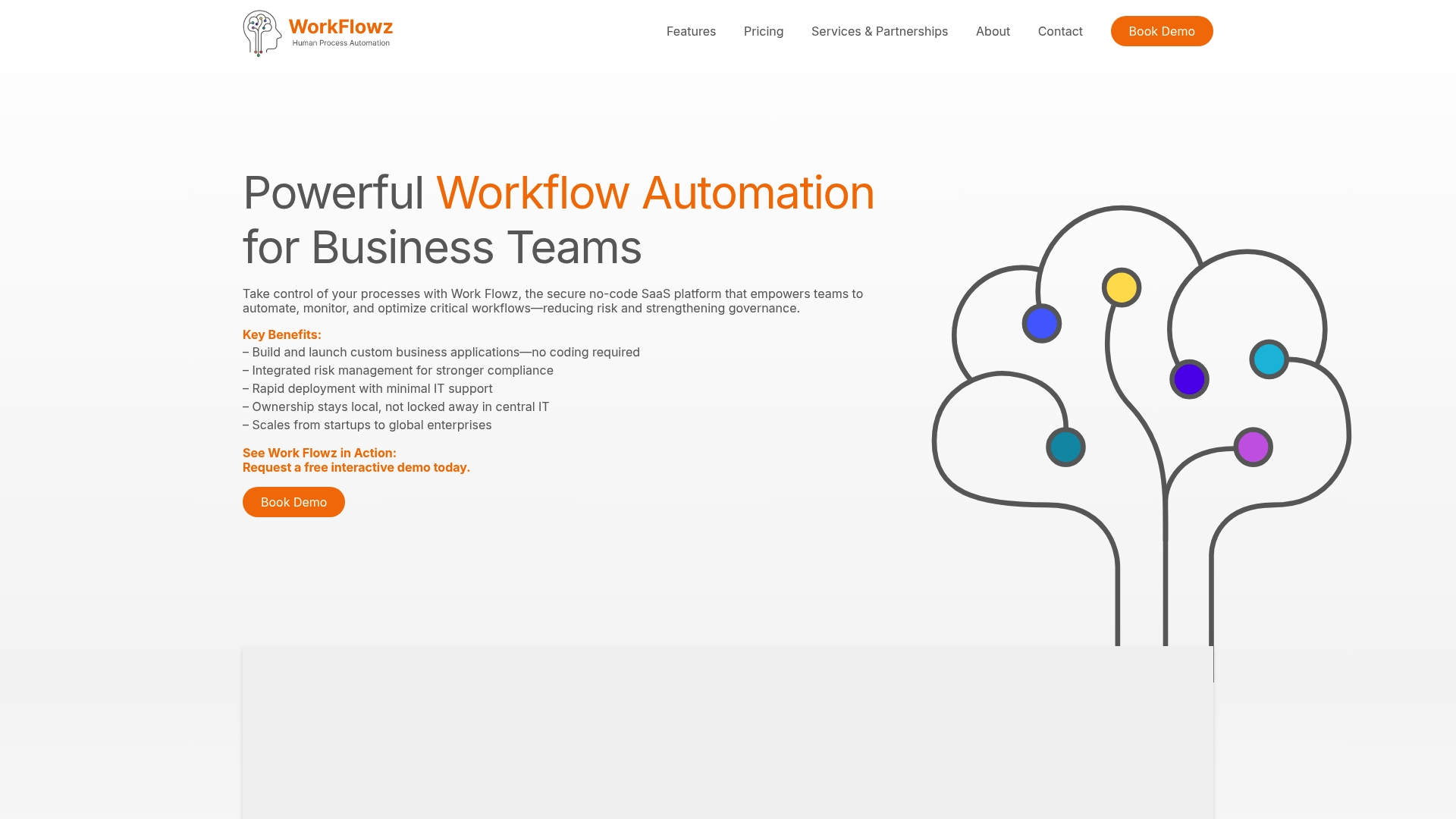
Work Flowz’s marketing materials state pricing starts at £1 per internal user per month. The vendor positions the product for regulated sectors and highlights advanced security features like SSO and MFA. The platform targets organizations that must combine workflow automation with auditability and strict access controls.
Core Features
Work Flowz provides a no code workflow builder for designers to assemble multi step processes without writing code. The platform enforces role based access controls and supports branded user experiences while hosting on a secure cloud environment. Administrators can add custom identity provider integrations and use built in reporting to support governance and audits.
Key Differentiator
Work Flowz centers its roadmap on compliance and security requirements for regulated industries. It emphasizes auditable workflows and governance controls that map to common regulatory needs. That focus makes it different from general purpose automation tools that prioritize flexibility over strict access and traceability.
Pros
Work Flowz shows strengths in environments that require clear audit trails and controlled access. Its reporting and governance features help teams demonstrate compliance to internal and external reviewers. The platform supports both linear processes and record based workflows, which helps manage ongoing cases as well as one time approvals. Strong security features reduce identity risk and protect sensitive data during handoffs.
Cons
- Pricing details may be complex because the vendor uses role based tiers and usage based components. This can make budget forecasts harder for mixed teams.
- The product is primarily aimed at regulated sectors and may add friction for groups with simple task lists. Simpler teams may find the controls unnecessary.
- Public information on third party integrations beyond core authentication is limited, so custom connectors may require vendor engagement.
When It May Not Fit
Work Flowz may not fit teams that run informal workflows or need quick, lightweight automation for ad hoc projects. Organizations that want a large marketplace of prebuilt app connectors could find the integration story thin. Small teams with little compliance burden will likely pay for features they do not use.
Who It’s For
Work Flowz fits organizations in healthcare, education, and public agencies that must prove compliance and control. It serves mid to large scale enterprises that need role based governance and strong identity controls. Choose it when auditability, secure access, and documented risk controls drive procurement decisions.
Real World Use Case
A healthcare provider used Work Flowz to automate patient intake and staff credentialing while keeping audit trails for regulators. Clinical and administrative teams completed steps through branded interfaces. The provider reduced manual checks and kept logs for every decision and data change.
Pricing
The vendor advertises a starting price of £1 per internal user per month with tiered options by role and usage. Enterprise packages are available for larger deployments and custom contracts. Buyers should request a usage based estimate to capture role licensing and any additional hosting or integration work.
Website: https://work-flowz.com
Wrangle
At a Glance
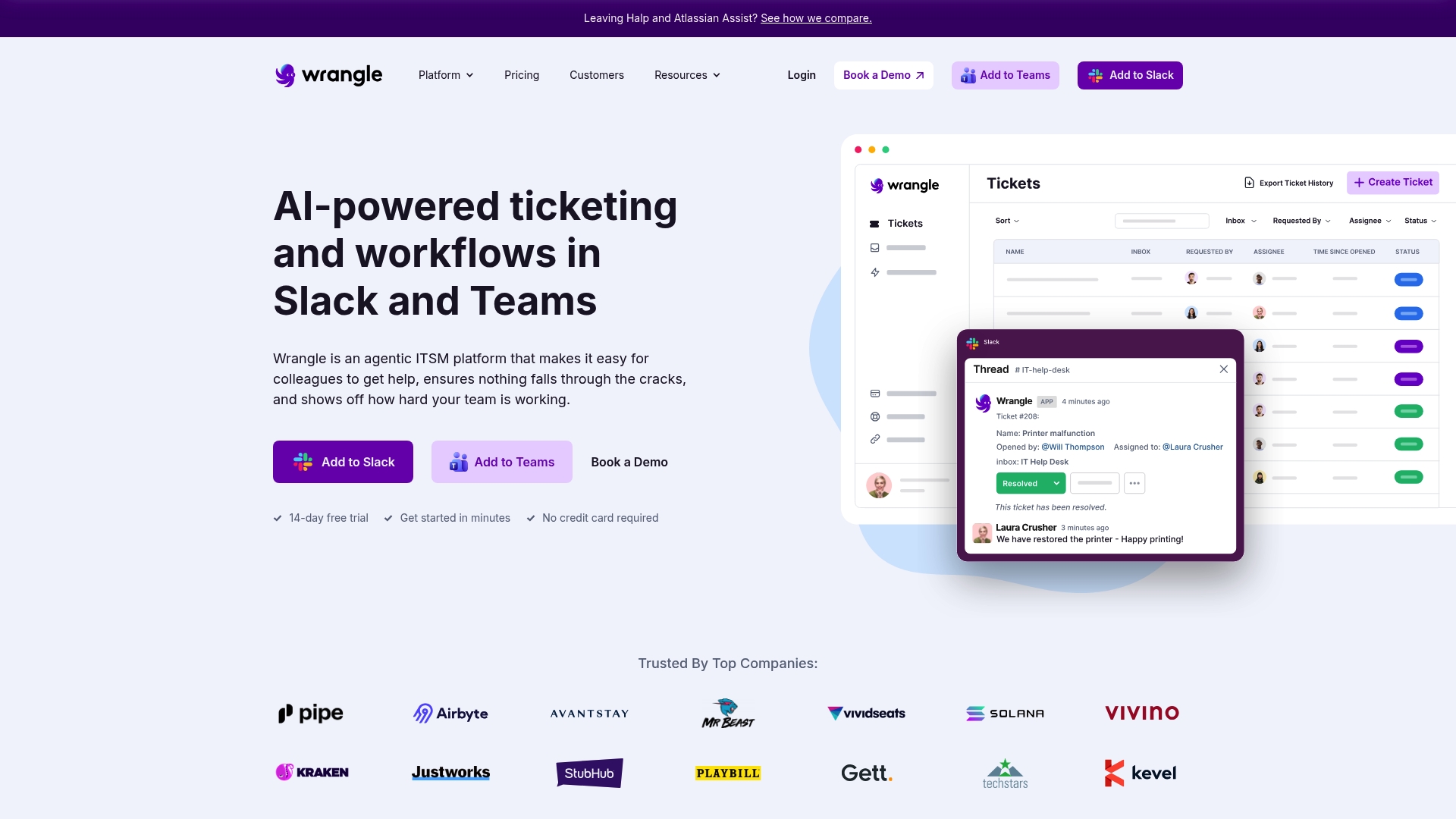
Native Slack and Teams plugins let teams run AI powered ticket deflection and handle external collaborators through Slack Connect. The product combines a no code workflow designer with conditional routing and customizable forms for intake and approvals. Real time dashboards and exportable analytics make SLAs and team actions visible.
Core Features
A visual, no code workflow designer builds conditional logic, approvals, and webhook triggers that connect requests across systems. Multichannel ticketing surfaces internal and external requests in Slack and email, while role based permissions and real-time dashboards track ownership and SLAs. AI features include ticket deflection, smart replies, an agent copilot, and knowledge base leverage for faster resolutions.
Key Differentiator
Wrangle pairs AI driven ticket deflection with native Slack and Teams plugins so teams can keep support workflows inside their chat tools. That combination reduces context switching and lets external collaborators complete tasks without full platform accounts.
Pros
Setup and integration with Slack and Teams is straightforward, with a visual workflow builder that non developers can use. Slack Connect support and AI features speed triage and let multi party conversations stay linked to tickets. Strong customer support and onboarding help teams launch automated processes quickly.
Cons
- Pricing scales with features and seat counts, and costs may rise quickly for larger teams.
- Requires a Slack or Teams environment, so organizations using other collaboration tools may need a different option.
- Public documentation has limited detail on advanced API customization and enterprise grade configuration.
When It May Not Fit
Large enterprises that require extensive API customization and on premise integration may find public information insufficient. If your organization does not use Slack or Teams, the product will not integrate into daily workflows. Cost conscious teams with high agent counts should budget for per agent fees and review volume limits.
Notable Integrations
Wrangle connects to common support and productivity stacks.
- Zendesk
- Jira Service Management
- Notion
- Zapier
- Slack Workflow Builder
Who It’s For
Teams that run day to day operations inside Slack or Teams will get the most value. IT help desks, HR teams, and customer support groups needing ticketing inside chat are a natural fit. Groups wanting AI assisted triage and no code workflow building will find the feature set relevant.
Real World Use Case
An IT team sets up intake forms in Slack and routes requests with conditional logic to the right engineer. Smart replies and an agent copilot reduce first response time and keep notes inside the ticket thread. Reports and SLA exports give managers visibility into backlog and team workload.
Pricing
Plans are per agent per month with common tiers for small teams and scaling deployments. Pro starts at $39/agent/month, Scale at $59/agent/month, and Enterprise uses custom pricing. A 14 day free trial is available to test workflows before committing.
Website: https://wrangle.io
Collavate
At a Glance
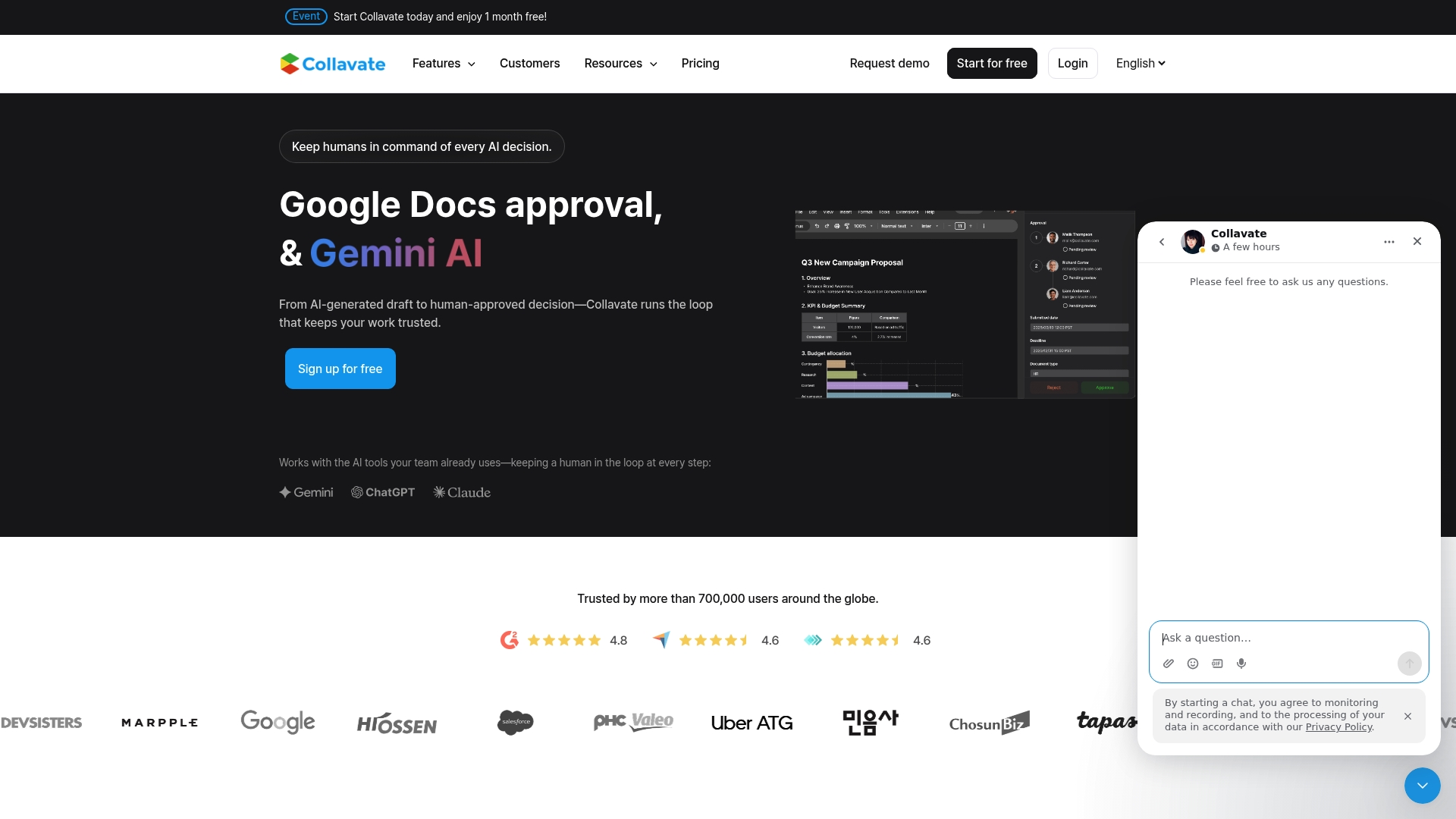
According to the company, the Business plan lists at $300/month, and includes an SLA plus 6,000 tokens. Collavate focuses on document approval workflows inside Google Workspace and adds AI powered summarization to speed reviews. The vendor also offers a free trial and enterprise options with custom quotes.
Core Features
Collavate runs approval workflows directly inside Google Docs and Drive, and it automates permission and file management to reduce manual handoffs. The platform includes AI powered document summarization and analysis to surface key points, plus real time notifications via email, Google Chat, and Slack. Admin controls let teams customize multistep approval chains and set access rules for external collaborators.
Key Differentiator
Collavate is built specifically for Google Workspace, which keeps documents in place while applying formal approval steps and permissions. That focus means reviews take place inside Google Docs rather than in a separate portal, and the AI assists reviewers by summarizing long drafts and highlighting likely decision points.
Pros
Integration with Google Drive and Docs makes adoption quick for teams already using Google Workspace. The product supports complex approval hierarchies and conditional routing, which helps legal and finance teams map existing processes without heavy rework. Security is comprehensive for document workflows, with certifications such as GDPR, CCPA, and ISO 9001 listed by the vendor. Built in AI features speed review and reduce manual triage, and the interface mirrors Google controls so training needs stay low.
Cons
- Limited to organizations that use Google Workspace; it does not support non Google document platforms.
- Some advanced AI capabilities remain in beta or require higher tier plans and configuration.
- Token based billing can inflate costs for high volume use, especially without bulk discounts configured.
When It May Not Fit
If your team stores primary documents outside Google Drive this product will not meet your needs. High volume document programs with continuous AI analysis may face rising token costs. Organizations that need built in time tracking or non Google collaboration primitives should look elsewhere.
Notable Integrations
- Google Drive
- Google Docs
- Gmail
- Google Chat
- Slack
Who It’s For
Collavate fits teams fully embedded in Google Workspace that need formal approval controls inside Docs and Drive. It works well for legal, HR, and finance groups that require audit trails and permission automation. External reviewers who do not want separate accounts benefit from its in place review flow.
Real World Use Case
According to the company, a multinational corporation uses Collavate to improve its legal document approval process, reducing review time from days to hours while maintaining international security controls. That deployment moved approvals into Docs and removed several manual handoffs.
Pricing
That Business plan above lists at $300/month and includes an SLA and 6,000 tokens. The vendor offers a free trial, token based usage with discounts for bulk purchases, and enterprise plans quoted per account.
Website: https://collavate.com
FlowMate
At a Glance
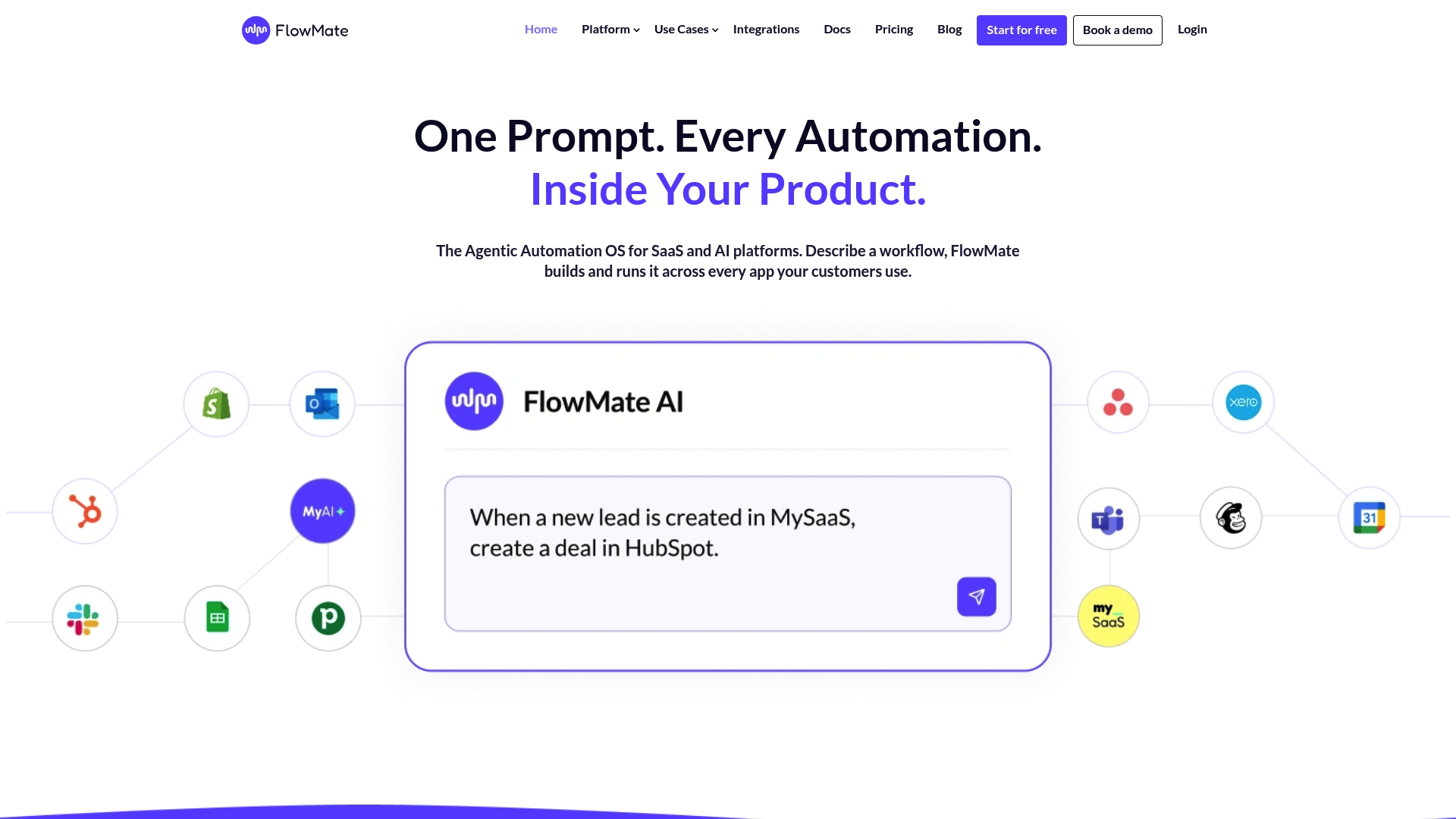
FlowMate’s marketing materials state over 150 connectors are available for third party apps. The product targets product teams at SaaS and AI vendors that want to embed automation inside their own application. It supports real time events, agent initiated workflows, and scheduled or logic based automations.
Core Features
FlowMate generates workflows from natural language prompts, and exposes embedded automation UX components, so end users can trigger flows without leaving the host app. The platform includes a visual flow builder, full API and developer tools, and a runtime that handles multi tenant execution, permissions, and data isolation. Teams can deploy reusable templates and manage multi tenant operations from a central control plane.
Key Differentiator
FlowMate focuses on embedding automation templates and runtime directly inside a vendor product rather than operating as a separate automation portal. Its ability to convert prompts into executable workflows and surface those automations as in product UI components sets it apart for product led automation. Design choices prioritize multi tenant security and platform scale for vendors delivering automations to many customers.
Pros
Specialization for embedded automation makes FlowMate attractive when your goal is product level activation instead of a standalone workflow dashboard. The platform supports AI agents to trigger workflows, offers a rapid AI driven builder for custom API integrations, and provides a large connector set that covers common business apps. Built in multi tenant architecture and reusable templates reduce operational overhead when you scale automations across customers.
Cons
- Complex platform may require significant initial setup and integration effort, which raises the bar for teams without senior engineers.
- Pricing is tiered by actions and integrations, so costs can grow quickly with high volume workflows.
- Third party reviews highlight a learning curve and the need for technical expertise to maximize benefits.
When It May Not Fit
Small teams with limited engineering capacity and no dedicated integration budget will struggle to deploy FlowMate quickly. If you need a predictable flat fee for low volume automations, the action based pricing model may become expensive. It also misses the mark for teams that want a simple external workflow portal rather than an embedded runtime inside their product.
Notable Integrations
Those connectors include Slack, Salesforce, HubSpot, and Shopify as common examples. The connector set aims to cover CRM, collaboration, ecommerce, and marketing automation endpoints that product teams commonly embed.
Who It’s For
Product managers and developers at SaaS and AI companies who need to embed scalable, secure automation directly inside their product will find FlowMate aligned with their needs. Teams that must expose automation to end customers with tenant aware controls and centralized permissions benefit most from this approach.
Real World Use Case
A B2B SaaS vendor embeds FlowMate templates so customers trigger multi step onboarding and provisioning flows from within the app. The vendor centralizes permissions and multi tenant execution while customers run integrations with Salesforce and Slack without leaving the product.
Pricing
Pricing is plan based and tied to a specified number of integrations and actions. Plans range from Launch starting at €399/month or $449/month, Grow at €799/month or $899/month, to Scale at €1599/month or $1799/month. Custom plans are available for high volume usage.
Website: https://flowmate.io
Planally
At a Glance
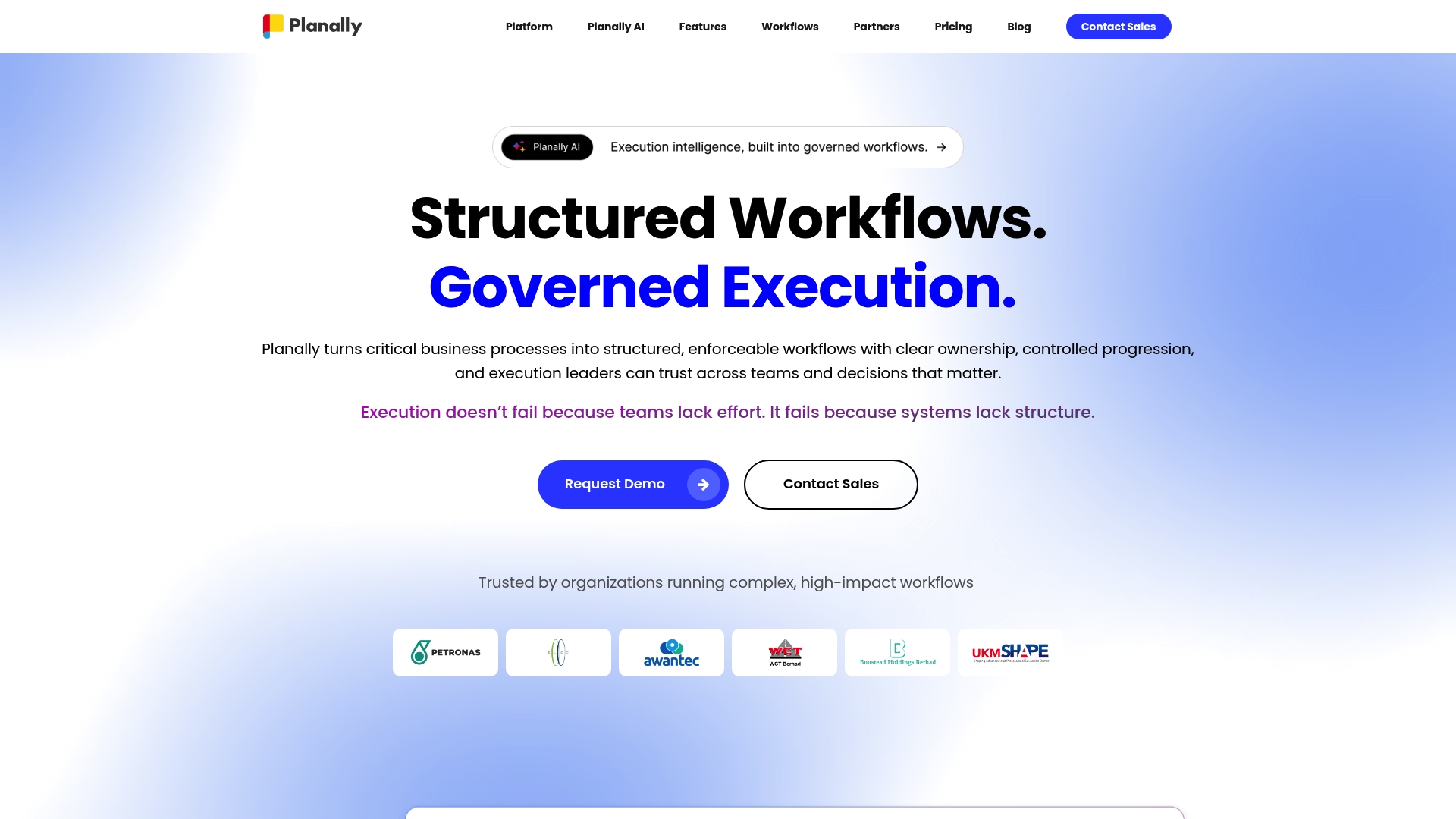
Adaptable deployment options include cloud and on-premises installs for enterprise governance. Planally targets high-consequence processes such as capital investment governance and enterprise risk workflows. The product combines structured workflow controls with dashboards and AI to give teams real-time visibility and audit trails.
Core Features
Planally offers a workflow builder and form builder that capture inputs and enforce process structure. It provides activities management with ownership assignment, traceable approvals, and automations to advance workflows and send reminders. Dashboards, roadmaps, phase gate management, and document discussion threads give teams the visibility and record keeping needed for regulated or cross-border programs.
Key Differentiator
Planally turns manual processes into structured, automated workflows with embedded governance and operational visibility. That approach ties approvals, phase gates, and audit records directly into execution, so decisions and evidence live with the work. The platform pairs that process control with Planally AI to surface workflow-aware risks and opportunities in real time.
Pros
Planally supports complex, enterprise-critical workflows with structural discipline and visible audit trails, which helps teams reduce follow-ups and missed approvals. The platform scales across regions because it offers both cloud and on-premises deployment options, making it suitable for organizations with strict data residency or regulatory needs. Real-time dashboards and automated reminders improve governance and keep multi-team programs aligned, while predefined templates for finance and risk speed initial rollout.
Cons
- Primarily targeting enterprise users. Small teams with simple workflows may find the platform more complex than they need.
- Buyer reviews report a learning curve during initial setup and adoption for administrators and process owners.
- Extensive customization can require dedicated support or onboarding from Planally or a systems integrator.
When It May Not Fit
If your team lacks a process owner or maturity in governance the setup effort will likely outweigh the benefits. Organizations that need quick, lightweight task boards rather than governed workflows will find this product heavy. If you require many out-of-the-box cosmetic templates without technical support, customization limits may slow adoption.
Who It’s For
Large organizations running high-consequence workflows that require traceability, approvals, and compliance controls will get the most from Planally. Risk, project controls, and investment governance teams that must demonstrate auditability across regions will find the controls useful. IT and operations teams responsible for deployment preferences will value the choice between cloud and on-premises.
Real World Use Case
A multinational standardized project execution and risk management processes across regions using Planally. The company used phase gate controls to require approvals before spending and stored decision records with each activity. That setup produced consistent audit trails and clearer cross-team handoffs for regulated projects.
Pricing
Pricing is aligned to workflow execution and governance at scale and follows enterprise licensing models. The vendor lists tailored plans rather than public per-seat tiers, so procurement typically involves a sales conversation. Expect pricing to reflect deployment choice and the scale of governed workflows.
Website: https://planally.com
Comparison of alternatives
The comparison of workflow automation tools highlights specific advantages, tailored capabilities, and potential alignments for various organizational requirements.
Enabling External Collaboration
When integrating external collaborators into workflows without requiring account creation, EasyFlow’s use of magic links stands out. In contrast, while competitors such as Work Flowz and Wrangle provide means for external interaction, these solutions generally require collaborators to establish user accounts or access privileges within their ecosystems. EasyFlow simplifies this process, reducing the administrative effort and potential access issues for non-account collaborators.
Compliance and Security Emphasis
In scenarios where compliance and high security are, Work Flowz proves advantageous. Its features, including Single Sign-On (SSO), Multi-Factor Authentication (MFA), and structured audit trails, are designed to meet and maintain regulatory standards. While EasyFlow provides secure workflow automation, organizations in industries with stringent compliance mandates may find the specialized governance capabilities of Work Flowz to be a more suitable fit for their needs.
Best fit
- Teams seeking efficient workflow execution with external collaboration capabilities can find EasyFlow to be a proper solution.
- Organizations within regulated industries requiring rigorous audit trails and compliance features can consider Work Flowz as their choice.
- SaaS and AI developers wanting embedded automation capabilities within their applications will appreciate FlowMate’s focus.
- High-volume teams primarily communicating through Slack or Microsoft Teams would benefit from Wrangle’s integration and AI ticketing support.
- Large enterprises managing international, regulated processes can capitalize on Planally’s structured governance and deployment variability.
Our pick
EasyFlow is a solid choice for organizations prioritizing efficient task automation and reducing external collaboration overhead through its magic link technology. This feature’s ability to allow non-account users to engage in workflows without the need for additional registration distinguishes EasyFlow. However, teams operating in highly regulated industries with compliance requirements might find Work Flowz a more aligned solution.
Automation and process integration highly influence the suitability of workflow tools for diverse team needs.
| Product | Key Feature | Best For | Pricing | Limitation |
|---|---|---|---|---|
| EasyFlow | Magic links for external collaborator workflows | Operations teams with external integrations | Free tier, Pro: $49/month, Scale: $199/month | May lack visualization for enterprise operations |
| Work Flowz | Audit-centric with compliance-driven access controls | Regulated industries requiring audit trails | Starts at £1/user/month | Pricing complexity for mixed teams |
| Wrangle | AI-enhanced ticket deflection within Slack/Teams | Teams integrated with Slack and Teams | Pro: $39/agent/month | Requires Slack/Teams infrastructure |
| Collavate | Google Workspace native approval workflows | Legal and HR teams in Google environments | Business: $300/month | Limited to Google Workspace |
| FlowMate | Embedded automations for SaaS platforms | SaaS developers embedding client workflows | Launch: $449/month | High initial setup requirements |
| Planally | Structured governance for high-impact processes | Enterprises with compliance control needs | Price not published | Primarily targets large enterprises |
How Can Workflow Automation Reduce Bottlenecks With External Collaborators?
Managing workflows that involve outside partners can slow teams down when accounts are required to complete tasks. EasyFlow removes that barrier by letting external collaborators finish workflow steps without needing an account. This unique method cuts manual follow-ups and onboarding delays while ensuring every process step moves forward reliably.
EasyFlow tackles the challenge of manual process management by automating and enforcing workflows. Teams improve communication and efficiency because tasks execute automatically, not just tracked. If your operations rely on external contributors or routine approvals, EasyFlow offers a proven way to reduce bottlenecks and speed completion.
Learn more about EasyFlow’s approach and see how it can help your team finish workflows faster without account hassles. Visit EasyFlow’s homepage to import your current processes and watch your task completion improve in days.
FAQ
What features does EasyFlow provide for task management?
EasyFlow automates task handoffs and sends reminders when tasks stall. It runs workflows in real time and delivers live updates, making it easy to track the status of processes without needing separate check-ins.
How does EasyFlow compare to Work Flowz in terms of compliance and security features?
Work Flowz excels in providing compliance and governance controls tailored for regulated sectors. This makes it ideal for organizations needing detailed audit trails, while EasyFlow focuses on quick onboarding and streamlined workflows for general operations, making it suitable for teams that require agility.
What pricing options are available for EasyFlow?
EasyFlow offers a free tier for basic use, while the Pro plan is priced at $49 per month when billed annually. The Scale plan costs $199 per month when billed annually, providing options for different team needs.
Can users complete tasks in EasyFlow without creating accounts?
Yes, external collaborators can complete workflow steps using magic links without needing to create accounts. This feature significantly reduces administrative overhead for teams working with external partners.
What advantages does EasyFlow have for teams handling external collaborators?
EasyFlow’s magic link capability removes the need for external users to set up accounts, making it easier to collaborate without administrative barriers. This feature allows for smoother onboarding and faster process execution for teams that frequently work with outside partners.