
Top 4 cflowapps.com Alternatives for 2026

Coordinating recurring workflows with external collaborators without constant manual follow up or unnecessary onboarding is often inefficient. Most workflow automation tools require every participant to create an account or do not handle complex compliance and AI integration without costly upgrades. This comparison spells out workflow complexity, collaboration ease, and pricing so operations teams can pick a cflowapps.com alternative that matches their process depth.
Table of Contents
EasyFlow
At a Glance
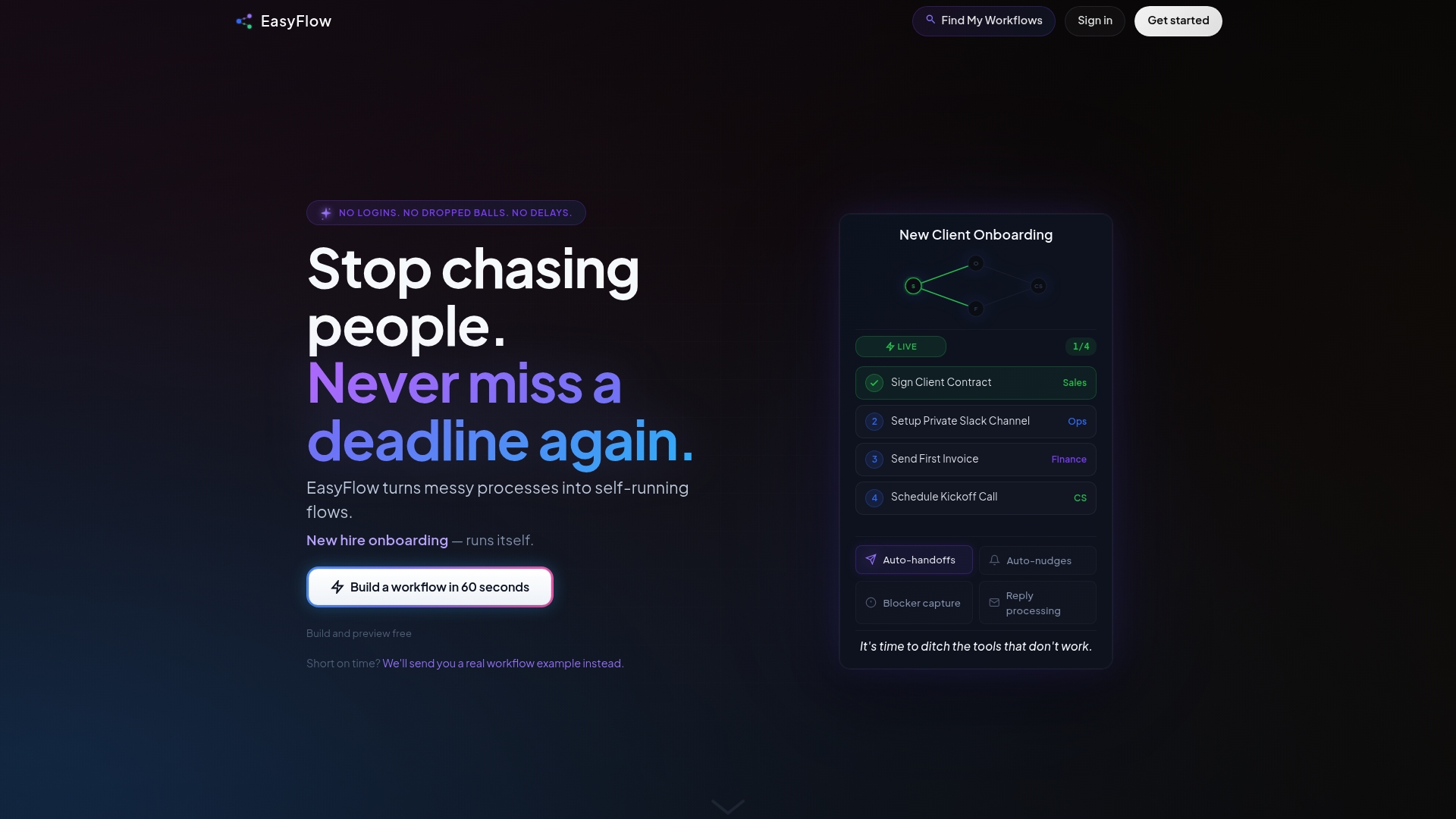
External collaborators can complete assigned steps without creating accounts using magic links. This removes the common onboarding friction that slows approvals and client tasks. EasyFlow runs workflows, so the team spends less time chasing status updates.
Core Features
EasyFlow automates business processes with assigned steps, reminders, and handoffs while executing live workflows that nudge participants and update status in real time. Teams can pick from pre built workflow templates or build custom processes and use Gantt charts and dependency maps to visualize flow. External collaborators act on approvals and reviews without needing an account, which keeps delivery moving across organizational boundaries.
Key Differentiator
EasyFlow runs entire processes automatically with no login required for external collaborators, replacing traditional task management tools. That design shifts execution into the platform instead of leaving teams to chase updates across multiple apps. The result is fewer manual follow-ups and clearer visibility on who is blocking a step.
Pros
Because it executes workflows instead of only tracking tasks, teams reduce manual follow-up and eliminate many account invites for vendors and clients. The workflow builder and templates let operations teams model onboarding, content review, and vendor approvals quickly. Live execution with automatic notifications and visual process maps helps surface blockers early and keeps stakeholders aligned.
Cons
- May not be suitable for processes requiring detailed compliance logging or complex permissions
Who It’s For
Operations teams and project managers running recurring, process driven work will gain the most from EasyFlow. Startup founders and implementation leads who need external stakeholders to act without account creation will see clear time savings. Teams that require fine grained permission controls or extensive audit trails may need additional tooling.
Unique Value Proposition
External collaborators complete assigned tasks via magic links, so you no longer have to onboard every external reviewer into your system. That reduces the administrative cost of getting approvals and lowers friction for client or vendor participation. For teams that spend time chasing sign offs, moving execution out of email and into an automated workflow shortens cycle time and frees operations staff for higher value work.
Real World Use Case
A SaaS company automated its customer onboarding to cut manual follow up and reduce email chasing. External reviewers accepted terms through magic links, and the operations team closed onboarding steps faster with fewer manual touches.
Pricing
A Free plan is available. Paid tiers start with Pro at $37/month billed annually and Scale at $149/month billed annually. The pricing model scales with team needs and process volume.
Website: https://teameasyflow.com
Process Street
At a Glance
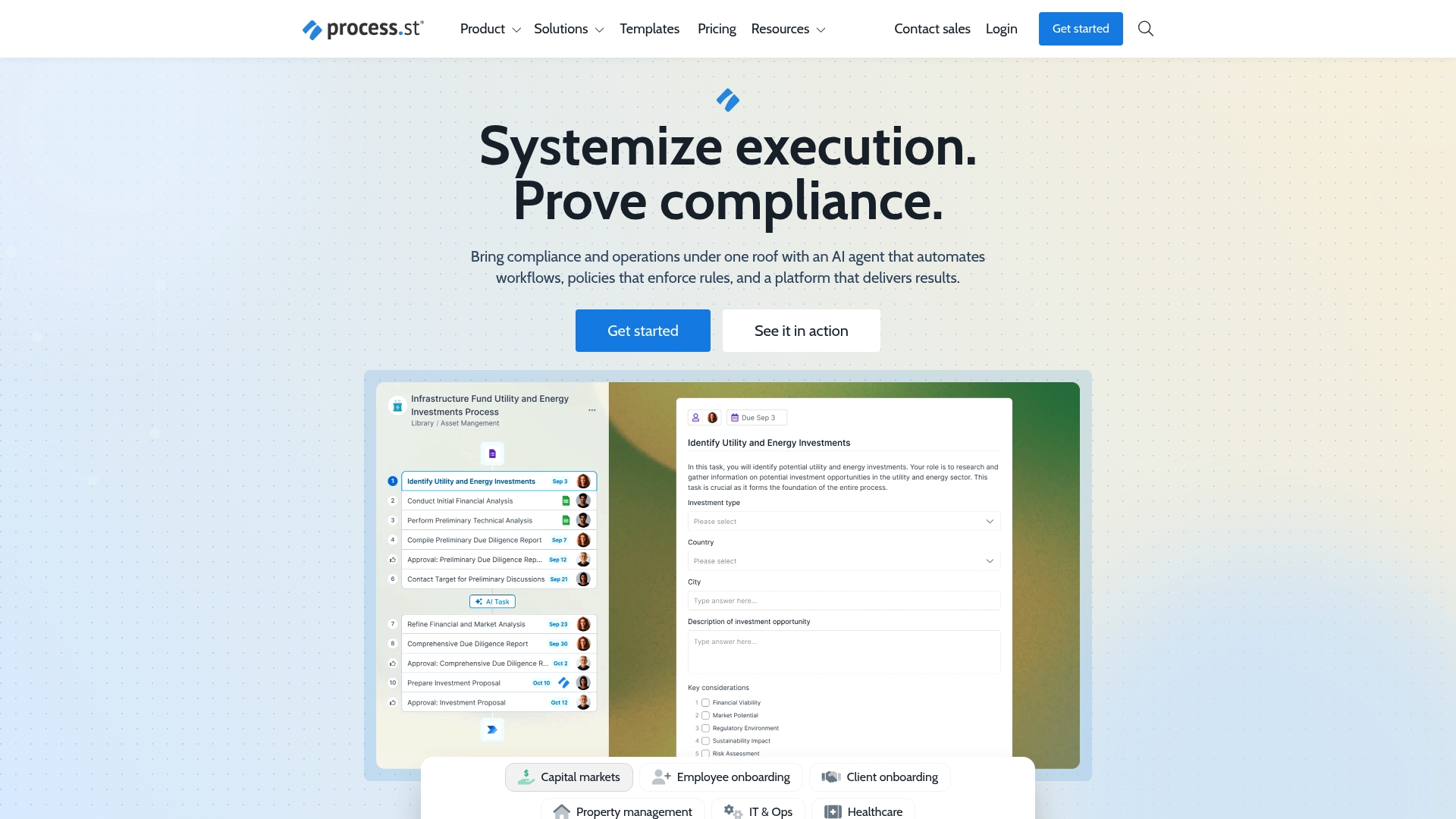
Process Street reports it is used by over 3,000 companies to standardize and automate operational workflows. The vendor advertises security compliance such as SOC 2, HIPAA, and ISO standards. The product targets teams that need documented procedures, repeatable approvals, and audit trails. That positioning makes it a frequent choice for regulated industries and operations teams.
Core Features
Process Street centers on customizable workflows and document control, so teams can convert standard operating procedures into runable checklists. The platform includes workflow automation and orchestration, document and policy management, and real time analytics for basic process reporting. It also exposes API access and connectors so teams can trigger tasks from Slack, Microsoft Teams, or Zapier.
Key Differentiator
Process Street pairs its workflow editor with AI-powered compliance monitoring inside templates and runs. That monitoring flags deviations and supports audit reporting during process execution. The combination makes compliance visible at the task level rather than as a separate checklist.
Pros
The product offers highly customizable workflows and a template library that cuts setup time for recurring processes. Its automation and integrations let teams reduce manual handoffs and create event driven tasks across other apps. The platform also advertises enterprise grade security controls, which appeals to healthcare, finance, and manufacturing teams that must keep auditable records.
Cons
-
Larger teams face higher costs when enabling enterprise features and advanced automation options.
-
Complex automation workflows have a learning curve for operators and administrators.
-
Lower tier plans limit automation actions and template customization compared with higher tiers.
When It May Not Fit
Organizations that need heavy automation across many systems will likely need a higher tier plan to get full capabilities. Teams on tight budgets may find core features adequate but hit limits when they scale. Small groups that only need simple checklists may prefer lighter task tools with lower cost.
Notable Integrations
-
Zapier for broad third party automation and app connections.
-
Slack for notifications and quick task actions inside team chat.
-
Microsoft Teams for task alerts and collaboration inside channels.
-
API access for custom integrations and event driven workflows.
Who It’s For
Mid sized to large organizations that require structured process management, compliance, and automated approvals will get the most value. Operations, compliance, and HR teams that manage onboarding, audits, or SOPs benefit from audit trails and versioned documents. Teams that expect to grow automation over time will find the tiered plans appropriate.
Real World Use Case
A financial services firm uses Process Street to automate client onboarding, compliance verifications, and audit reporting. The firm runs checks inside the workflow and stores completed records for audit review. That setup reduced manual follow ups and made handoffs between teams more consistent.
Pricing
Most plans start with a 14 day free trial and pricing varies by plan and user count. The vendor lists options for startup, pro, enterprise, and custom solutions, with advanced automation gated behind higher tiers.
Website: https://process.st
Decisions
At a Glance
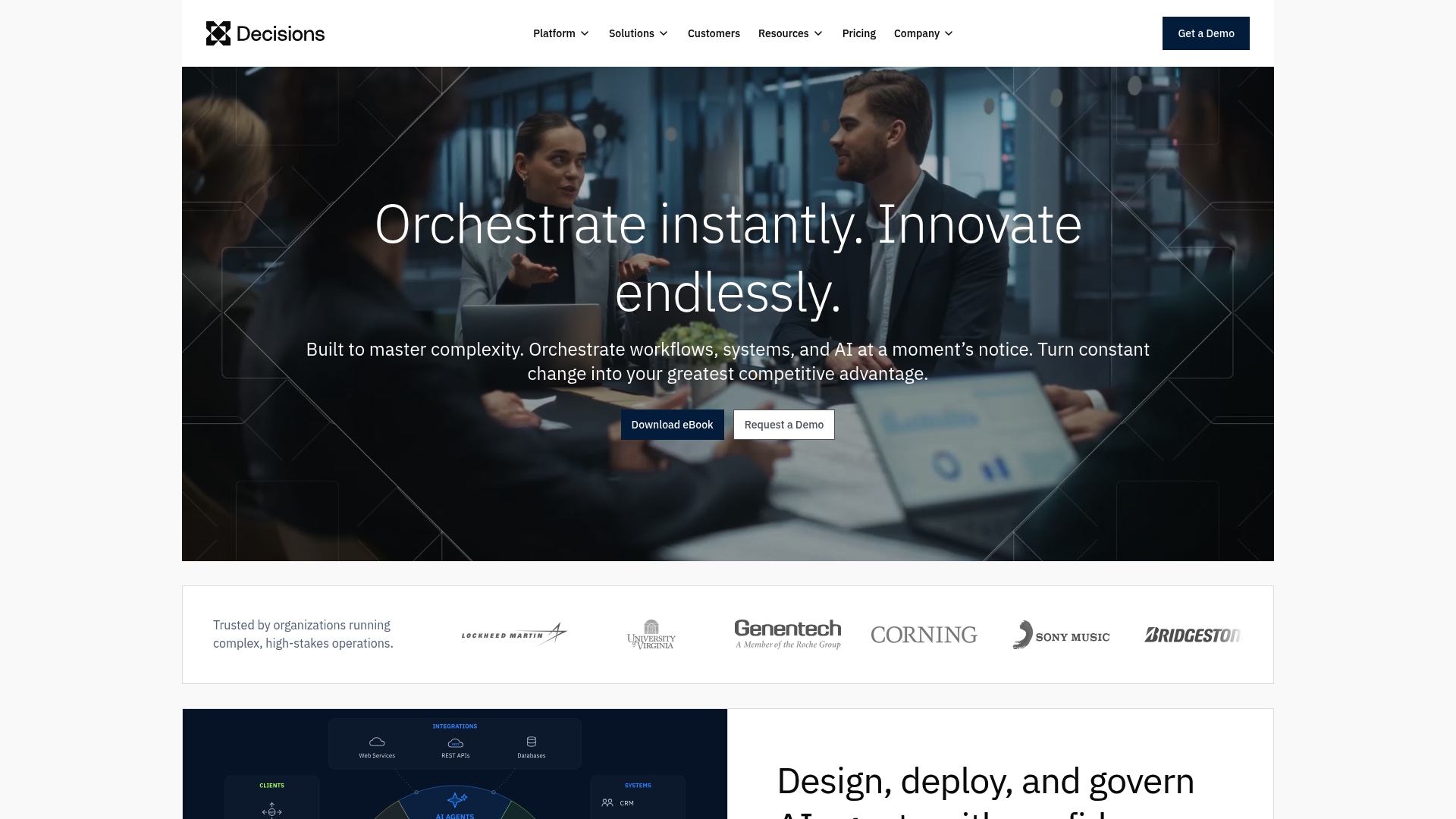
Decisions orchestrates AI, human, and system actions in real time while adding a governance layer for business rules. The platform targets mid market and large enterprise organizations that need cross system orchestration and visibility. It emphasizes faster rule changes and reduced manual work through visual design and low code approaches.
Core Features
Decisions combines workflow orchestration, business rules, systems integration, and AI governance into a single environment. It offers visual tools for designing AI and process actions and a governance layer that tracks and controls business rules. The product uses low code approaches to speed rule changes and connect legacy and modern systems without rebuilding everything.
Key Differentiator
The platform stands out for unified orchestration that keeps AI, people, and backend systems coordinated with governance and process visibility. That alignment simplifies auditing and policy enforcement while letting business teams change rules without deep developer work. This makes the product a fit where governance and audit trails matter as much as automation.
Pros
The vendor advertises that Decisions receives favorable recognition from industry analysts such as Gartner and Everest Group. The product brings broad functionality that covers complex workflows, AI governance, and legacy system integration in one place. Teams reduce manual handoffs by orchestrating actions across systems and people, and the visual design tools let business owners change rules faster than code only approaches.
Cons
- Complex setup and learning curve for full feature utilization. This can extend pilot timelines and require training.
- Potentially high cost for enterprise scale deployment. Pricing may rise as you add integrations and governance features.
- Third party reviews suggest the platform can be difficult to fully optimize without expert professional services. That can add to total implementation time and budget.
When It May Not Fit
Small teams or simple workflows will find the platform heavy and possibly costly for their needs. Organizations without internal technical or integration resources may need outside consultants to get full value. If you need a lightweight task tracker or basic approvals only, Decisions will likely offer more capability than you require.
Who It’s For
Mid and large enterprise organizations that must orchestrate complex processes and enforce AI governance will get the most value. Security conscious teams with audit and compliance requirements will appreciate the governance layer. Companies that manage a mix of legacy applications and modern services will benefit from the cross system orchestration.
Real World Use Case
A Fortune 500 financial services company uses Decisions to automate underwriting, compliance checks, and customer onboarding across legacy core systems and new AI services. Business rules are updated through the visual designer while governance records rule changes for auditors. The setup reduced manual reviews and centralized decision logic across departments.
Pricing
Pricing is not listed in the product data and is presented as informational only. Enterprise agreements typically vary by scale, required governance features, and the number of integrations. Expect vendor discussions or an enterprise quote to determine final costs.
Website: https://processmaker.com
Workflow86
At a Glance
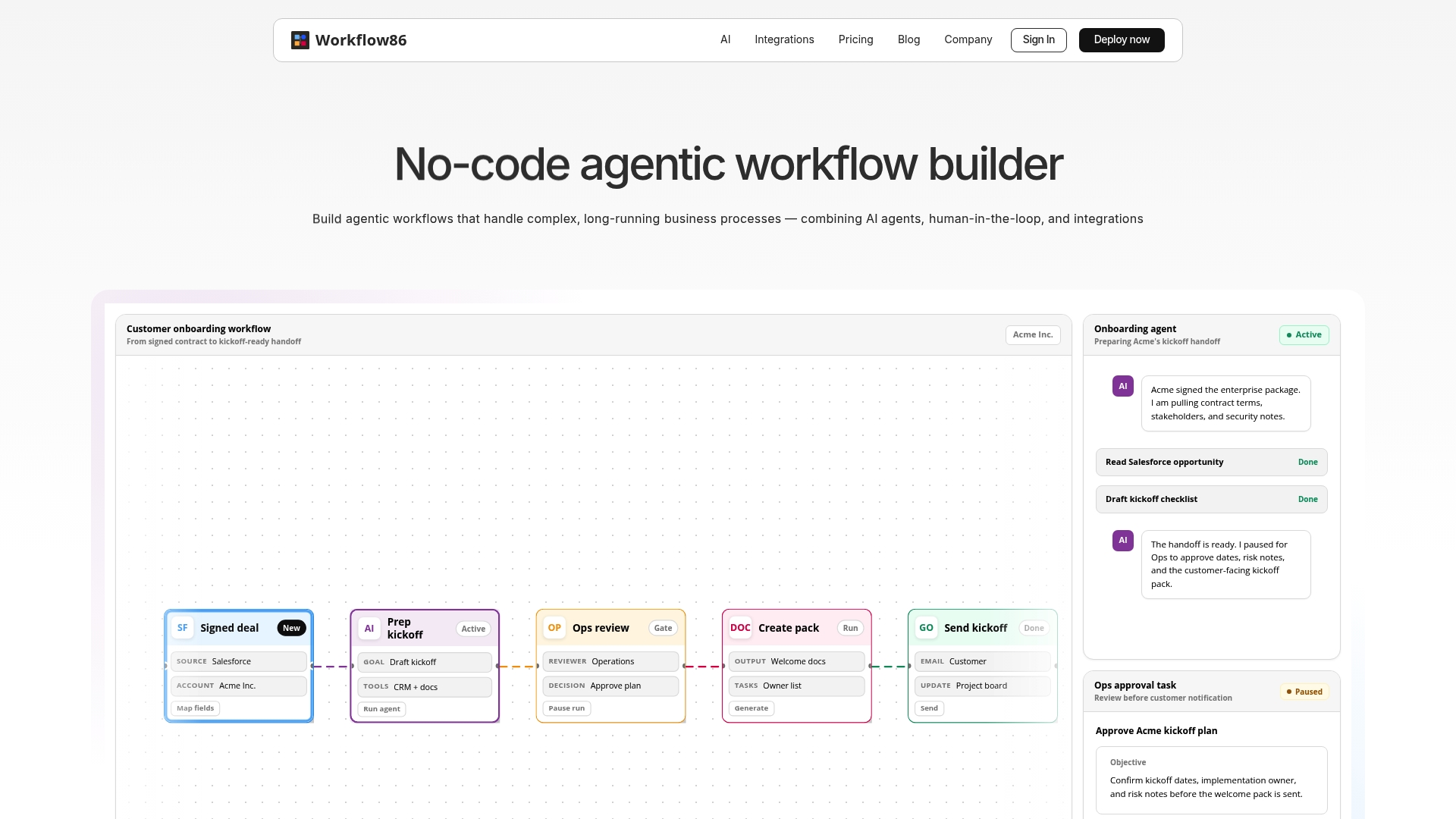
Workflow86 reports over 50 built-in tools for creating custom AI agents. That breadth supports agent-based tasks like content generation and data analysis. The platform targets long-running, multistep workflows that mix AI actions and human review.
Core Features
Workflow86 offers a no-code agentic workflow builder with visual flows, dynamic forms, and manual task assignments. You can create custom tools in Python or Node.js and orchestrate multiple AI agents alongside human-in-the-loop steps. The platform also includes complex controls for parallel actions, conditionals, re-runs, and version migration.
Key Differentiator
The platform stands out for its focus on complex, long-duration processes that require multi-agent coordination and human approvals. That focus means Workflow86 is built to keep state across days or weeks and handle branches, merges, and re-execution. Teams needing orchestration across many systems will find those controls valuable.
Pros
Workflow86 supports long-duration workflows with controls for parallel actions, conditionals, and re-runs, which helps reduce manual handoffs. It incorporates AI agents for content, analysis, and decision-making and lets teams add custom code when a visual builder is not enough. The platform lists broad native integrations and provides a visual builder for forms and tasks, which speeds configuration for technical and semi-technical teams.
Cons
-
Complexity and a noticeable learning curve for new or non-technical users.
-
Pricing is enterprise focused and custom quoted, which can be costly for small teams.
-
The free tier limits workflows and AI actions, restricting exploration at scale.
-
The platform can feel overpowered for teams that need only simple automations.
When It May Not Fit
Small teams with simple, short-lived workflows will likely find Workflow86 too complex. Organizations with tight, fixed budgets may prefer fixed-price tools over custom enterprise quotes. Projects that require only basic task routing and no AI will not use most of the platform’s capabilities.
Notable Integrations
-
Salesforce
-
Zendesk
-
Airtable
-
ClickUp
-
Mailchimp
-
Twilio
-
Google Apps
-
Confluence
Who It’s For
Organizations that automate intricate, multi-step processes involving systems and human approvals will benefit most. Growth-stage companies and enterprises that plan to embed AI agents in core workflows will find the platform aligns with those needs. Teams that can dedicate implementation time and possibly developer resources will get the most value.
Real World Use Case
A company automated customer onboarding by connecting Salesforce, a CRM, and document storage. Workflow86 orchestrated AI for data extraction, routed exceptions to human reviewers, and handled approvals that stretched across weeks. That setup reduced repeated manual handoffs and centralized state across systems.
Pricing
A free trial is available. Enterprise plans use custom pricing and are aimed at mission-critical or complex workflows. The vendor notes limits on the free tier, which can force upgrades as workflows or AI actions scale.
Website: https://workflow86.com
Comparison of alternatives
For teams seeking streamlined operational workflow automation with minimal onboarding friction, several options present distinct advantages depending on organizational needs and priorities.
Collaboration Ease and Features
EasyFlow stands out for its magic link-based access for external collaborators. This eliminates significant onboarding delays and administrative overhead, allowing external participants to act on tasks without account creation. This makes EasyFlow an effective solution for teams managing approvals across client-facing workflows. Process Street, while in compliance features, requires account setup for task participants, which may slow external project steps. Workflow86 incorporates dynamic AI agents for content generation and analysis but may be too complex for teams prioritizing short-term workflows.
Automation Depth and Compliance
When compliance and detailed governance are priorities, Process Street excels through its adherence to SOC 2, HIPAA, and ISO standards, as well as AI-supported monitoring of process deviations. Decisions offers advanced AI governance and integration features enabling business rule orchestration suitable for enterprise systems but requires technical implementation expertise that adds overhead. Workflow86 handles multi-step, long-duration processes with AI and human coordination, making it ideal for organizations relying on intricate task execution over extended periods.
Best fit
- Teams prioritizing minimal onboarding friction and direct task execution for external stakeholders can leverage EasyFlow’s magic link feature.
- Organizations focused on regulatory compliance, auditable workflows, and structured approvals will find Process Street’s feature set aligning best with their operational priorities.
- Enterprises requiring business rule orchestration across legacy and modern platforms will appreciate the system integration capabilities Decisions provides.
- Companies seeking to leverage AI for long-duration workflows will benefit from Workflow86’s agent-based dynamic automation features.
Our pick
EasyFlow is the preferred solution for teams dealing with operational workflows that demand external collaboration with minimal engagement barriers. Featuring a magic link access system, it simplifies task participation for external stakeholders, freeing internal teams for high-value work. For those emphasizing deep compliance integrations or AI-driven process enhancements, Process Street and Workflow86 respectively present suitable options.
Workflow automation platforms differ in features, pricing, and suitability for specific organizational needs.
| Product | Core Feature | Key Differentiator | Best For | Pricing | Notable Limitation |
|---|---|---|---|---|---|
| EasyFlow | Automated workflows with external access | External collaborators complete tasks via links | Teams managing recurring, process-driven work | Free plan; Pro $37/mo; Scale $149/mo | May not suit high compliance requirements |
| Process Street | Checklists with custom workflow automation | AI-powered compliance checks and audit trails | Regulated industries needing comprehensive logs | 14-day free trial; Paid tiers vary | Advanced features require high-tier cost |
| Decisions | Low-code business rules orchestration | Unified dashboard for AI and system governance | Centralized management of enterprise systems | Price not published | Complexity in full feature utilization without experts |
| Workflow86 | No-code workflows integrating AI tools | Long-duration processes with multi-agent support | Enterprises embedding AI in workflows | Free plan; Enterprise custom pricing | Steep learning curve for non-technical users |
How to Solve Workflow Bottlenecks Often Found in cflowapps.com Alternatives
Many teams struggle with the friction caused by manual approvals and external stakeholder onboarding. This slows down processes and leads to repeated status checks. EasyFlow tackles this challenge by automating workflows that execute processes directly. External reviewers complete tasks using magic links without needing accounts, reducing delays and administrative overhead.
EasyFlow helps operations teams and project managers handling recurring, process-driven work move faster and with fewer follow-ups. See how EasyFlow can reduce bottlenecks by letting collaborators act instantly through automated workflows. Experience a faster approval cycle by visiting EasyFlow’s main page and try simplifying your team’s task execution today.

FAQ
How does EasyFlow improve workflow efficiency for teams?
EasyFlow drastically reduces manual follow-up by automating workflows and providing live updates. The platform executes business processes with reminders and handoffs, which means teams can focus on key tasks instead of constant status checks. To improve your team’s workflow efficiency, consider trying out EasyFlow’s features directly.
What is the difference between Process Street and EasyFlow?
Process Street offers highly customizable workflows and a template library that cuts setup time for recurring processes. EasyFlow excels in running entire processes automatically without the need for external collaborators to log in. This makes EasyFlow a better fit for teams needing less friction with external stakeholders.
Which platform is better for onboarding external collaborators, EasyFlow or Decisions?
EasyFlow allows external collaborators to complete tasks without needing an account, making onboarding simple and efficient. In contrast, Decisions focuses on orchestrating complex processes and combining AI with human actions. For straightforward external onboarding tasks, EasyFlow is the more effective choice.
Can small teams use EasyFlow effectively without a complex setup?
Yes, small teams can effectively utilize EasyFlow without dealing with complicated setups. EasyFlow’s ability to automate workflows with magic links means external parties can act without account creation, keeping the process simple. For teams looking for hassle-free onboarding, EasyFlow is an excellent starting point.
How does EasyFlow’s pricing compare to other workflow automation tools?
EasyFlow starts with a Free plan, with paid tiers like the Pro plan at $37/month billed annually. This pricing structure makes it accessible for teams of various sizes. If you seek an affordable yet effective workflow automation solution, EasyFlow offers competitive pricing.