
What Does Workflow Execution Mean for Your Team?

Workflow execution is defined as the real-time, state-managed process of running a coordinated sequence of tasks to achieve a specific business outcome. Each execution is a live instance of a defined process, tracked by a unique ID and governed by states like RUNNING, COMPLETED, or FAILED. For professionals and team leaders, understanding this concept is the foundation of reliable process automation. Tools like Orkes Conductor and Dapr, along with frameworks like the NIST Cybersecurity Framework 2.0, have formalized how workflow execution works at scale. Getting this right separates teams that automate confidently from those that automate and hope.
What does workflow execution mean in practice?
Workflow execution is the active, state-governed running of a process instance. A workflow definition describes what should happen. Execution is what actually happens, step by step, in real time. The distinction matters because most automation failures occur not in the design phase but during execution, when real-world conditions like network failures, slow APIs, or missing approvals interrupt the expected flow.
Each execution instance carries a unique ID and moves through a defined lifecycle of states: RUNNING, PAUSED, COMPLETED, FAILED, TIMED_OUT, and TERMINATED. This is not just bookkeeping. Each state transition is a decision point that determines whether the process continues, retries, branches, or stops. Understanding these states is what separates teams that can diagnose failures quickly from those that spend hours guessing.
The mechanics of execution follow a clear sequence:
- Trigger: A workflow starts manually, via API call, or on a schedule.
- Task dispatch: The orchestration layer routes work between systems using business rules, creating individual task executions.
- State evaluation: After each task, the engine evaluates the result and decides the next step, including branching, waiting for human input, or retrying on failure.
- Completion or failure: The workflow reaches a terminal state once all tasks complete or an unrecoverable error occurs.
Pro Tip: Map your workflow states explicitly before building automation. Teams that define what FAILED and TIMED_OUT mean for each process recover from incidents in minutes, not hours.
Workflow execution is not a linear script run. It is a complex state machine where state must persist independently to allow durable control and resume-after-failure functionality. This architectural reality is what makes modern workflow execution fundamentally different from a simple cron job or task checklist.
How do workflow engines manage execution and ensure durability?
A workflow engine is the system responsible for orchestrating execution. Think of it as an automated air traffic controller, not simple plumbing. It coordinates tasks across systems, manages timing, handles failures, and maintains a complete record of everything that has happened. This role requires the engine to hold significant permissions and access, which has direct implications for both reliability and security.

The durability of modern workflow execution rests on two mechanisms. First, event sourcing uses an append-only log of history events to record every state transition. This log is the ground truth of what happened during execution. Second, state persistence means the engine can recover from a crash or failure by replaying the execution log, restoring local variable states without re-executing completed tasks. Dapr’s workflow implementation, for example, replays workflow functions until the last awaited task result, which restores the execution context automatically.
Key capabilities that durable workflow engines provide:
- Fault tolerance: Failed tasks are retried according to defined policies, not silently dropped.
- Replayability: The full execution history can be replayed for debugging or compliance review.
- Observability: Explicit state transitions provide 100% visibility into what the process did and when.
- Operational constraints: Execution results are sometimes capped, for example at a 6 MB result size limit, to maintain system stability.
“Industry leaders emphasize prioritizing ‘state-first’ models in workflow execution to ensure systems fail transparently and recover predictably, rather than silently failing.” — SaaS Systems Canon
Pro Tip: Treat your workflow engine’s execution log as a first-class artifact. Audit trails stored in event logs are the fastest path to root-cause analysis when a process breaks in production.
The contrast between explicit stateful execution and implicit orchestration is significant. Queue-based systems or ad-hoc scripts often hide state in memory or external databases, making failures hard to trace. Explicit workflow engines surface every transition, giving operations teams the visibility they need to govern processes at scale.
What are the common execution modes and how do they differ?
Workflow execution does not always run one task at a time. The mode of execution determines how tasks are scheduled relative to each other, and that choice directly affects speed, resource consumption, and complexity. Platforms like Apache Hop and Temporal each support multiple
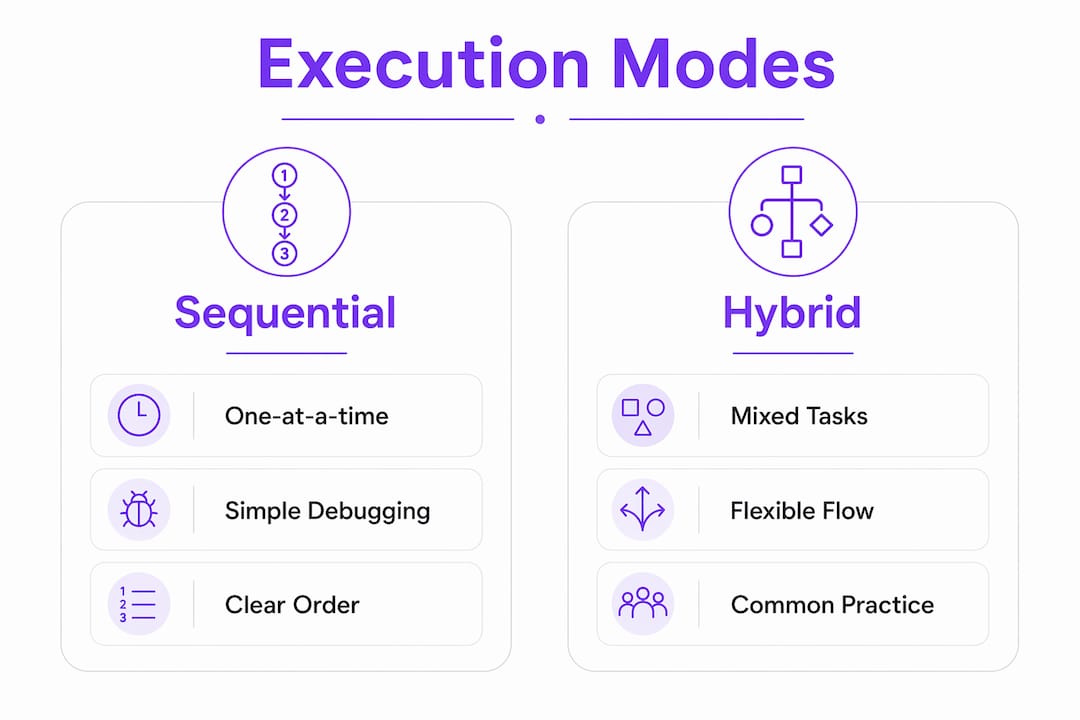
| Execution mode | How it works | Best for | Trade-off |
|---|---|---|---|
| Sequential | Tasks run one after another in a fixed order | Simple, linear processes like approvals | Slower total runtime |
| Parallel | Multiple tasks run simultaneously | Data processing, multi-system notifications | Higher resource usage and coordination complexity |
| Hybrid | Sequential and parallel steps combined | Complex business processes with mixed dependencies | Requires careful state management |
Sequential execution is the simplest to reason about and debug. Every task has a clear predecessor and successor, so failures are easy to locate. Parallel execution speeds up processes significantly when tasks are independent, but it introduces coordination overhead. The engine must track multiple concurrent task states and reconcile results before moving forward.
Hybrid execution is the most common pattern in real organizational workflows. A new employee onboarding process, for example, might run background checks and IT provisioning in parallel, then wait for both to complete before triggering a sequential orientation schedule. Choosing the wrong mode for a given process creates either unnecessary bottlenecks or debugging nightmares. The decision should be driven by task dependencies, not by a preference for speed.
Why workflow execution governance matters for security
Workflow engines are not neutral infrastructure. They are identity-bearing systems that hold credentials, call APIs, write to databases, and trigger downstream processes. Their permissions routinely exceed those of any individual human user on the team. This concentration of access creates a significant security surface that most organizations underestimate.
The risk is concrete. 97% of non-human identities in automated environments carry excessive privileges, which expands the blast radius of any compromise or misconfiguration. A workflow engine with write access to a CRM, an HR system, and a billing platform is a high-value target. If its execution paths are not monitored, a misconfigured workflow can cause data loss or unauthorized actions at machine speed.
Governance best practices for workflow execution include:
- Least-privilege access: Grant each workflow only the permissions it needs for its specific tasks, not broad system access.
- Execution path monitoring: Log every task execution and state transition, and alert on anomalous patterns.
- Access control on triggers: Restrict who or what can initiate a workflow execution, especially for processes touching sensitive systems.
- Alignment with NIST Cybersecurity Framework 2.0: The framework’s Govern and Protect functions apply directly to workflow engines as critical automated systems.
A complete execution history that records every state transition is not just useful for debugging. It is the audit trail that compliance teams and security reviewers need to verify that automated processes behaved as intended. Teams that build governance into their workflow execution architecture from the start avoid costly retrofits later.
Key takeaways
Workflow execution is the state-managed, real-time process of running coordinated tasks, and understanding its mechanics, modes, and security implications is what separates reliable automation from fragile scripts.
| Point | Details |
|---|---|
| Execution is stateful by design | Each workflow instance tracks states like RUNNING, FAILED, and COMPLETED to enable recovery and auditability. |
| Workflow engines ensure durability | Event sourcing and state persistence allow engines to replay execution history and recover from failures without re-running completed tasks. |
| Execution mode affects performance | Sequential, parallel, and hybrid modes each carry distinct trade-offs in speed, complexity, and resource usage. |
| Security governance is non-negotiable | Workflow engines hold broad system permissions, making least-privilege access and execution monitoring critical from day one. |
| Observability is the operational advantage | Explicit state machines provide 100% visibility into process behavior, making troubleshooting and compliance far faster. |
What I’ve learned from watching teams get workflow execution wrong
Most teams I’ve worked with treat workflow execution as a solved problem the moment they pick a tool. They configure a few steps, connect some APIs, and declare the process automated. The failures come later, usually at the worst possible time, because they never defined what the workflow should do when something goes wrong.
The single most common mistake is treating a workflow engine as a black-box task runner. Teams hand it a list of steps and assume it will handle the rest. It won’t. Durable execution requires you to think explicitly about every failure mode: what happens when an API times out, when a human approval never arrives, when a downstream system returns an unexpected response. The teams that get this right build state-first. They define FAILED and TIMED_OUT behavior before they define the happy path.
The second mistake is ignoring observability until something breaks in production. Execution logs and state transition records are not a debugging luxury. They are the operational backbone of any automated process. I’ve seen teams spend days diagnosing a broken onboarding workflow that would have taken twenty minutes to fix if they had been logging state transitions from the start.
On security, the gap between what teams know and what they practice is wide. Most professionals understand in theory that automated systems carry risk. Few actually audit the permissions their workflow engines hold. If your engine can write to your CRM and your HR system and your billing platform, you need to know exactly which execution paths touch which systems, and you need alerts when those paths deviate.
My recommendation: before you add another workflow to your automation stack, spend one hour mapping its execution states, failure modes, and permission requirements. That hour will save you ten in incident response.
— Harsh
Put workflow execution to work with Teameasyflow
Understanding the workflow execution process is the first step. Putting it into practice requires a tool that actually executes processes, not just tracks them.

Teameasyflow’s free workflow management software is built for operations-heavy teams that need real execution, not just task lists. Unlike project management tools that require every participant to create an account, Teameasyflow lets external collaborators complete tasks via magic links, which cuts onboarding friction and speeds up process completion. State tracking, team notifications, and execution visibility are built in. Whether you’re running client onboarding, new hire setup, or recurring operational processes, Teameasyflow gives your team the execution layer your current tools are missing.
FAQ
What is the workflow execution definition?
Workflow execution is the real-time, state-managed process of running a defined sequence of tasks to achieve a business outcome. Each execution is a unique instance with a lifecycle that includes states like RUNNING, COMPLETED, and FAILED.
How does workflow execution differ from workflow management?
Workflow management covers the design, monitoring, and optimization of processes. Workflow execution is the active running of a specific process instance, governed by state transitions and task completions in real time.
What triggers a workflow execution?
A workflow execution can be triggered manually by a user, automatically via an API call, or on a defined schedule. The trigger creates a new execution instance with a unique ID that the engine tracks through its lifecycle.
Why do workflow executions fail?
Executions fail when a task returns an error, a timeout is reached, or a required resource is unavailable. Durable workflow engines handle these failures through retry policies and explicit FAILED state transitions rather than silent drops.
What is event sourcing in workflow execution?
Event sourcing is an append-only log of every state transition in a workflow execution. It enables fault tolerance and replayability by allowing the engine to restore execution context without re-running tasks that already completed successfully.